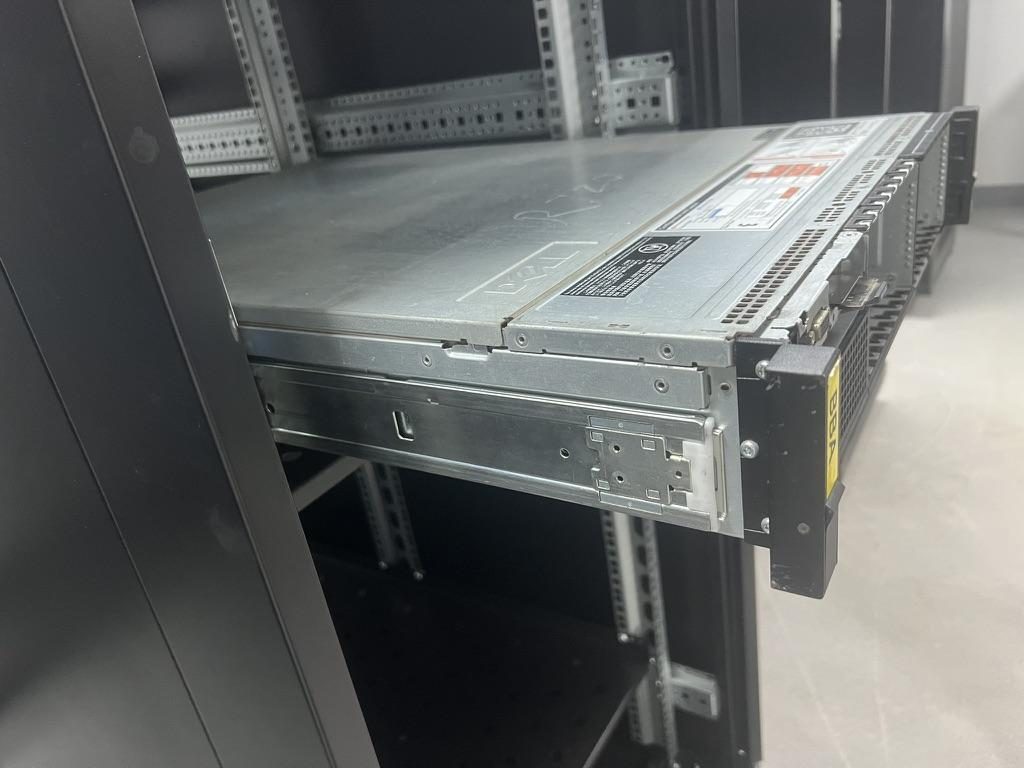
Installing server rails is a twenty-minute job when the kit matches the rack and the chassis, and a two-hour argument with steel when it does not. This server rails installation guide covers the full procedure for the kits you are most likely to meet in a 19-inch rack: Dell PowerEdge ReadyRails, HPE ProLiant Quick Deploy and easy install rails, the King Slide-type tool-less kits that many OEMs ship, and generic tool-less, screw-mount and fixed rails.
If you only need the basic sequence of how to install server rails, read the short version; this page is the long one, with the brand-specific details, the mechanism explanations and the troubleshooting.
Before you start
Most server rack rails installation problems are decided before the first pin goes into a hole.
- Identify the rack hole type. Square 9.5 mm holes take tool-less pins directly. Round unthreaded holes usually take the same pins or an adapter. Threaded holes (M5, M6, 10-32 or 12-24 style) need a screw-mount bracket or a conversion step, because a pin cannot grip a thread. The differences are covered in rack hole types: square, round and threaded.
- Measure the front-to-rear post distance. This is the number the rail's rear bracket has to reach, and it is not the same as cabinet depth or chassis depth. The distinction is explained in rack mounting depth vs rack depth vs chassis depth. If your posts are outside the kit's adjustment range, stop here; see the server rail length and travel guide.
- Mark the U position on all four posts. One rack unit is three holes. Rails must land on the same U front and rear, left and right. If the posts are not numbered, count from the bottom and mark with tape.
- Know the server weight. The rail's dynamic rating must exceed the loaded server weight with margin, and the rack should be anchored. Server rail load capacity explained covers how ratings are defined.
- Get two people for anything heavier than a light 1U. One person cannot align two inner rails with two intermediate members while holding a heavy box level.
- Decide about the cable management arm (CMA) now. It needs mounting points at the rear of the rails and rear clearance. If the kit includes one, unpack it with the rails.

Anatomy of a rail kit
Every sliding rail kit, whichever brand is printed on it, is built from the same parts. Knowing the names makes the manuals easier to follow and makes it obvious which part is stuck.
| Part | Where it lives | What it does |
|---|---|---|
| Outer member | Fixed to the rack posts | Carries the load into the rack; holds the front and rear brackets |
| Intermediate member | Rides inside the outer member | Extends the travel so the server can come fully out of the rack (three-section kits only) |
| Inner member | Screwed, pinned or keyed to the chassis | Leaves the rack with the server; carries the release lever |
| Front and rear brackets | Ends of the outer member | Pins, hooks or screw flanges that engage the rack posts; the rear bracket usually telescopes to match post distance |
| Pins and hooks | On the brackets | Tool-less engagement with square or round holes |
| Latches | Front bracket, sometimes rear | Spring-loaded catches that snap over the post so the rail cannot walk out of the holes |
| Lock-out stop | Between intermediate and inner members | Holds the server at full extension so it cannot slide off the rack; must be released to remove the server |
| Ball retainer (cage) | Between members on ball-bearing kits | Keeps the balls spaced; when it creeps, the two rails run out of sync |
Two-section kits give partial extension; three-section kits give full extension so the lid can come off in the rack. A dual-lock anti-drop structure, which MetrixSlide fits on its sliding kits, adds a second retention point so the inner member cannot leave the intermediate member unless both releases are operated. For a new build, types of server rack rails lays out the trade-offs.
Step-by-step: generic tool-less kit
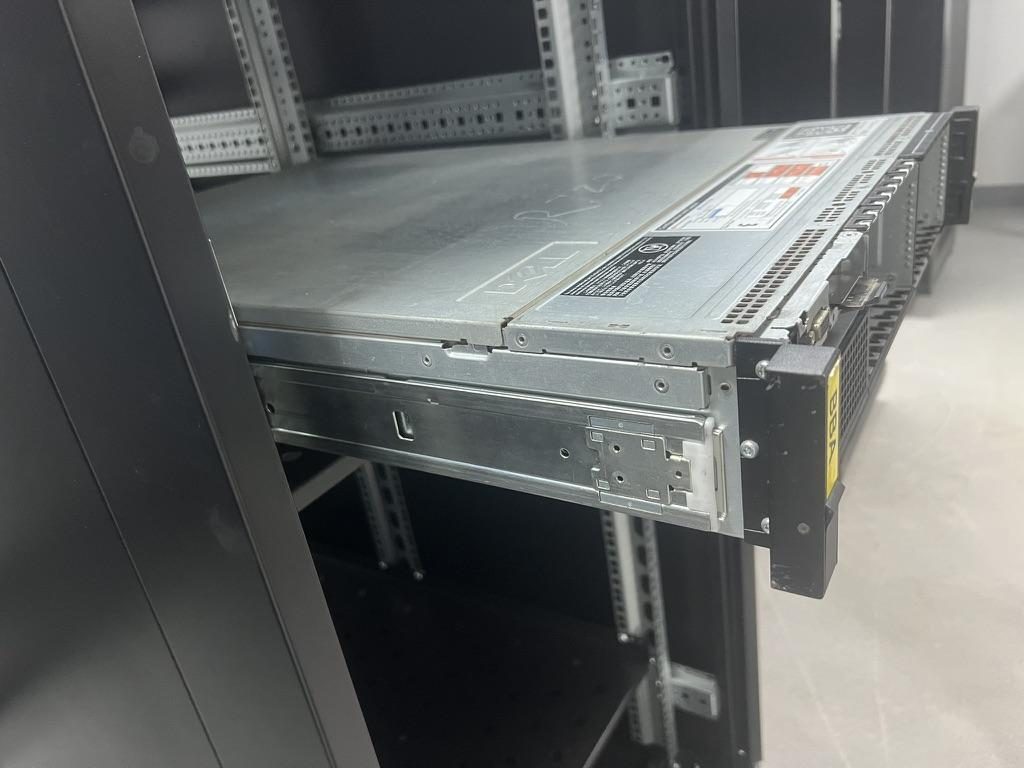
This is how to install server rack rails with most tool-less kits that use square-hole pins, including MetrixSlide kits such as the MS-TLS-120.
- Unpack and sort left from right. Rails are handed. Look for an L or R stamp, an arrow marked FRONT, or the release lever, which faces the front of the rack on the inner member.
- Separate the inner member from the outer assembly if it ships assembled. Pull the inner member forward to the lock-out, press the release lever and slide it out. Set both inner members aside for the chassis.
- Set the outer member to the post distance. Loosen the rear bracket screw or release its detent, extend the rear bracket until it matches your measured post distance, and re-tighten or let the detent lock. Do this on both rails and check they are equal.
- Engage the rear bracket first. Hold the rail level at your marked U, put the rear pins into the rear post holes, and pull the rail slightly forward so the pins seat against the hole edges.
- Engage the front bracket. Compress or pull the front latch, push the front pins into the front post holes, and release the latch so it snaps over the post face.
- Shake-test the rail. Push it rearward, pull it forward, push it side to side. It should not click, shift or rock. If it does, a pin is not seated: release the latch and re-engage.
- Repeat for the second rail at the same U, then sight across the two rails from the front. They must be level with each other; a one-hole offset will let the server go in but it will bind at the end of travel.
- Fit the inner members to the chassis. Align the keyholes or slots with the chassis standoffs or T-pins, push the rail flat against the chassis and slide it rearward until it clicks or reaches the retaining screw position. Fit any retaining screw; the release lever faces forward. T-pin and keyhole mounting explained shows the patterns.
- Extend both intermediate members fully until they stop at the lock-out. Check that both are at the same extension.
- Lift the server into the rails and push it home. Align the inner members with the intermediate members on both sides, push in until the lock-out catches, press both release levers and continue pushing until the front of the server reaches the posts. Secure the front thumbscrews or latches.
A pin that has not seated fully is the cause of most wobbling and most rails that later walk out of the posts, which is why step 6 is not optional.
Dell PowerEdge ReadyRails
Dell ships two families of rails for PowerEdge servers: static rails, which hold the server fixed and are typically used for 2-post or shallow installations, and sliding rails, which extend for service and accept a CMA. Dell marks its kits with a type code on the rail label; the 2U sliding kit, for example, appears in marketplace listings as type B6. Match the code on the rail to the code in your server's rack installation sheet before you start, because kits for different chassis generations look alike.
Sliding ReadyRails install tool-lessly in square-hole and unthreaded round-hole racks: rear bracket first, then front, with spring latches that snap over the post. Dell's own video shows the sequence on a 2U kit.
Video: Dell Technologies
Square, round and threaded conversion
ReadyRails brackets work in square and round unthreaded holes with the same pins. For threaded racks, the tool-less pins are removed from the front and rear brackets and the brackets are attached with the screws from the kit's hardware bag. Dell publishes a separate short video for the threaded-rack procedure; watch it before removing any pins, because the steps differ slightly by generation.
The blue release tabs
Dell rails use blue plastic tabs and levers at the release points. On the inner member, the blue tab releases the server from the rail at full extension. On the rack side, blue latches at the front bracket release the rail from the post. Some generations also have a blue slide lock on the intermediate member. The color tells you it is a release point; it does not tell you which one, so identify each tab before you press anything with a server hanging on the rails.
Common mistakes with ReadyRails
- Installing the outer rails one hole apart because the rear bracket was hooked into the wrong hole of the three in a U. Count holes.
- Trying to fit a static rail kit's inner member to a chassis that expects the sliding kit's standoff pattern. They are not interchangeable.
- Forcing the server past the lock-out without pressing both release tabs, which bends the tab and makes every later removal a fight.
- Leaving the rear bracket detent unlocked, so the rail is the right length only until the first time someone pulls the server.
If your PowerEdge is a discontinued model and the OEM kit is no longer sold, engineering solutions 002 describes how a tool-less kit was adapted to the R720's standoff pattern without new tooling.
HPE ProLiant Quick Deploy and easy install rails
If you searched for how to install HP server rack rails under the older HP name, these are the same kits. HPE has shipped ProLiant rack servers with two styles of rail: ball-bearing sliding kits with tool-less rack engagement (the Quick Deploy family) and simpler friction-style easy install rails where full extension is not required. Both are tool-less in square-hole racks; round-hole and threaded racks use hardware from the kit's bag.
Video: third-party demonstration of an HP ProLiant Quick Deploy rail kit
Notes that save time on ProLiant kits:
- The rear bracket is spring-loaded on many Quick Deploy generations. Compress the rail to fit between the posts, then let it expand so the pins engage. Confirm each pin is through the post and the latch is closed.
- The inner rails on several ProLiant generations attach with a combination of chassis standoffs and one or two screws. Do not skip the screw; it is what holds the inner rail at the front during removal.
- HPE kits often ship with the CMA in the same box. Fit the CMA brackets before racking the server if the cabinet is tight at the back.
- If your cabinet's post distance is outside the bracket range, the rail will either not reach or will not latch. Engineering solutions 003 is an example of a DL380 Gen9 fleet moving into non-standard-depth cabinets, and engineering solutions 004 covers a fixed rail for a DL380p Gen8.
King Slide-type tool-less kits used by many OEMs
A large share of the tool-less rails in the field were made by King Slide for tier-1 OEM programs, and they share a family resemblance: a thin outer member with spring-loaded pins, a ball-bearing intermediate member, an inner member with a plastic release lever near the front, and a CMA bracket at the rear.
According to King Slide's website, its server rail kits are positioned around ultra-thin construction, tool-less installation with single-person assembly and removal, high-precision ball-bearing slides with multiple locking mechanisms, and a CMA as standard configuration. King Slide sells server rails through OEM programs and does not publish a catalog, so the kit in your hands will carry the server maker's part number, not King Slide's.
The video below shows a Lenovo ThinkSystem tool-less kit with this style of mechanism.
Video: third-party demonstration of a tool-less slide rail kit
How the mechanism works, generically:
- Front and rear pins are spring-loaded in the bracket. Pressing the latch retracts the pins; releasing it drives them into the post holes. The latch then sits over the post face as a second retention.
- The intermediate member is stopped at full extension by a lock-out tab. A lever on the inner member lifts the tab so the inner member can pass. On some kits the same lever, pushed the other way, lets the server go in; on others the inner member pushes past a ramp automatically on the way in.
- Multiple locking positions mean the server can be held at full extension, at the service position, and fully home, which is why a kit can feel like it has "three clicks".
A King Slide-type kit from one OEM will not necessarily fit another OEM's chassis even though the rack side is identical; the inner member's hole pattern is chassis-specific. If you are looking for an equivalent, King Slide server rail alternative: how to find a replacement that actually fits explains what to measure, and King Slide vs MetrixSlide server rails is the objective comparison.
Screw-mount and fixed rails
Not every rack takes pins, and not every server needs to slide. Screw-mount kits use flat brackets that bolt through the post holes with cage nuts (square holes) or directly into threaded holes. Fixed rails, also called support rails or L-rails, are a pair of angles the chassis rests on; they have no moving parts.
Use them when:
- The rack has threaded holes and the kit has no conversion hardware.
- The server will never be serviced in the rack (storage shelves, appliances, switches).
- Vibration is a concern, or the operator prefers the load carried on bolts rather than pins.
Installation order is the same: rear first, front second, shake-test, then the partner rail. Two points differ. First, start every screw by hand before using a driver; a cross-threaded cage nut in a rack post is miserable to fix. Second, do not over-tighten. The bracket only needs to be snug against the post, and the manufacturer's sheet gives a torque value if one matters.
On fixed rails the chassis front ears carry the retention, so those screws matter more than the rail screws. The full comparison is in tool-less vs screw-mount rails, and MetrixSlide's fixed range is under fixed rack rails.
Installing the server onto the rails
With both outer rails in the rack, the last step is the lift. The order matters.
Attach the inner rail correctly. There are four common attachment styles:
- Keyholes over chassis standoffs: the wide end of each keyhole goes over the standoff head, then the rail slides rearward so the narrow end captures the shank.
- T-pins into slots: same principle, with a T-shaped pin on the chassis and a slot on the rail.
- Standoffs with a retaining screw: the rail hangs on the standoffs and one screw at the rear or front stops it sliding back off.
- Screws only: flat-head screws through the rail into threaded chassis holes. Use the screws supplied; a longer screw can reach the intermediate member and stop the slide.
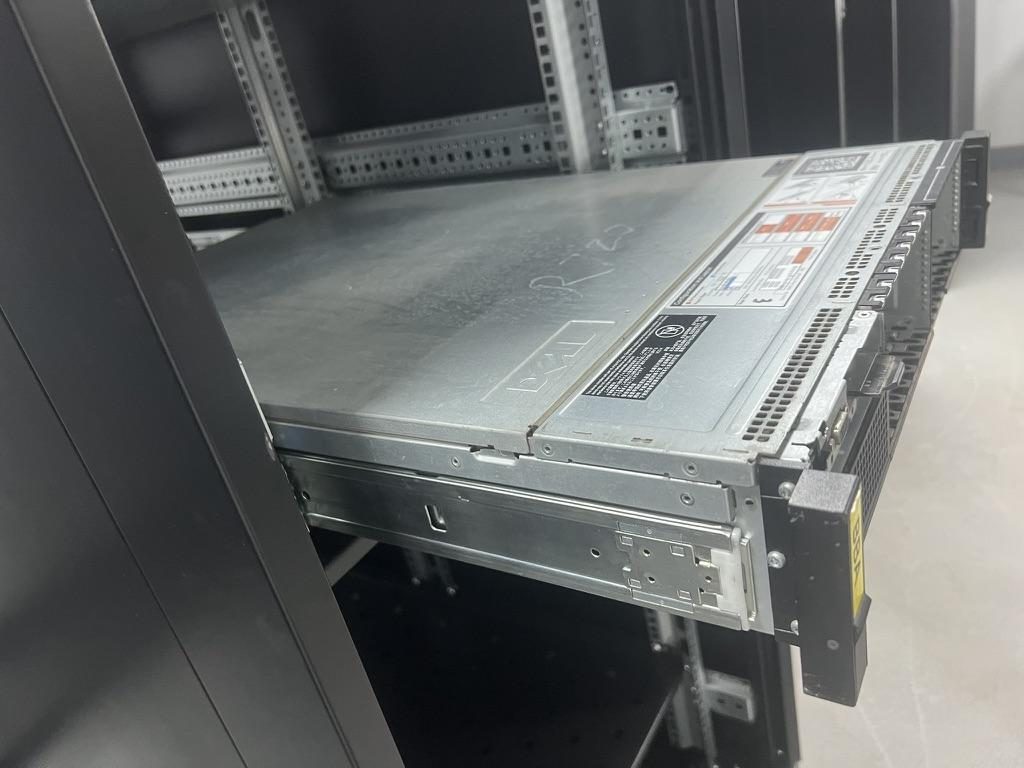
Then slide in and check the lock-out:
- Pull both intermediate members fully forward until they stop.
- With two people, lift the server so the rear of each inner member sits in the front of each intermediate member. Level it. Push straight back.
- The inner members enter the intermediate members and stop at the lock-out. This is the checkpoint: the server should now be held at full extension and should not come forward on its own. If it slides out freely, the inner members are not in the intermediate members, or the lock-out is not engaged. Do not continue.
- Press both release levers and push the server home until the front ears touch the posts. Listen for the click on each side.
- Pull the server out to full extension once. It should stop positively at the lock-out on both sides at the same time. Push it back in and secure the front thumbscrews.
If one side stops before the other, the rails are on different U positions or one intermediate member was not fully extended in step 1. Reset and repeat.
Cable management arm
A CMA is a hinged tray that carries the rear cables in a loop so the server can be pulled out without unplugging anything. On most sliding kits it mounts to brackets at the rear of the outer and inner members with tool-less tabs.
Fit it after the server is pushed home, route the cables with enough slack for the loop to straighten at full extension, and pull the server out slowly the first time while someone watches the rear. A CMA that binds at full travel is the most common reason a sliding server stops halfway. If you will never service the server in the rack, leave the CMA off; it adds rear depth and blocks airflow.
Troubleshooting
- The rail binds partway through travel. Usually a ball retainer out of sync on one side. Push the server fully in, then pull each intermediate member fully forward by hand so both cages re-index. If it persists, look for paint chips, zip-tie tails or debris in the ball track.
- One rail extends further than the other. Different U positions, or rear brackets set to different lengths. Sight across from the front and re-measure.
- The pins go in but the latch will not close. The front bracket is one hole off, or the post flange is thicker than the latch was designed for. Move the rail up or down one hole; if the latch still will not close, the rack may need the screw-mount hardware instead.
- The rail is too short to reach the rear post, or too long for the cabinet. The rear bracket is at its limit. Do not improvise with a longer bolt; the bracket will not be supported. Measure the post distance and match a kit to it using the server rail length and travel guide.
- The server goes in but will not come out. Both release levers must be pressed at the same time, with the weight supported. If they are, and it still will not release, check for a bent lock-out tab and for a chassis screw that is too long. Full detail is in how to remove a server from tool-less rails.
- The inner rail will not fit the chassis. Wrong kit for the chassis generation. Compare the hole pattern against the server rail compatibility checklist.
Safety checklist
- Rack anchored to the floor or ballasted, leveling feet down, anti-tip stabilizer out before any server is extended.
- Load the rack from the bottom up; the heaviest servers go lowest.
- Two people for any server heavier than a light 1U; a lift for 4U GPU servers.
- Extend only one server at a time on the same rack.
- Confirm the lock-out engages before you let go of the server.
- No fingers inside the rail members while a server is being pushed home.
- Keep the floor in front of the rack clear for the full rail travel plus the people.
- If the hole type, post distance or rail length do not match, stop and get the right kit.
FAQ
How long does it take to install server rails?
A tool-less kit in a square-hole rack takes about ten to fifteen minutes for the rails and another ten for the server, with two people. Screw-mount kits take longer because of the cage nuts, and threaded racks add the pin-to-screw conversion.
Do I need tools to install tool-less rails?
Usually not for the rack side. You may still need a screwdriver for the inner rail's retaining screw, the CMA brackets and captive front screws. Keep a #2 Phillips and a flat-blade within reach.
Can Dell ReadyRails go into a threaded rack?
Yes, using the tooled method. The pins are removed from the front and rear brackets and the brackets are screwed to the threaded holes with the hardware in the kit. Dell has a short video for this procedure; follow it for your generation.
Are HP and Dell rails installed the same way?
The sequence is the same: rear bracket, front bracket, shake-test, partner rail, inner members, lift, lock-out check. The latches, release levers and inner-rail attachments differ, and the kits are not interchangeable between brands or chassis generations.
What if my rack is deeper than the rail's adjustment range?
The rail cannot be stretched safely. Measure the post distance and match a kit with a bracket range that covers it. MetrixSlide can adjust length and bracket travel on its standard platforms without a tooling fee; send the rack drawing and a fitment proposal comes back within 24 hours.
How do I know the rails are rated for my server?
Compare the server's loaded weight, including drives and GPUs, against the rail's dynamic load rating with margin. For heavy AI and GPU servers, MetrixSlide's MS-BBR-180 has a nominal capacity of up to 180 kg per pair, although a formal test report at that load is not yet available; heavy-duty server rails for GPU and AI servers explains what a load rating covers.

Next step
If the kit you have does not fit, or the OEM kit is discontinued, send the chassis or rack drawing through the quote page. A mechanical engineer returns a rail fitment proposal within 24 hours, bracket and hole-pattern changes carry no tooling fee, and you can order a sample pair of a standard model with an MOQ of one pair, shipping in three business days.
For a tool-less ball-bearing kit to start from, see the MS-TLS-120, with a specified capacity of 120 kg per pair, or browse the sliding rack rails range.
King Slide is a trademark of King Slide Works Co., Ltd. Dell and PowerEdge are trademarks of Dell Inc. HPE and ProLiant are trademarks of Hewlett Packard Enterprise. Other brand names are the property of their respective owners and are used only to describe compatibility or comparison. MetrixSlide is not affiliated with, endorsed by, or sponsored by these companies.