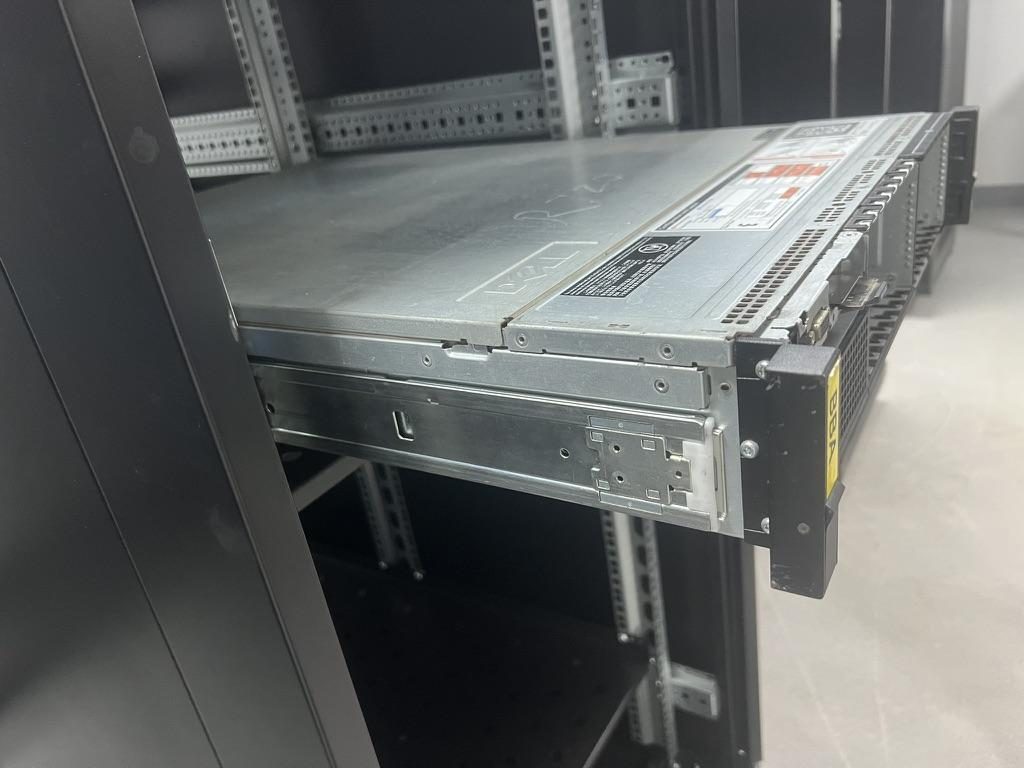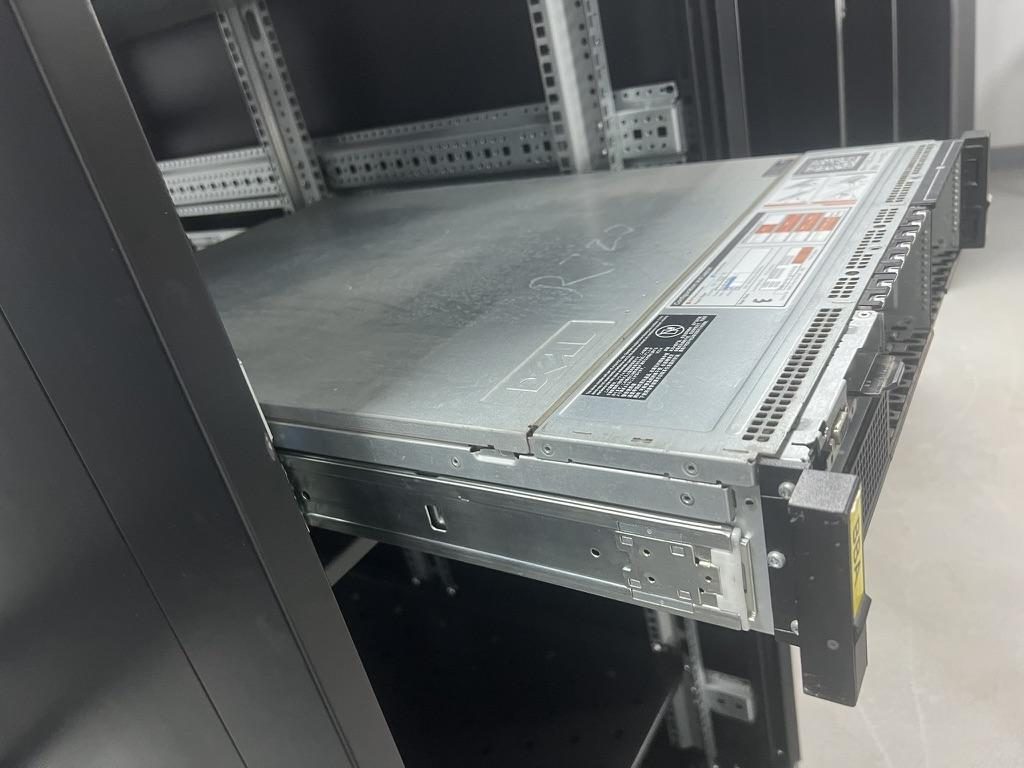
Most tool-less server rail kits work the same way, whether the kit was made by King Slide for a tier-1 OEM program, ships as a Dell ReadyRails-style kit, comes with an HPE server, or is a MetrixSlide kit. There is an outer member that hooks or pins into the rack posts, an inner member attached to the chassis, a release latch or lever near the front of the inner rail, and a lock-out stop that holds the server at full extension. The exact position and shape of the levers differ by kit, so if you have the OEM manual, the manual wins. This guide covers the generic procedure and the reasons rails get stuck.
Before you start
Tool-less does not mean effortless. A loaded 2U server is more than one person should hold at arm's length in front of a rack, and a 4U GPU box is well beyond that.
- Get a second person for anything over roughly 2U, or anything that feels heavy. One person works the release tabs, the other takes the weight.
- Power down and unplug, or at minimum confirm there is enough cable slack for full extension. Label cables before you pull them.
- Disconnect or unlatch the cable management arm (CMA) if one is fitted. An attached CMA fights you at full travel and can pull a rail out of sync.
- Check that the rack is anchored, leveling feet are down, and any anti-tip stabilizer is deployed. A fully extended server moves the rack's center of gravity forward.
- Note the post hole type: square, round, or threaded. Square-hole posts take the pins directly, round and threaded posts usually need adapters or a screw-mount bracket. See rack hole types: square, round and threaded.
- Clear the floor in front of the rack for the full travel of the rail plus two people.
- Confirm the kit matches the rack depth before installing. If you are not sure which depth number matters, read rack mounting depth vs rack depth vs chassis depth.
Installing tool-less rails: step by step
The full walkthrough, including adapters for round and threaded posts, is in how to install server rack rails. Below is the short version with the checks that matter for tool-less kits.
Rack side: outer members
- Locate the U position and mark it on all four posts. Front and rear of each rail, and left and right rails, must land on the same U. Each U is three holes; the pins normally use the top and bottom hole, or the pattern shown in the kit's sheet.
- Extend the outer member to the rack depth. Most tool-less kits have a telescoping rear bracket that slides to fit the front-to-rear post spacing.
- Engage the rear end first. Hook the rear pins or hooks into the rear post holes, then pull the rail forward so the pins seat against the hole edges.
- Engage the front end. On many kits you compress a spring-loaded latch or pull a release, push the front pins into the front post holes, and let the latch snap back over the post.
- Verify that every pin is seated. Push each rail rearward, pull it forward, then push it side to side. A rail that clicks or shifts is not fully engaged. Check that left and right rails are at the same height.
Chassis side: inner members
- Attach the inner rail to the chassis. Tool-less kits typically use keyhole slots that drop over T-pins or shoulder studs on the chassis, sometimes with one retaining screw at the rear. Screw-mount kits use flat-head screws through the inner rail. The front marking and the release lever both face forward. Details are in T-pin and keyhole mounting explained.
- Pull the intermediate members of both outer rails fully forward until they stop at the lock-out.
- With two people, lift the server, align the inner rails with the intermediate members on both sides, and push the server in. Some kits slide straight in; others need you to press the release lever to pass the lock-out. Listen for the latch click on both sides.
- Verify full travel. Slide the server all the way in, out to the lock-out stop, then in again. It should run smoothly and stop positively at full extension.
- Secure the front. Tighten the captive thumbscrews or engage the front latches so the server cannot creep forward during transport or under vibration.
If you are still deciding between tool-less and screw-mount for a new build, tool-less vs screw-mount rails covers the trade-offs.
Removing a server from tool-less rails: step by step
Removal is where most "rails stuck" questions come from. The mechanism only lets go when both sides are released together, and a server that is half out is the worst place to discover that.
- Work through the "Before you start" list. Disconnect cables and unlatch the CMA.
- Release the front retention: loosen the thumbscrews, open the bezel latches, or press the front lock, depending on the kit.
- Pull the server straight forward until it stops at the lock-out. Do not try to release anything before it is at full extension; the lock-out stop is what keeps the server from sliding off the rack by itself.
- Locate the release tabs on both sides. On many kits they are blue or green plastic levers on the inner rail, near the front of the server, just behind the chassis ear. Some kits use a push-tab you press down or in, others a pull-latch you lift or pull forward. Positions vary by kit and generation, so look at both rails and, if in doubt, check the OEM manual.
- Press or pull both release tabs at the same time while a second person supports the weight of the server. With the tabs held, slide the server forward. The inner rail comes out with the chassis; the intermediate and outer members stay in the rack.
- Set the server down on a bench or cart. If you are swapping in another server of the same model, move the inner rails to the new unit, or use the new unit's own inner rails.
- Push the intermediate members back into the rack so nobody walks into them.
- Disengage the outer rails from the posts, front first. Compress or pull the front latch and pull the front of the rail away from the post so the pins clear the holes. Then compress the rear latch, lift the rear off the post, and take the rail out. Front first keeps the rail supported at the rear while your hands are busy.
If the rails are staying in the rack for the next server, skip step 8.
Why rails get stuck (and what to do)
Almost every stuck rail is one of the following. Work down the list before reaching for a pry bar.
- Only one release tab is pressed. The most common cause. The two rails are independent, so releasing one side does nothing for the other.
- The ball-bearing retainer has shifted. In a ball-bearing slide, the balls sit in a cage that travels between the members. If the cage on one side has crept, the intermediate member is out of sync with the other side and the server binds part way. Fix: push the server fully in, then pull each intermediate member fully forward to the lock-out by hand so the cages re-index, and try again.
- A bent lock-out tab. If someone forced the server past the stop, the tab may be bent so it catches. Inspect it with a light; if it is deformed, replace the rail rather than adjusting it.
- Debris or paint in the ball track. Paint chips or zip-tie tails in the track will stop a ball-bearing slide dead. Extend, clean the track with a lint-free cloth, and do not add grease unless the kit's documentation calls for it.
- A chassis screw installed through the wrong hole. A screw driven through a slot instead of a hole, or a screw long enough to touch the intermediate member, stops the inner rail from sliding. Check every screw head sits flush.
- Rack posts are not parallel. If the rear posts were set at uneven depth, the left rail is a different length from the right and the server binds at one end of travel. Measure post spacing on both sides and re-set the rear posts.
- Inner and outer members from different kits. Two kits from the same maker can look identical and still differ in latch position or ball-track width. If a rail has been swapped between servers, confirm the inner and outer members share a part number or match dimensionally.
For a deeper compatibility checklist, see server rail compatibility checklist.
When to replace the rails instead of fighting them
Replace rather than repair when you see any of the following.
- Deformed members: a twisted or dented outer or intermediate member will never run true again.
- Sagging at full extension: the server drops noticeably at the front, which means the anti-sag geometry or the ball cage is worn or damaged.
- A lost or broken release lever: the rail cannot be released safely without it, and a lever is not a field-serviceable part on most kits.
- A missing inner rail after a server swap: inner rails often leave with the old server, and a replacement inner member must match the outer one.
- Rails from a different generation: a kit for the previous chassis generation may install but bind or fail to latch on the new one.
If the original OEM kit is unavailable, expensive, or slow to ship, the options are laid out in King Slide server rail alternative: how to find a replacement that actually fits and replacement server rails: functional equivalent vs copy. MetrixSlide can supply functional-equivalent rails from the chassis dimensions: send a chassis or rack drawing and a mechanical engineer returns a rail fitment proposal within 24 hours. For an example of what a tool-less kit looks like, see the MS-TLS-120 tool-less ball-bearing rail kit, with a specified capacity of 120 kg per pair.
FAQ
Are King Slide rails tool-less?
According to King Slide's website, tool-less installation with single-person assembly and removal is one of the stated selling points of its server rail kits. King Slide supplies rails through OEM programs rather than publishing a catalog, so whether a specific kit in your rack is tool-less depends on what the server maker specified. Check the kit's sheet or the server's OEM manual.
Can I remove a server from its rails alone?
For a light 1U unit, usually yes, if you can hold the weight while working both release tabs. For anything heavier or taller, no. Both tabs must be pressed at the same time while the weight is supported, which is a two-person job.
Do I need to remove the inner rail to swap servers?
Yes, in most cases. The inner rail is attached to the chassis, so it leaves the rack with the server. Move the inner rails to the new server if it uses the same kit, or install the new server's own inner rails. Leave the outer members in the rack unless the new server needs a different kit.
Why won't my Dell rails release?
Most often only one side's release tab is pressed, or the server was not pulled all the way to the lock-out stop first. Next on the list are a shifted ball-bearing cage or an attached CMA fighting the travel. Pull the server fully forward, press both tabs together with a second person supporting the weight, and check the OEM manual for the exact tab position on your kit's generation.
Can I reuse rails on a different server?
Sometimes. The outer members care about rack depth and hole type, the inner members care about chassis length, height, and the hole or T-pin pattern. If the new chassis matches the old one on those points, the rails will usually work; if not, they will not latch or will not slide. Compare the dimensions against server chassis dimensions for rail compatibility before you try.
Next step
If a stuck rail turned out to be bent, sagging, or missing, or you have a batch of servers without kits, send a chassis drawing or a photo with the main dimensions through the quote page. You will get a fitment proposal reviewed by a mechanical engineer within 24 hours, with standard models like the MS-TLS-120 tool-less kit available from a MOQ of 1 pair and shipping in 3 business days. Browse the full range under sliding rack rails.
King Slide is a trademark of King Slide Works Co., Ltd. Dell and PowerEdge are trademarks of Dell Inc. HPE and ProLiant are trademarks of Hewlett Packard Enterprise. Other brand names are the property of their respective owners and are used only to describe compatibility or comparison. MetrixSlide is not affiliated with, endorsed by, or sponsored by these companies.