A practical guide to measuring post-to-post distance, choosing the right rail type and verifying chassis-to-rail fit before you buy.
How to Measure Rack and Rail Mounting Depth Accurately
Measuring "rack depth" for rails means one clear thing: the front-to-back distance the rail brackets must span between rack posts — and that distance must be measured from the same datum points the rail’s brackets are designed to use.
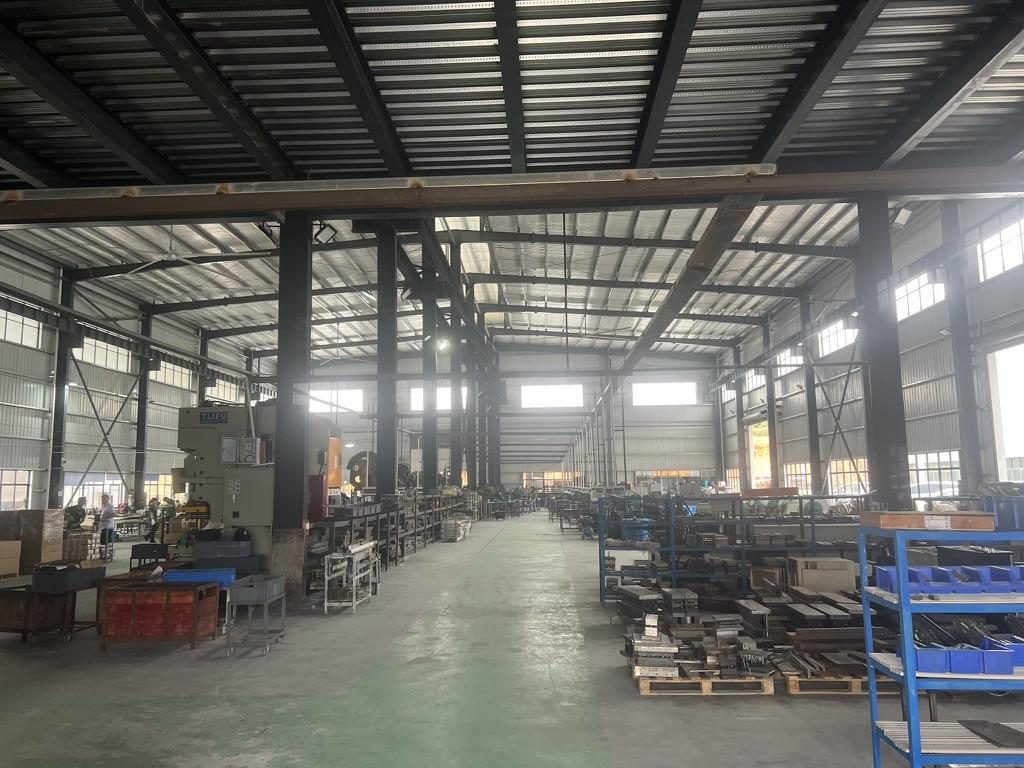
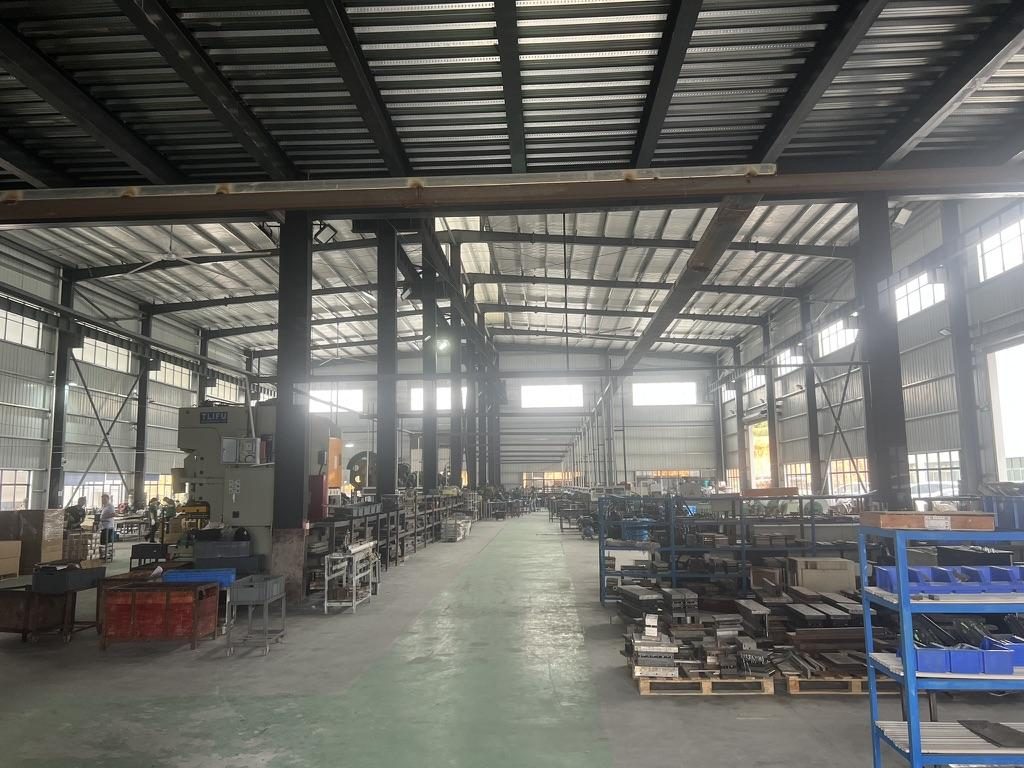 Overview of the server rail production workshop
Key definitions (use these as a mental checklist)
- Rack mounting depth — the actual front-to-rear distance between the rack mounting posts or the specific rack-side connection points the rail brackets must span. This is a rack-side requirement, not a product dimension.
- Rail closed length — the rail’s physical length in its retracted state (model-specific drawing value). Do not treat it as the rack mounting depth.
- Rail extended length / travel — the rail’s fully extended drawing dimension or travel spec; separate from bracket fit range.
- Rail bracket fit / adjustment range — the model-specific front-to-rear bracket capability that must contain the required rack mounting depth. Always confirm from the rail drawing or vendor data.
Practical, field-ready steps
- Identify which datum the rail’s brackets will use at the front and rear (hole centerline vs inside-face of the post). The most reliable measure is the center-to-center distance between the specific mounting holes you plan to use. For square-hole racks measure hole-center to hole-center; for threaded posts measure the threaded-hole centers; if a rail uses the post face as datum, measure inside-face to inside-face consistently.
- Use three-point confirmation: measure the left-post datum, the right-post datum and the centre. If those differ, plan for the smallest value for bracket fit and record twist/parallelism for engineering.
- For adjustable posts, capture the minimum and maximum post-to-post travel. Record both values (customer projects commonly specify ranges — e.g., a verified rail bracket range of 650–965 mm in one project). The rail’s bracket adjustment range must overlap this interval.
- For telescoping rails, record closed length, extended length and the rail’s published bracket fit / adjustment range from the datasheet or drawing — do not infer fit range from closed length alone.
- Allow service and cable clearance: plan rear service margin for PDUs, large connectors and cable bend radius (see the Cooling & Cable section below).
Tools and how to use them
- Tape measure (metric primary) — read to the nearest mm.
- Vernier or digital caliper — use for hole‑center verification, pin/head diameters and small clearances.
- Straightedge / level — detect post twist or non-parallel posts.
- Camera with a scale — photo of hole rows with a ruler is extremely useful for vendor verification.
Recommended units and tolerances
- Measure in millimetres as your primary unit (convert to inches only for supplier/legacy references). Many MetrixSlide model drawings use ±3 mm tolerances for closed/extended dimensions; treat ±3 mm as a common drawing tolerance, not a universal installation tolerance. Confirm per-model tolerances on the drawing used for match.
- Field repeatability target: aim to be within a few millimetres of the measured datum; when in doubt, capture photos and request vendor confirmation against their bracket drawing.
Measurement checklist (printable)
- Rack model and post type (square / round / threaded + thread spec)
- Exact front datum used (hole-center / face) and hole-row number
- Exact rear datum used (hole-center / face)
- Minimum / maximum post-to-post distance measured (capture both)
- Photos of front and rear posts with ruler, and measurement notes
What installers commonly miss
- Measuring outside-post to outside-post instead of hole-center to hole-center can cause a non-fit.
- Treating “19‑inch” as a guarantee of fit — 19‑inch / IEC 60297 is a front‑panel classification, not a full compatibility statement (post spacing, hole type and mounting depth still vary).
- Not recording hole type (square vs threaded) — a rail bracket intended for a threaded post or a specific cage-nut row will not seat correctly without the right bracket or adapter.
Rail Types and Compatibility: Fixed, Sliding, 2-Post vs 4-Post
Choosing the right architecture depends on weight, service needs and the rack post type. Below are the taxonomy and decision rules MetrixSlide engineers use.
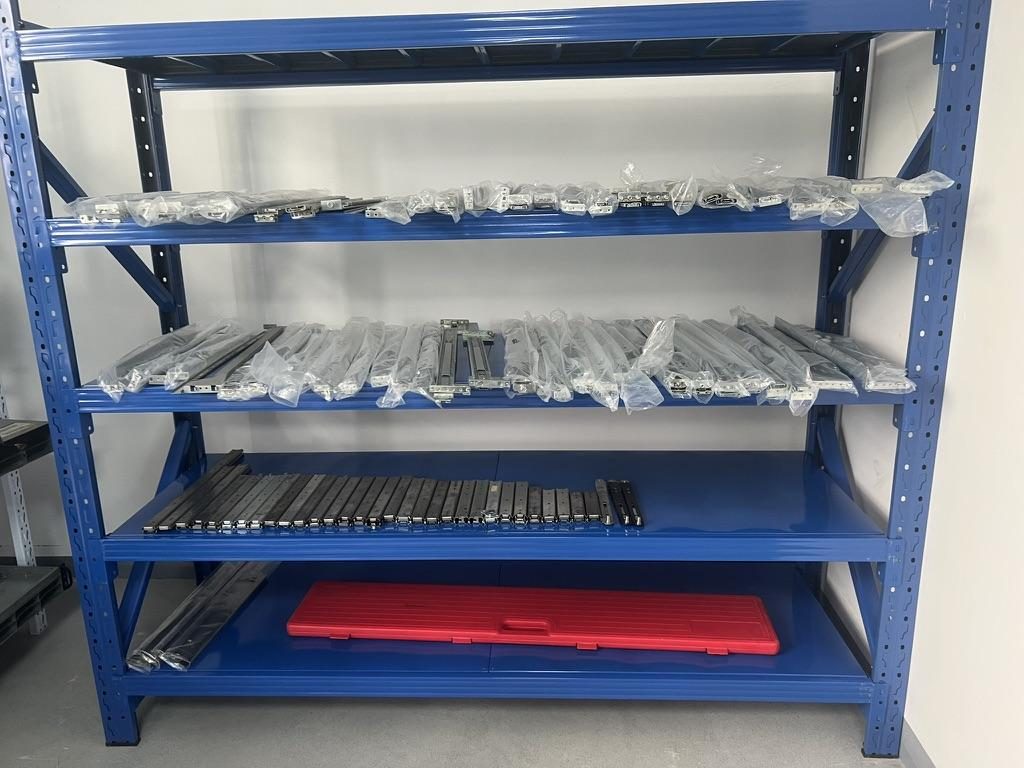
 Server rail sample display rack at the MetrixSlide factory showroom
Taxonomy (how we classify rails)
- Motion architecture: fixed (stationary) vs sliding (telescoping).
- Mechanism: ball-bearing (rolling) vs friction (sliding).
- Mounting attributes: tool-less vs screw; stab-in vs drop-in (installation method).
- Member count & travel: two-section, three-section, closed length and full extension specs. These categories combine — e.g., a three-section ball-bearing sliding rail with drop‑in tool-less brackets.
Quick decision flow (hard gates first, preferences second)
- Compatibility hard gates:
- Does the rail’s bracket fit range contain the actual rack post-to-post distance? (If no → reject.)
- Does the chassis mounting interface (pin/keyhole/screw centres) match the rail’s front interface? (If no → reject or plan adapter.)
- Is the required static/dynamic load within the published per‑pair or per‑rail rating at the intended extension state? (If no → reject or re-spec.)
- Preferences and application:
- Need in-rack service access without removal? → sliding rails (ball-bearing preferred for heavier loads).
- Lightweight, seldom-serviced device? → fixed rails or L‑brackets.
- 2‑post rack? → prefer rails specifically rated for 2‑post or add supplemental shelf/support.
Common rail choices — guidance (not exhaustive)
- Fixed rails / L-supports: simple, low-cost, require device removal for deep service.
- Friction sliding (sometimes tool-less): suitable for moderate loads; check sustained-load behaviour.
- Ball-bearing two-/three-section: smooth travel, better for frequent service and heavy loads; always confirm per‑pair static full‑extension rating.
- Heavy-duty GPU rails: three-section ball-bearing, often with anti-sag structure and rear support recommendations; MetrixSlide reference heavy-duty baseline is a nominal capacity of up to 180 kg per pair for one heavy-duty model; a formal test report at that load is not yet available.
Notes on mounting interfaces and adapters
- Square-hole racks commonly use cage nuts; threaded posts require the thread spec. Provide the post hole type and post photo to your rail vendor.
- Universal brackets can fit multiple hole types, but confirm the verified bracket range and hole patterns for the target rack model.
Load, extension and installation considerations
- Always check vendor specs for whether a rating is per rail or per pair, static or dynamic, and the extension state (closed vs full extension). Baseline MetrixSlide heavy-duty model examples are stated as a nominal capacity per pair.
- Reduced pull‑out or limited travel is common for load testing and safety — more extension is not always better. Validate the required service travel (some projects moved from a 300 mm target to a reduced 150 ±3 mm lock‑out for testing and safety).
What many purchasers miss
- Selecting a rail solely by closed length — the bracket fit range must be explicitly checked against the actual post-to-post distance.
- Assuming multi-pair mounting straightforwardly multiplies load capacity — load-sharing requires engineering validation.
Matching Server Chassis to Rail Systems and Rack Depths
This is a compatibility mapping exercise: chassis model → mounting interface → recommended rail family → required rear support. Follow the hard‑gate process before preferences.
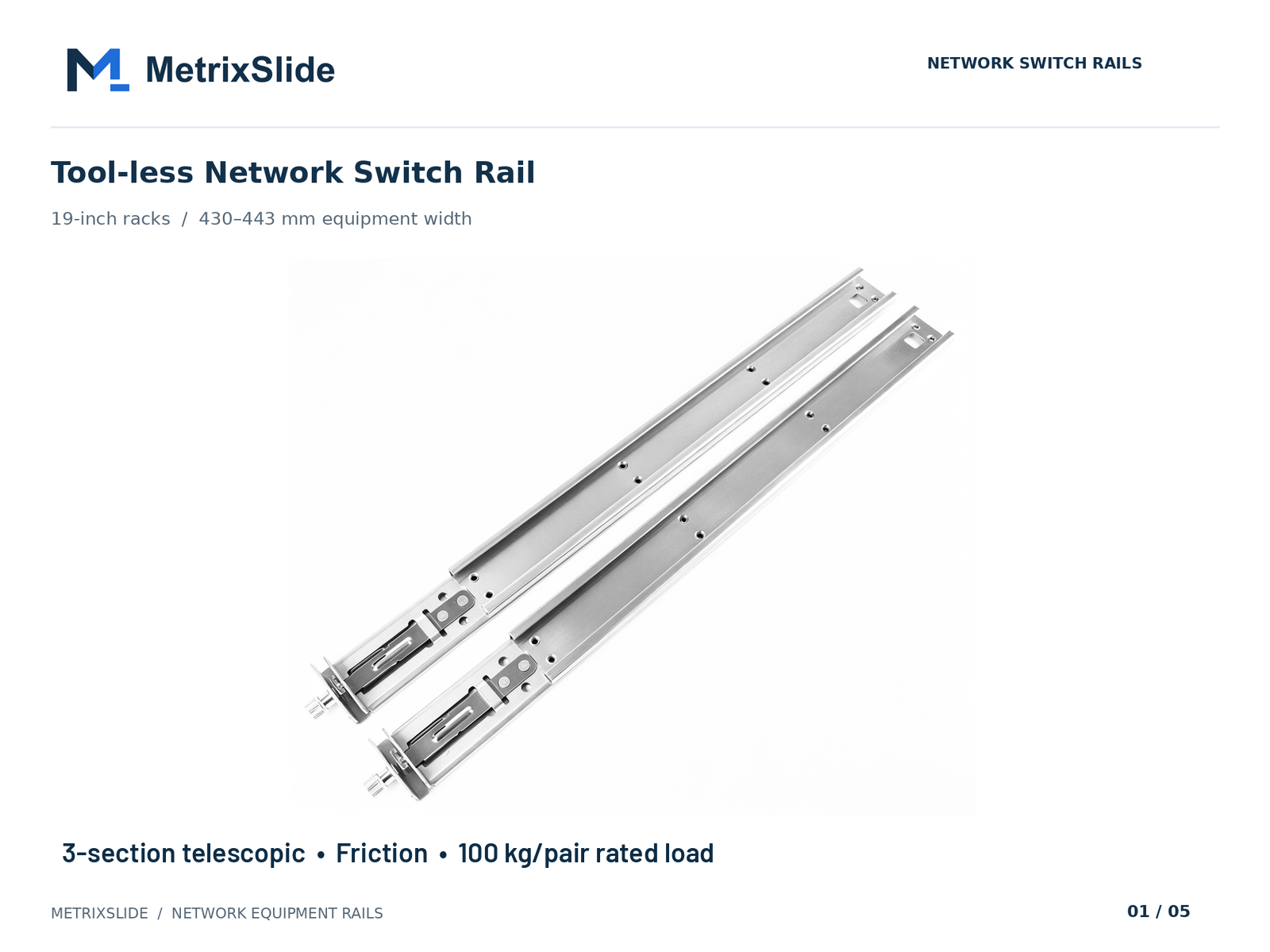 MS-FMR-SW-100 Tool-less Network Switch Rail — view product
Step-by-step compatibility checks (MetrixSlide practice)
- Capture chassis external dimensions (U height, width and depth) and the chassis mounting features: T-pin or PEM pin positions, J-slot/keyhole geometry, captive screw centres, or mounting-ear hole pattern. U height alone is insufficient.
- Extract the chassis front datum for mounting (pin centreline, ear flange); compare that datum to the rail’s front interface drawing so the chassis will land in the intended U-space. Check for small offsets — even a few millimetres in screw-centre dimension can shift the chassis U-position.
- Verify the rail’s bracket adjustment range against your measured post-to-post minimum and maximum. The rail’s published fit range must overlap your rack range.
- Decide rear support: deep or heavy chassis (e.g., multi‑GPU) commonly need rear braces or a rear‑support strut to manage sag despite robust rails (MetrixSlide offers designs with a patented anti-sag slide structure for high‑load applications).
Adapters and special cases
- Short-depth chassis: choose ultra‑slim or short‑bracket rails and confirm inner‑rail engagement length.
- Deep chassis: consider three‑section rails plus dedicated rear‑support hardware.
- Universal mounting adapters can re-map hole types; confirm they do not shift the chassis datum beyond tolerance.
Compatibility matrix columns to collect (engineer-ready)
- Chassis model, external depth, front-mount datum coordinates, pin geometry (T-pins), recommended rail family, rail closed/extended/fit-range, rear support required (Y/N).
Real‑world verification workflow (MetrixSlide practice)
- Hard gates: Chassis interface fit, rack post fit, load rating. If any hard gate fails, stop and re-spec.
- CAD overlay: place chassis datum in the rail CAD to spot interference.
- Physical sample: order a single sample pair for in-rack fit check as soon as CAD is favourable. MetrixSlide sample lead time for early validation is typically 15–20 days after order confirmation.
- Physical validation: perform functional and static-load checks before production.
Selected anonymised fit examples (engineer references)
- An Indian HPC ODM provided a measured rack post‑to‑post distance of ~812 mm. MetrixSlide evaluated a rail bracket adjustment range of 650–965 mm and confirmed CAD-level compatibility; physical installation validation was scheduled next. This is an example of rail bracket range containing the actual mounting depth.
- A North American telecom OEM required a reduced pull‑out for a 1U system; the project moved from a 300 mm target to an accepted lock‑out around 150 ±3 mm for load testing and safety. The posts for that project were documented in the drawing range 674 ±3 to 919 ±3 mm. This shows how extension and lock‑out are project‑specific.
- A SaaS company building its own servers provided PEM T‑pin dimensions (head Ø / shaft Ø / under‑head clearance ≈ 6.502 / 4 / 1.585 mm) to convert a stab‑in rail family to a drop‑in style; only the inner‑rail J‑slot geometry needed redesign in that conversion. Pin geometry dictates slot geometry — never assume universal keyhole sizes.
- A Korean surveillance‑equipment maker specified a very slim chassis envelope and asked for a thinner rail and specific front‑mounting pattern (customer‑requested sizing such as a ≤5 mm rail thickness was treated as a bounded customization that required CAD evaluation). This is an example of architecture-first intake followed by hole‑pattern CAD.
What to send your rail supplier (minimum)
- Chassis drawing (or clearly labelled photos / dimensional sketch), front-mount datum coordinates, measured post-to-post minimum/maximum, post hole type photos, expected static load and quantity. This allows the supplier to run CAD checks and quote samples quickly.
Installation Tools, Step-by-Step Mounting Procedure, and Retrofit Checklist
A methodical install reduces rework. MetrixSlide field practice aligns with a disciplined sequence and retrofit checks.
Tools and hardware
- Torque wrench (captive screws), screw kit matching your post/thread type, support blocks, level, caliper, marker, and an assistant for heavy units.
- For retrofit: drill and metal‑working tools, threaded inserts or cage nuts, rear support brackets and adapter plates.
Standard mounting sequence (practical)
- Unpack rails and verify left/right and inner/middle/outer identification.
- Mount outer rails to the front post first — align to the hole centers or face datum you recorded.
- Install rear outer‑rail bracket at the rear post, leaving final tightening until both sides are aligned.
- Mount inner rails to chassis if required (for drop‑in designs inner rails are often pre‑installed).
- Insert chassis along the rail path; check that pin engagement into keyhole/J‑slot is clean and not forced.
- Secure rear supports and tighten fasteners to specified torque. If torques aren’t specified on your drawing, tighten to a firm hand torque and confirm with vendor guidance.
- Functional checks: slide in/out, lock‑out engagement, power/cable routing and cable‑strain relief.
Retrofit checklist for non‑standard holes or damaged posts
- Can you use cage nuts on square holes? If not, plan for threaded inserts or adapter plates.
- If post‑to‑post distance is outside available rail ranges, consider a different rail family, bracket extension kits or add a rear shelf for support.
- For badly twisted posts, mount inner rails to a rear cross‑member or add a rear shelf to provide a fixed datum.
QC photos to capture
- Front and rear post photos with ruler scale
- Left and right outer rails mounted (before chassis insertion)
- Final assembled rack with chassis slid out halfway for lock check
What installers often underestimate
- The need for rear supports on deep devices and the friction caused by mismatched hole rows. PDU brackets and cable trays often occlude bracket positions — identify hardware locations before mounting.
Planning for Cooling, Cable Clearance, and High‑Depth Modern Servers
Rack depth affects airflow, PDU placement and cable routing as much as mechanical fit.
Airflow and service clearance
- Define front-to-back airflow and preserve unobstructed flow paths. Avoid packing large cable bundles into the rear exhaust.
- Reserve a rear service zone for PDUs, heavy power connectors and cable bend radius. Deep devices increase rear‑clearance needs.
Cable and PDU considerations
- Respect cable minimum bend radii when calculating rear clearance; add vertical channels or cable managers to keep bundles out of the exhaust.
- Decide PDU placement early — some installation patterns require routing that interferes with rear rail brackets.
Deep GPU/AI servers: special guidance
- Deep, multi‑GPU servers frequently need substantial rear clearance for power harnesses and airflow plenums. Also specify rear support to manage sag and distribute load: MetrixSlide’s heavy‑duty baseline example has a nominal capacity of up to 180 kg per pair for one product family, and a formal test report at that load is not yet available; always confirm the specific model rating and perform a static load check.
- For loads beyond a single pair’s validated rating, plan multi‑pair mounting and ask your vendor for load‑sharing validation.
What many programs miss
- Treating rail fit as the only variable. Thermal and cable planning often dictates a different rail choice or the addition of rear shelves and cable managers to preserve long‑term serviceability.
Conversion / CTA
To match common server depths to rail families, keep a short compatibility table for each rack you manage: rack model, front hole type, post-to-post minimum/maximum, chassis depth, rail bracket fit range, rear support required (Y/N). Keep photos, measurements and chassis drawings on hand: that record saves time and avoids returns.
FAQ
Q: How exactly do I measure rack depth for rail mounting — which front and back points should I use and should I measure inside or outside the posts? A: Measure between the same datum points the rail brackets will use — typically the centerline of the mounting hole row or the inside face of the post. Record minimum and maximum post-to-post distances and include photos of the specific hole rows with a ruler for supplier verification.
Q: What are the practical differences between fixed and sliding rails, and when is a sliding rail necessary? A: Fixed rails or L‑brackets are simple and economical for appliances that are rarely serviced in place. Sliding rails are necessary when you need in‑rack service access (hot swap, maintenance) without full chassis removal — choose ball-bearing slides for heavier or frequently serviced equipment.
Q: How do 2‑post and 4‑post racks change rail selection and what load capacities should I check? A: 4‑post racks provide stable mounting and are compatible with the broadest range of rail types. 2‑post racks may require specialized 2‑post rails or supplemental shelving. Always check whether the rail rating is given per pair (typical) or per rail, and whether the rating is static or dynamic at full extension.
Q: How much rear clearance is required behind a mounted server for PDUs, cables, and adequate airflow? A: Rear clearance depends on device depth and power harness geometry; plan for additional service space beyond the chassis depth. For deep GPU/AI appliances, budget an extra 100–300 mm for power cables and airflow management and include rear support to avoid sag.
Q: How can I verify that a specific server chassis model will fit my rack’s adjustable rail range? A: Provide the chassis drawing (or model), the exact front-mount datum coordinates, and measured post-to-post minimum/maximum. A CAD overlay or a sample pair in your rack is the fastest verification; keep photos and measurements with the chassis drawing for reference.
Talk to a MetrixSlide engineer
Not sure how this applies to your servers? Send us a chassis drawing or model (STEP or DWG), the rack post-to-post distance and hole type, the expected load and your planned quantities. Within 24 hours you get a rail matching proposal from an engineer, followed by 2D/3D drawings for review and sample pairs (typically 15–20 days after drawing approval) for physical validation before the full order.
Bracket position, hole pattern, rail length and thickness adjustments on our existing platforms usually carry no tooling fee; structural redesigns are quoted separately with dies made in-house.
Our quality and validation notes
- MetrixSlide’s factory is ISO 9001:2015 certified for metal slide processing; in the factory static-load test a rail pair is held under load at full extension for 24 hours, and the MS‑FMR‑2U‑100 held 100 kg in that test. We also offer rail families with a patented anti‑sag slide structure for high‑load, full‑extension applications.