Quick comparison and field‑ready checklist for engineers and buyers who must decide between buying OCP Open Rack V3 equipment or retrofitting existing 19" EIA racks with adapter rails.
Standards and Key Dimensions: ORv3 (21") vs 19" EIA-310
ORv3 (Open Rack V3) is a 21" equipment‑bay / payload architecture with an OpenU (OU) vertical unit of 48 mm and a 24 mm sub‑pitch. Traditional 19" equipment follows the 482.6 mm (19") series defined in the IEC 60297 family where 1 RU = 44.45 mm (nominal). Those vertical‑pitch and payload‑width differences are the single biggest engineering impact when selecting rails and adapters: they change which face‑plate datums and hole rows line up to rail brackets, and they introduce different rack‑side payload features (threads, cutouts, M‑datums) in the ORv3 environment.
- Frame bay / payload width
- ORv3 equipment bay (21") ≈ 533 mm payload mounting plane (equipment‑bay datum; implementations use a wider external frame).
- 19" EIA front panel: 482.6 mm (IEC 60297 series).
- Vertical unit pitch
- ORv3 OU = 48 mm; OU sub‑pitch = 24 mm (half‑OU features repeat at 24 mm).
- EIA RU = 44.45 mm (nominal).
- Rack‑side features that matter to rails
- ORv3 payload datum features commonly include M4/M6 threads, rectangular cutouts and a repeat at every half‑OU (24 mm). ORv3 racks also define busbar / rear manifold keep‑outs that constrain rear‑plane bracket placement.
- Measure, don't assume: the nominal rack label (19" / 21" / ORv3) is a starting classification, not proof of fit. Confirm actual mounting geometry before quoting.
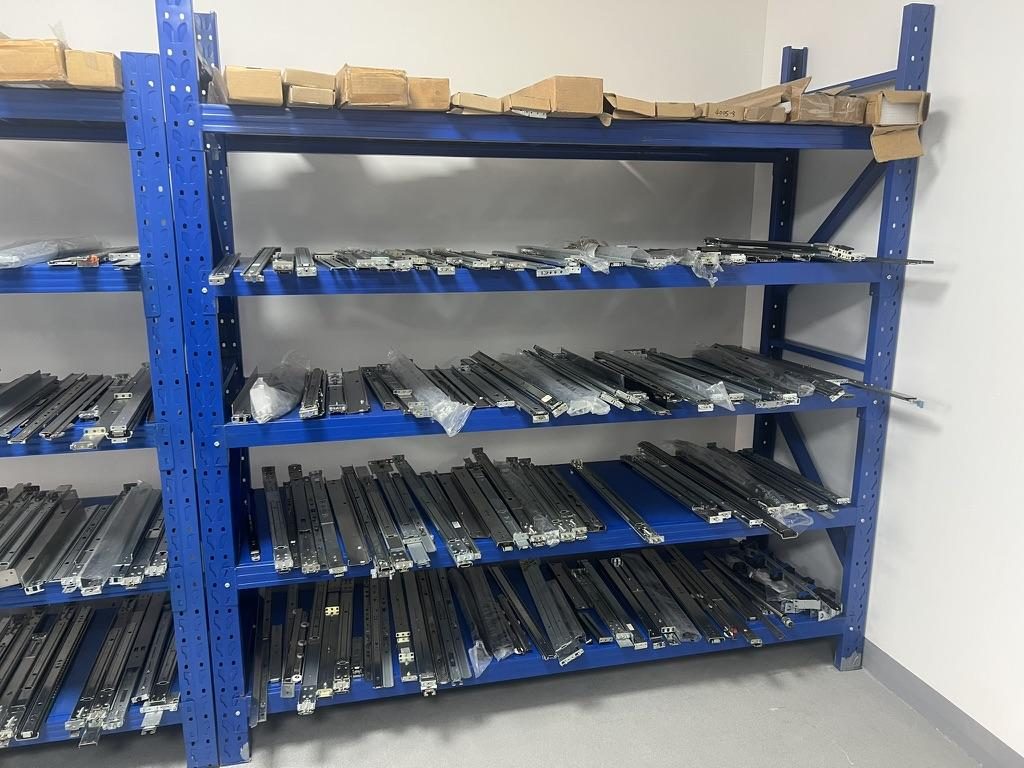
 Server rail sample display rack at the MetrixSlide factory showroom
Quick dimensional reference (what to measure in the field)
- Confirm the equipment‑bay width you are mounting into (are you attaching to an ORv3 payload bay, a classic 19" post pair, or an adapter/sub‑rack?).
- Record vertical pitch reference: is the deployment using RU = 44.45 mm grid or OU = 48 mm grid (or a mixed environment)?
- Measure actual post‑to‑post mounting distance (the bracket fit range must include the measured value). Do not use nominal rack depth alone.
- Record rack post hole types and the thread spec if threaded (examples seen in field: square punched ~9.5 × 9.5 mm for cage nuts; round Ø7.1 mm; threaded posts commonly 10‑32 or #12‑24). Photograph posts and hole centres.
- Collect chassis/rail dimensions: closed length, extended length, bracket fit‑range (adjustment range), and datum‑to‑first‑hole. Important engineering rule: closed length ≠ mounting depth ≠ chassis depth — capture all three from drawings or measure them.
Standards and references to check during quoting
- Use IEC 60297 series (482.6 mm / 19" family) as the standards foundation for 19" equipment and the OCP ORv3 payload references for 21" installations. Treat any EIA/EIA‑310 citation as a compatibility reference and always confirm the rack/post implementation with pictures and measurements.
Key engineering implications
- Adapters must translate the ORv3 payload mounting datum to the rack’s post datum without changing the chassis service envelope (U‑positioning, clearances for cables, blind‑mates).
- The 24 mm sub‑pitch in ORv3 introduces half‑OU datum positions (M4/M6 and rectangular cutouts) that many ORv3 payloads use; adapter brackets and rail hole patterns must respect half‑OU offsets where applicable.
- Busbar and rear manifold keep‑outs in ORv3 reduce the usable rear plane for bracket anchors — measure and report busbar offsets and keep‑out envelopes with RFQs.
Mounting Patterns, Rails and Adapter Kits: What Fits and How to Install
Before requesting a quote, capture the compatibility hard gates in this order (MetrixSlide engineering rule): chassis inputs → rack inputs → interface hard gates → load hard gates → preferences. In other words, prove mechanical compatibility first; decide sliding vs fixed, ball‑bearing vs friction, tool‑less vs fasteners afterward.
Hard gates to collect
- Exact chassis front‑face mounting geometry (hole centres, PEM/T‑pin specs, J‑slot positions, captive screw centres).
- Rack post hole type and the actual measured post‑to‑post distance (not the nominal rack depth).
- Rear‑plane obstructions (busbar, cooling manifold) and their offsets from the post plane.
- Required load, extension and service use case (how far and how often will the unit be serviced).
Three common adapter strategies
- 21" → 19" conversion bracket + standard 19" rails (conversion shelf approach).
- Dedicated 21" sliding rails that accept chassis T‑pins and/or bolt to 19" posts (rail that translates OU grid to post centres).
- Conversion shelf or full‑mount tray that carries the chassis as a rigid shelf into the 19" post pair.
Mounting patterns and practical notes
- Hole types: square (cage nut), round, and threaded; for threaded posts always capture the thread spec.
- T‑pin / PEM pins: capture head Ø, shaft Ø and under‑head clearance and exact centreline locations. J‑slot geometry must be derived from the pin — it is not universal. Example PEM used in field projects: head 6.502 mm, shaft 4 mm, under‑head clearance ≈1.585 mm. Provide these numbers with RFQs where stab‑in/drop‑in mounting is used.
- Bracket range vs rail length: always specify the bracket’s fit range (adjustment range) and closed/extended lengths from the rail drawing — not just closed length. Example bracket ranges in projects: 650–965 mm (one common customization), another measured pair was 674–919 mm; check the bracket range includes your measured post distance.
Definitions engineers should use (to avoid confusion)
- Closed length: the rail assembly length with members nested (shipping / stored state) — not the bracket span.
- Extended length: the assembly length when fully extended (used for service clearance).
- Bracket fit range (adjustment range): the range the fixed/outer brackets can span between posts (this is the value to compare to your measured post‑to‑post).
- Mounting depth / post‑to‑post distance: the actual distance between the rack’s front and rear mounting planes the bracket must bridge.
- Per‑pair static full‑extension rating: the load rating a vendor gives for a pair of rails under static conditions at specified extension (MetrixSlide’s MS-BBR-180, by comparison, is stated as a nominal capacity of up to 180 kg per pair; a formal test report at that load is not yet available).
Step‑by‑step installation (field checklist)
- Verify and photograph rack post hole type, actual centre‑to‑centre post spacing and any rear‑plane obstructions; label photos.
- Confirm selected bracket / rail fit range includes the measured post distance and does not intrude into busbar keep‑out zones.
- Pre‑install cage nuts / threaded fasteners where required; use the fastener manufacturer’s torque spec for the selected bolt size. (MetrixSlide will return recommended fasteners and torque with CAD where requested.)
- Mount adapter bracket to rack; install the outer rail and verify travel, retention and lock‑out before attempting to install the chassis.
- Use temporary supports or two‑person lift for heavy chassis during insertion/removal — do not rely on a single technician.
Tools and consumables checklist
- Torque wrench and calibrated sockets (use fastener spec).
- Cage nuts, bolts for the captured hole type.
- Temporary support stands or a second technician for heavy loads.
- Digital calipers or tape and a photo log with labelled measurements.
- CAD/STEP of chassis mounting area and rack post photos for the vendor.
Tool‑less and semi‑toolless options
- Tool‑less rail families accelerate deployment but must be verified for load, front‑datum alignment and attachment method in your rack. MetrixSlide has tool‑less families (TLS) and tool‑less friction families (FMR) — evaluate them only after mechanical hard gates are satisfied.
Safety and best practices
- Always validate a rail’s static rating at the planned extension and service duration; ask for the per‑pair static rating at that extension.
- For ORv3 environments, request the rack vendor’s busbar bonding/grounding plan and make sure your adapter/rail maintains bonding continuity.
- Follow local electrical and workplace safety requirements on site (NEC/UL/OSHA where applicable) when busbars or PDUs are involved.
Compatibility Matrix: Servers, Trays, Sliding Rails and Blind‑Mate Clearance
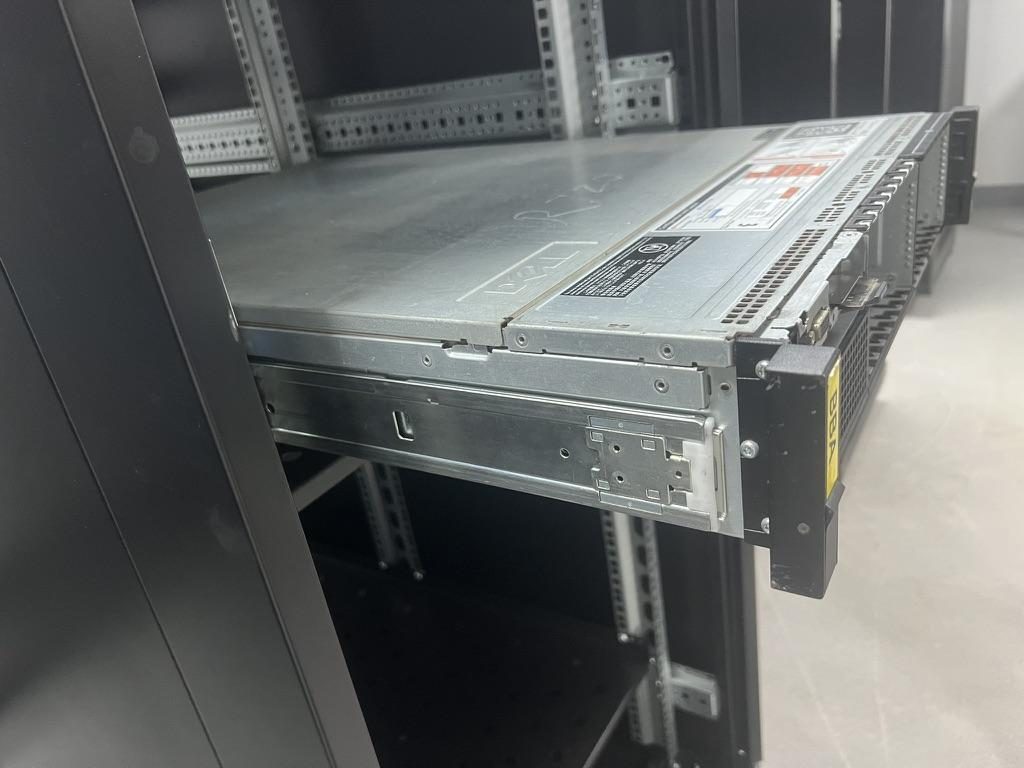
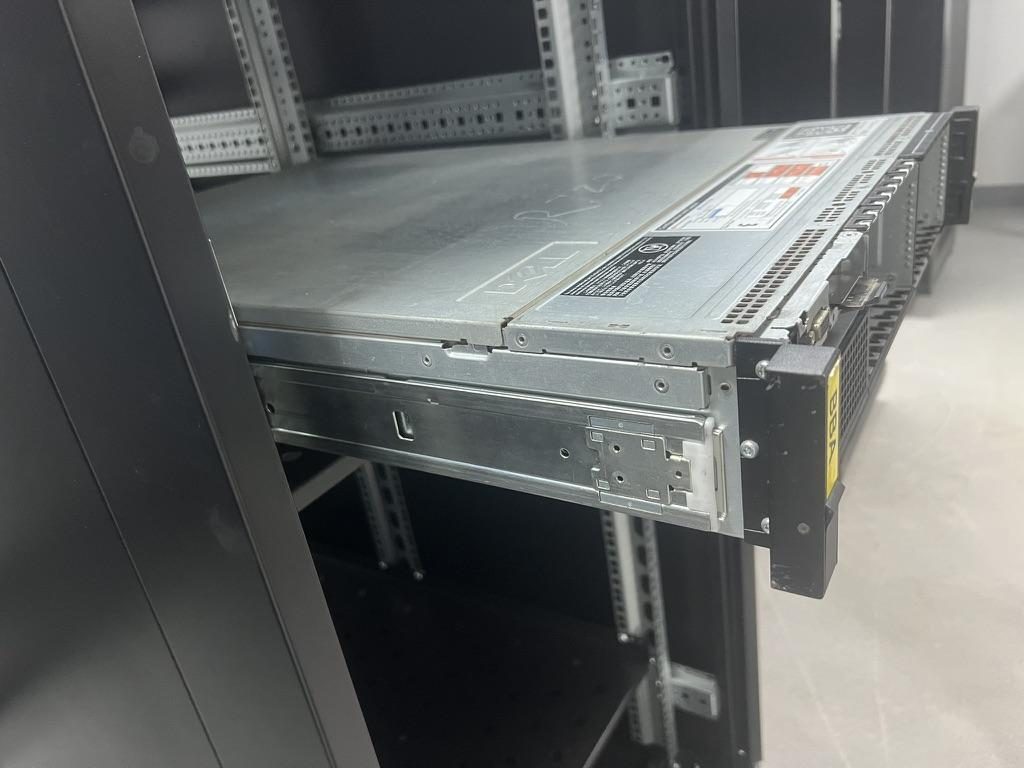 Compatible sliding rail kit for a Dell PowerEdge R720 chassis
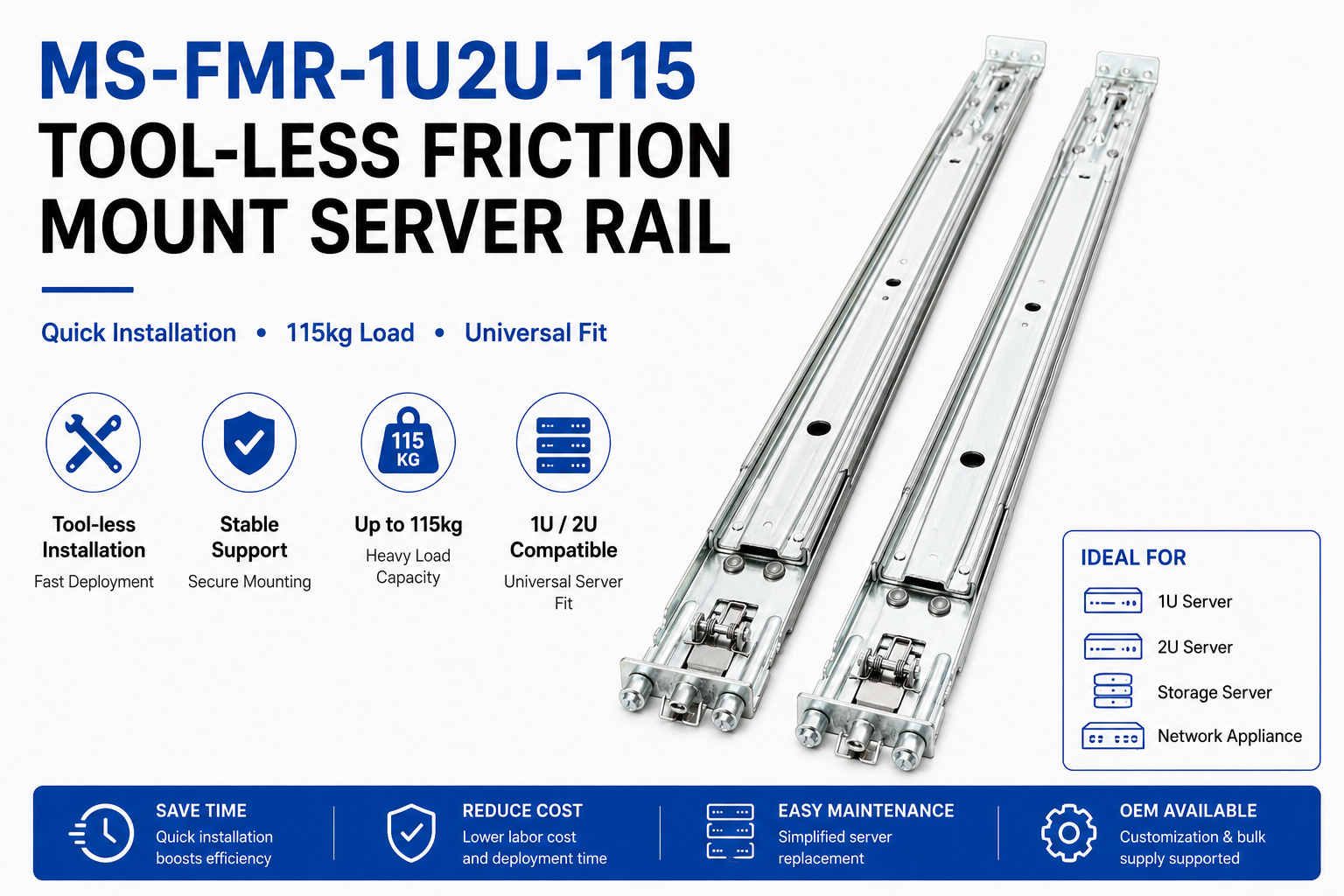 MS-FMR-1U2U-115 Tool-less Friction Mount Server Rail — view product
A compatibility matrix maps chassis width/depth/attachment type to adapter approach and blind‑mate clearance. Use the following filters from the intake checklist before you consider product preferences.
Taxonomy (how MetrixSlide engineers classify solutions)
- Motion architecture: sliding vs fixed.
- Sliding mechanism: ball‑bearing (three‑section/two‑section) vs friction.
- Mounting attribute: tool‑less vs bolt‑on; stab‑in vs drop‑in (J‑slot / keyhole).
- Section count: two‑section vs three‑section (affects travel and load behaviour).
Example compatibility filters (summary)
| Chassis / Tray form factor | Attachment types seen in the field | Adapter approach that typically works | Rail notes and blind‑mate clearance |
|---|---|---|---|
| ORv3 21" payload (OU grid, 48 mm) | PEM/T‑pins, J‑slots, M4/M6 datums | 21→19 adapter brackets or dedicated rails that translate OU to 19" post centres | Confirm busbar keep‑out and leave unobstructed rear plane; measure actual busbar offset from the post plane |
| 19" server (standard RU face) | Captive screws, cage nuts, threaded posts | Standard 19" rails or conversion shelf | Verify chassis internal width clears chosen rail family and leaves cable/service clearance |
| Shallow ORv3 sleds / trays | Drop‑in or stab‑in inner‑rail designs | Drop‑in compatible rails or adapted inner‑rail J‑slot | Blind‑mate power/cooling manifolds require reserved clearance behind the chassis; include manifold envelope in the adapter spec |
| Heavy‑duty GPU or storage sleds | Multi‑rail support, multiple parallel rails | Heavy‑duty ball‑bearing rails; may require two pairs + floor stabilisation | Validate per‑pair static rating and system CG; do not assume simple summation of single‑rail ratings |
Practical compatibility checks
- Match the chassis front‑datum to the rail front‑mount holes; as little as 2 mm shift in screw centre can change the effective U position — capture and compare datum layers (feature fit vs U‑space).
- For blind‑mate power or liquid connectors, measure from the front mounting datum to the manifold plane and verify the adapter’s usable travel and service position.
- Map PDUs and busbar branch runs up front; mixed busbar + PDU deployments commonly require staggered rail mounting to avoid cable conflicts in the rear plane.
Field examples (anonymized, engineering figures preserved)
- A North American telecom OEM asked for a 1U friction slide with reduced pull‑out for a high‑service reliability use case; during CAD review the initial 300 mm pull‑out design was reduced to around 150 ±3 mm for the accepted sample. Physical validation followed sample runs.
- An Indian HPC ODM used a ball‑bearing rail family with a broad bracket fit range; one family MetrixSlide worked into CAD had a bracket range documented as 650–965 mm and the customer’s post‑to‑post measured ~812 mm — this falls inside the bracket span at CAD review.
- A SaaS company building its own servers required inner‑rail J‑slot geometry derived from their PEM pins; the PEM spec provided in the project was head 6.502 mm, shaft 4 mm, under‑head clearance ≈1.585 mm and the inner‑rail conversion was limited to the J‑slot detail only.
- A Korean surveillance‑equipment maker required an ultra‑slim 4U rail family with no protruding pins; engineering path included agreeing on an M4 hole pattern and defining achievable rail thickness before CAD and samples.
Structural, Cooling and Electrical Considerations
Three engineering domains change when moving between ORv3 and 19" racks: structural (load and deflection), cooling (airflow and manifold clearance), and electrical (busbar vs PDU, bonding).
Structural
- Capture: total loaded mass per chassis, per‑bay CG, expected service extension, and whether multiple rails share the load.
- Use per‑pair ratings supplied by the rail vendor and verify at the planned extension and load duration. For example, MetrixSlide’s MS-BBR-180 has a nominal capacity of up to 180 kg per pair, and a formal test report at that load is not yet available; treat project requirements (e.g., 250 kg/rail) as customer inputs to be validated, not as an automatic fit.
- For long extensions or heavy loads request anti‑sag features and static‑duration test evidence (in MetrixSlide’s factory static‑load test a rail pair is held under load at full extension for 24 hours, and the MS‑FMR‑2U‑100 held 100 kg in that test).
Cooling
- OU = 48 mm changes vertical alignment for airflow perforations and cable pass‑throughs; the 24 mm sub‑pitch enables denser mounting but reduces space per device for routing.
- Document manifold / busbar offsets; those keep‑outs are a common cause of adapter redesign when an ORv3 rack contains 19" equipment.
Electrical and safety
- Mixed busbar + PDU deployments need mapped location plans; confirm whether adapter/rail changes the cable exit point and that bonding continuity is maintained.
- Request the rack vendor’s bonding/grounding plan if busbars are present and confirm the adapter provides a bonding path meeting local code expectations.
Checklist for technical sign‑off (minimum)
- Confirm per‑pair static rating at the installation extension and planned service duration.
- Verify blind‑mate clearance for power and cooling manifolds with the chassis installed and rails in service position.
- Confirm bonding/grounding continuity across adapter and rail assemblies; request CAD showing bonding points if busbars present.
Cost, Procurement and Real‑World Retrofit Case Studies
Procurement must weigh retrofit adapter cost + labour + downtime vs buying native ORv3 racks and new rails. The right decision depends on quantity, timeline, and service model. Use the selection order and hard gates to decide before you let preferences drive the RFQ.
Cost and schedule drivers
- Product cost for adapter brackets or dedicated rails.
- Labour and downtime for retrofit (rail swap, cable reroute, PDU changes).
- Sample and validation iterations — MetrixSlide sample lead time in several projects is typically 15–20 days after design sign‑off.
- Bounded customization (bracket position, hole pattern, rail length, thickness) is often accommodated without tooling NRE; structural redesigns can require quotes and tooling.
Anonymized field examples
- A North American telecom OEM required a tailored friction rail family with limited pull‑out and tool‑less interface; outcome: dedicated friction family, sample run and CAD validation before small production.
- An Indian HPC ODM ordered a ball‑bearing rail for a 2U sled with a broad bracket fit range (650–965 mm documented in development) and accepted a sample run before volume.
- A Korean surveillance‑equipment maker specified a slim universal bracket and trial samples to meet a no‑pin, shallow‑width constraint.
- A SaaS company building its own servers converted a stab‑in interface to drop‑in by redesigning only the inner‑rail J‑slot to match PEM pins (provided PEM dimensions: 6.502 / 4 / 1.585 mm).
Procurement RFQ checklist (what to send)
- Chassis drawing or model (STEP/PDF) showing front‑face mounting details and T‑pin/PEM dimensions if present.
- Measured rack post‑to‑post distance and labelled post photos showing hole type.
- Rear‑plane picture showing busbars/manifolds and offsets.
- Required static load per chassis, required extension and planned quantities.
- Any special installation constraints (blind‑mate, reduced pull‑out, tool‑less requirement).
What to request back from the vendor
- CAD mounting detail (2D PDF and STEP).
- Per‑pair static rating at the intended extension and the validation method.
- Recommended fasteners and torque specification (or the fastener spec you must use).
- Recommended sample options and expected sample lead time.
Supply‑chain & warranty notes
- Ask whether small bracket/hole/length/thickness adjustments carry tooling fees; many changes are handled without tooling NRE but confirm per quote.
- Confirm whether adapter installation affects the original chassis or PDU warranty; ask for written confirmation where this is a procurement concern.
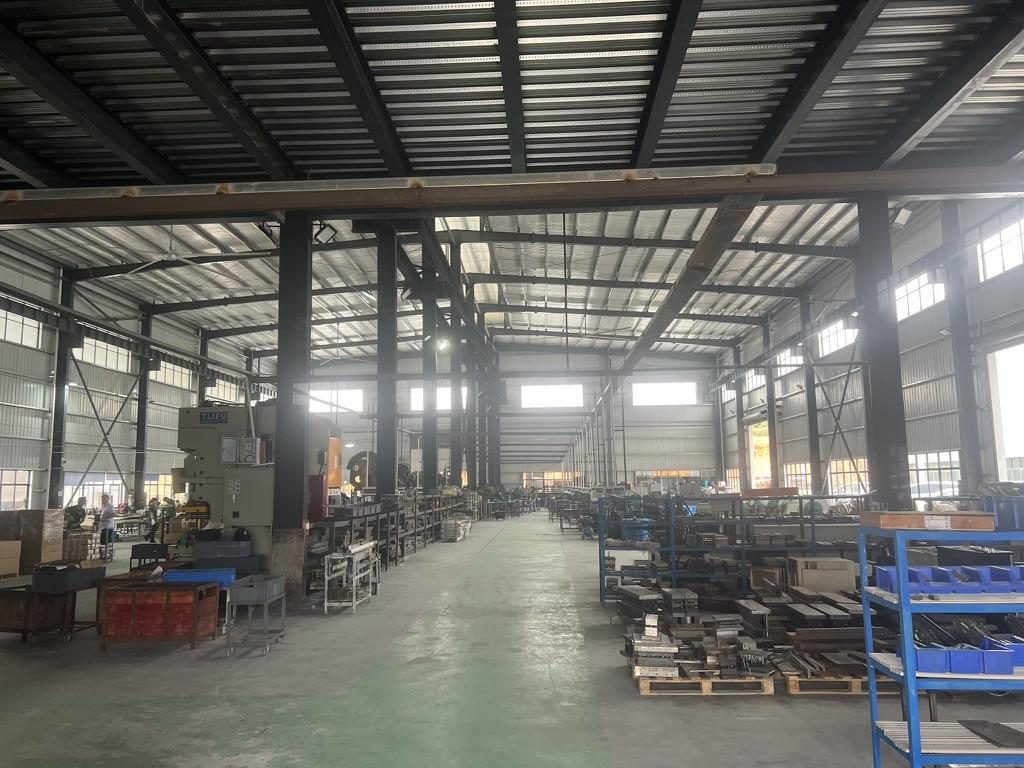
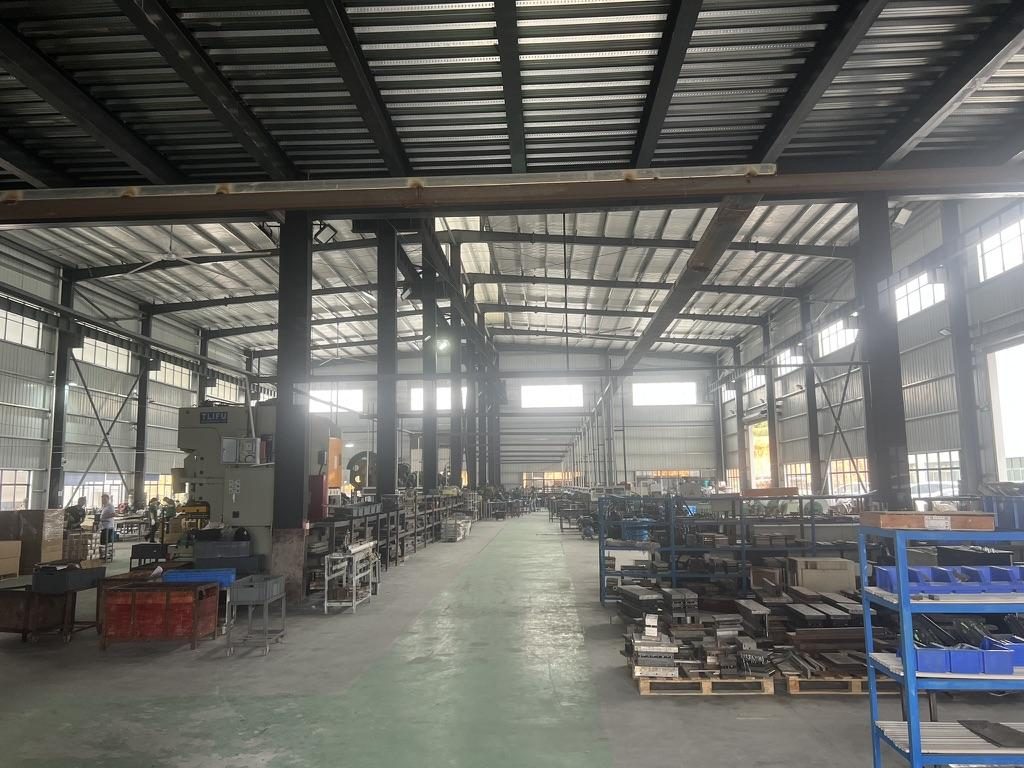 Overview of the server rail production workshop
 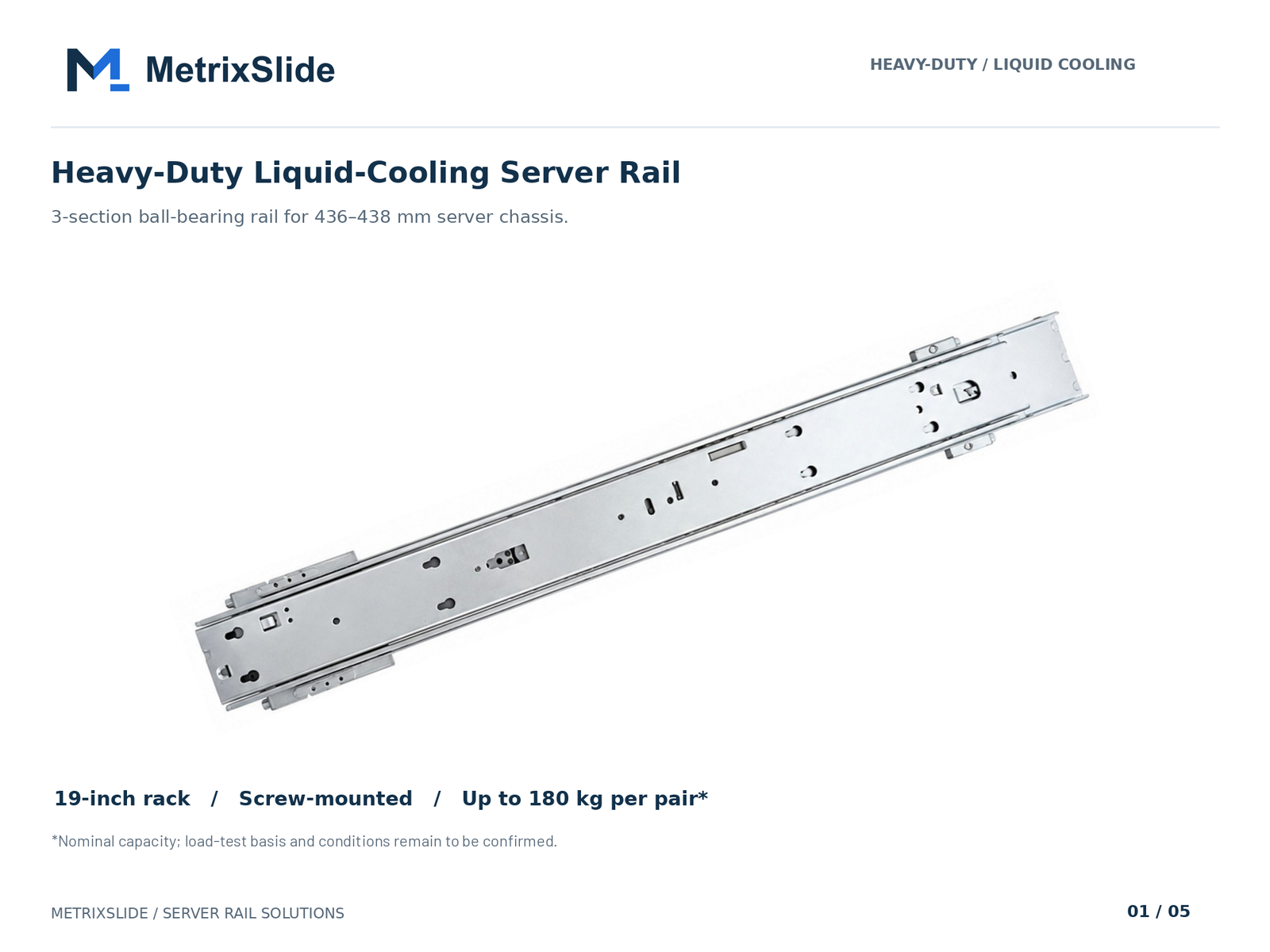 MS-BBR-180 Heavy-Duty Liquid-Cooling Server Rail — view product
Conversion / CTA
Before you send an RFQ, prepare these deliverables: a rack‑post drilling and mounting sketch from your measurements, a compatibility table with one row per chassis/tray SKU, and a simple cost comparison of retrofit adapter cost + labour + downtime vs buying new racks/rails. To get a tailored adapter or rail proposal, send: chassis drawing (STEP/PDF), measured rack post‑to‑post distance and hole pattern photos, expected static load and quantity, and a picture of the rack rear plane showing any busbars or manifolds.
What you’ll get back: a rail‑matching proposal, front/rear mounting drawings in PDF and STEP, and recommended sample options. Typical sample lead time is ~15–20 days after design sign‑off; many bracket/hole/length/thickness adjustments are handled without a tooling fee. Start here: https://www.metrixslide.com/contact-us/ and https://www.metrixslide.com/page/create-a-quote/.
FAQ
Q: What are the exact dimensional differences between OCP ORv3 (21") racks and standard 19" EIA-310 racks? A: ORv3 uses a 21" equipment bay (≈533 mm) and an OpenU = 48 mm vertical pitch with a 24 mm sub‑pitch, while 19" EIA equipment references 482.6 mm front‑panel width and a 1 RU = 44.45 mm pitch. These differences change front‑mount datum and hole alignment — always provide measured front‑face drawings and post‑to‑post distance when you request an adapter quote.
Q: Can I mount an ORv3 21" server in a 19" rack using adapter rails, and which adapter SKUs should I consider? A: Yes — common solutions are 21→19 adapter brackets, dedicated rails that translate the OU grid to 19" post centers, or conversion shelves. For initial evaluation, MetrixSlide offers tool‑less and ball‑bearing families (examples: MS‑TLS‑120 for tool‑less installs, MS‑FMR‑1U2U‑115 for slim friction installs, MS‑GSR‑2U‑180 for heavy loads); send your chassis and rack measurements for a verified recommendation.
Q: How do I calculate rack and floor loading for ORv3 servers when retrofitting into existing 19" racks? A: Collect per‑chassis total mass and count, sum to the rack level and add ancillary equipment. Convert to floor load by dividing total rack weight by rack footprint area and consult local building codes; if in doubt, work with a structural engineer. Also validate rail static ratings at full extension — MetrixSlide’s heavy‑duty model has a nominal capacity of up to 180 kg per pair, with a formal test report at that load not yet available, and all installations require confirmation.
Q: What is the step‑by‑step installation process for 21"→19" adapter rails, including hole patterns, templates, and torque specs? A: The process: verify and photograph rack posts and hole types, confirm bracket fit range to post spacing, pre‑install cage nuts or threaded fasteners, mount adapters to the rack, fit outer rails, then test extension and lock‑out before sliding chassis in with temporary support. Use the fastener manufacturer's torque spec for all bolts — do not rely on a generic torque value without the fastener spec.
Q: How will mixing ORv3 servers with 19" infrastructure affect cooling, cable routing, and power (busbar vs PDU) layout? A: Expect different vertical alignment for airflow openings because OU = 48 mm; half‑OU spacing can pack devices closer but may require revised cable and airflow guides. Busbar or rear manifold keep‑outs in ORv3 reduce usable rear plane for rails and cables — map busbar offsets and reserve clearance. For electrical safety, verify bonding continuity and PDU mapping when adapters shift cable exit points.
Talk to a MetrixSlide engineer
Not sure how this applies to your servers? Send us a chassis drawing or model (STEP or DWG), the rack post-to-post distance and hole type, the expected load and your planned quantities. Within 24 hours you get a rail matching proposal from an engineer, followed by 2D/3D drawings for review and sample pairs (typically 15–20 days after drawing approval) for physical validation before the full order.
Bracket position, hole pattern, rail length and thickness adjustments on our existing platforms usually carry no tooling fee; structural redesigns are quoted separately with dies made in-house.