A practical guide for engineers and data‑center buyers comparing two common 19" rail mounting methods, with step‑by‑step installation, compatibility checks, safety guidance and when it makes sense to convert a rail family.
Stab‑in vs Drop‑in: Clear Definitions and Side‑by‑side Comparison
Stab‑in and drop‑in describe how a server chassis engages the rack‑side rail features at installation time; the difference is primarily the sequence and geometry of the chassis‑to‑rail engagement rather than the slide mechanism (ball‑bearing vs friction vs fixed).
- Stab‑in (insert/hang): the chassis or inner rail is aligned and inserted into the mating rail path. The defining characteristic is that the chassis follows a path into engagement rather than being lowered straight down into extended inner rails. Note: MetrixSlide engineering records treat Stab‑In as the baseline insertion concept, but step‑by‑step Stab‑In procedures are not universally standardized across OEMs — verify the specific drawing or manual for your model.
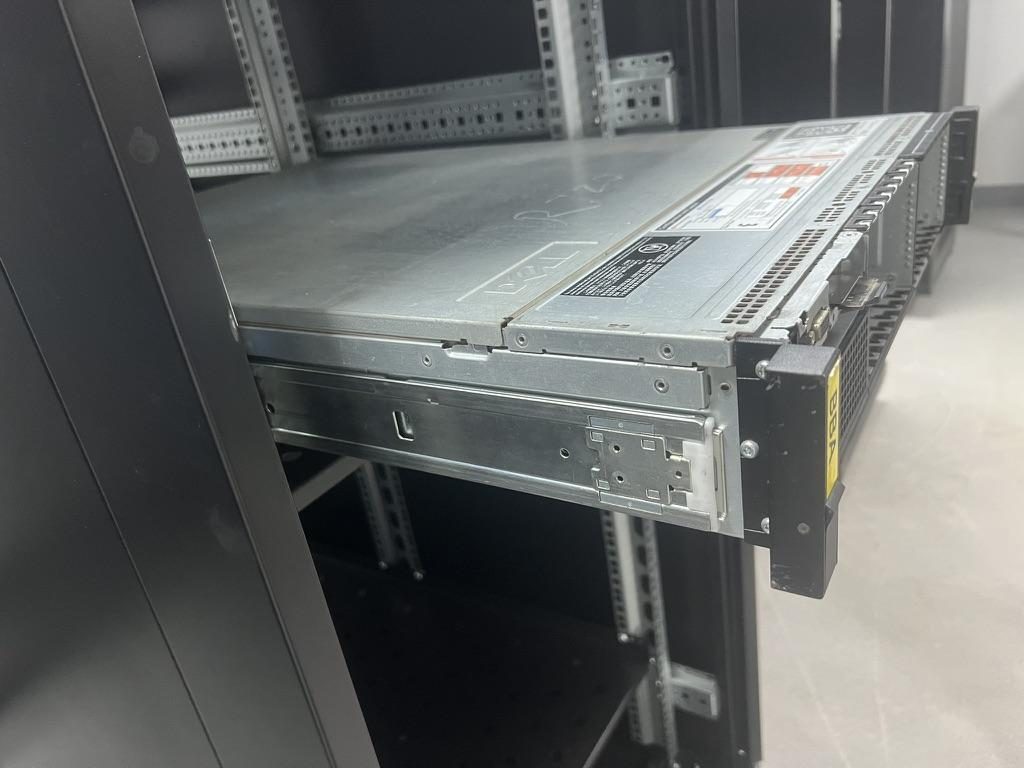
- Drop‑in (vertical drop / pre‑installed): the rack‑side rails are installed and fixed in place first; the inner rails are fully extended, and the chassis is lowered vertically so chassis pins/standoffs seat into J‑slots or keyholes on the inner rail. This method is characterized by vertical engagement and is often preferred where rails are pre‑installed in the rack.
Common terminology
- Stab point: the initial entry location for a pin or tab into a slot.
- J‑slot / keyhole: wide‑entry + narrow‑retention slot shaped to the head and shaft of a T‑pin or standoff.
- Drop bracket: a stationary bracket on the rack post or inner rail that accepts a vertically lowered pin.
Common misunderstandings
- Stab‑in ≠ weaker: stab‑in can be engineered for production loads, but alignment sensitivity (side clearance and pin accuracy) can be higher. Some implementations are OEM‑intended rather than field‑service‑first. Always confirm mounting‑interface tolerances and load validation for your rail family.
- Closed length vs mounting depth vs bracket range: these are distinct drawing values — closed (rail stowed), extended (maximum travel), and the bracket/fit range (the post‑to‑post distance the rail brackets span). Do not infer fit from closed length alone; measure your cabinet post‑to‑post mounting distance and compare to the rail bracket range.
Standards and units
- "19‑inch" class is nominal (482.6 mm) as per EIA/IEC guidance (EIA‑310 / IEC 60297 family). It is a classification, not a guarantee of fit — always check post spacing, hole type and usable depth.
- Typical hole‑types you will encounter: square punched (cage‑nut), round punched, or threaded (10‑32 / 12‑24 / M6). Square punched holes are commonly ~9.5 × 9.5 mm; some round holes are ~Ø7.1 mm. Verify the actual post hole type.
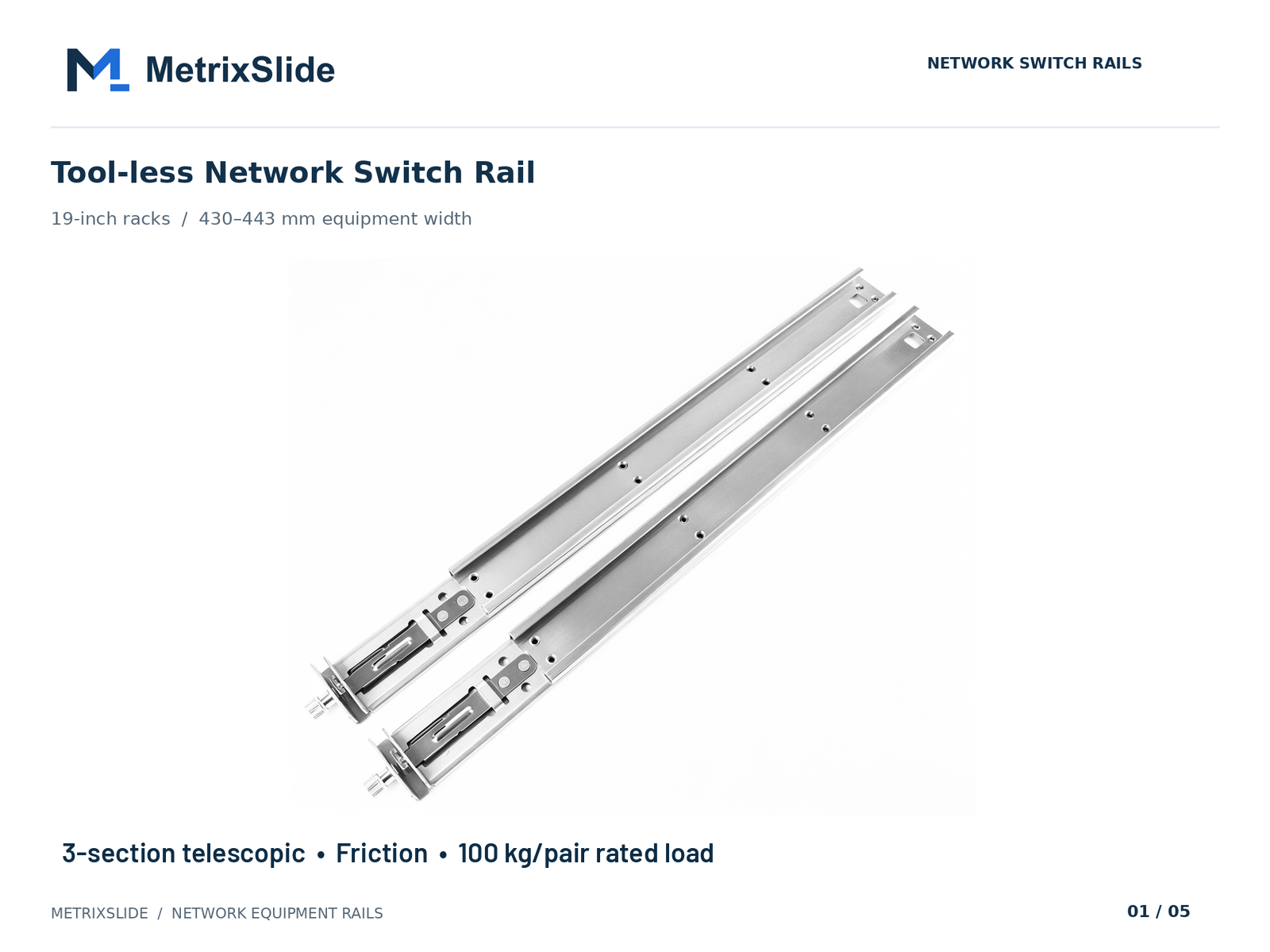 MS-FMR-SW-100 Tool-less Network Switch Rail — view product
Comparison table (at a glance)
| Attribute | Stab‑in | Drop‑in |
|---|---|---|
| Installation sequence | Chassis engaged into rail path | Rails installed first, chassis lowered |
| Alignment sensitivity | Higher — requires precise pin/slot fit and side clearance | Lower — easier vertical seating with extended inner rail |
| Field serviceability | Common for OEM assembly, may be less tolerant in the field | Preferred where rails are pre‑installed and vertical loading is easier |
| Retrofit difficulty | May require inner‑rail or chassis interface change | May require inner‑rail J‑slot or bracket geometry change |
| Typical use case | OEM baseline or combo rails | Data centers, pre‑racked deployments |
| Conversion effort | Often an inner‑rail engagement redesign | Often an inner‑rail engagement redesign as well |
Installation & Removal Procedures (Step‑by‑Step for Both Styles)
Start with compatibility checks (hard gates) before attempting installation: validate rack hole type and pattern, measure post‑to‑post mounting depth, and capture the chassis mounting‑interface geometry (pin/standoff head Ø, shaft Ø, under‑head clearance, and X/Y locations). For conversions, capture pin geometry in a table and verify J‑slot entry dimensions against it. These checks follow MetrixSlide engineering practice: requirement → CAD → physical fit → performance.
Tools and common fasteners
- Fastener types encountered: 10‑32, 12‑24, M6 (match the post thread). Use cage nuts where required.
- Helpful tools: torque screwdriver, cage‑nut tool, pry‑bar (for cage nuts), alignment shims, two‑person lift or lift strap, safety strap/retention sling.
- Torque: follow fastener manufacturer or rack OEM guidance; when in doubt use a snug setting and avoid over‑torque that distorts the post.
Stab‑in: typical install sequence (general guidance) Note: MetrixSlide has baseline Stab‑In drawing evidence, but detailed, universal step‑by‑step Stab‑In instructions vary by OEM and are not uniformly documented — treat the following as a typical pattern you should confirm against the server/rail drawing.
- Inspect posts and install cage nuts if needed.
- Verify chassis T‑pins/PEM pins or mounting ears are undamaged.
- Partially extract inner rail (if applicable) enough to engage the rear datum.
- Align rear stab points with the mating J‑slot/keyhole and insert.
- Lower or swing the front datum into position and seat front pins.
- Secure front fasteners (captive screws/thumbscrews) and perform in/out check.
Stab‑in: removal
- Support the chassis (strap or two people) before releasing front fasteners; remove front screws, lift the front to unseat front pins, then reverse the insertion sequence to release the rear.
Drop‑in: typical install sequence (documented)
- Install rack‑side rails/brackets to the posts at intended U positions and secure with appropriate fasteners.
- Fully extend inner rails so the chassis can be lowered.
- Using a lift or two people, lower the chassis so the rear T‑pins/standoffs enter the rear J‑slots first; then rotate/lower to seat the front pins.
- Verify retention features (lock‑out, retention tabs) engage; secure front captive screws if present; functional check: slide travel and lock‑out.
Drop‑in: removal
- Support the chassis, release front captive screws, raise the chassis slightly to clear the front bracket, then lift vertically until rear pins clear the J‑slots and remove.
Safety and anti‑tilt
- Anchor or stabilise the rack before servicing heavy units.
- Always use at least one person supporting the unit or a mechanical assist; use safety straps during service.
- Use lock‑out, safety lips or locking pins to prevent unintended dislodgement during service. MetrixSlide products incorporate anti‑sag design considerations and our factory is ISO 9001:2015 certified.
Common traps
- Mis‑seated cage nuts can shift under load — ensure they are square and secure.
- Damaged pin heads or burrs will jam J‑slots — inspect before install.
- Ball‑bearing slides can experience ball loss or jamming if bearings are displaced or if rails are forced; keep side clearance and alignment correct.
Compatibility: Rack Depth, Hole Types, and Vendor Model Matrix
“How do I know this rail fits my cabinet?” Follow the MetrixSlide compatibility hard gates in order: (1) chassis interface fit, (2) rack post/bracket fit, (3) load/extension requirement. Only after those pass do preferences such as slide type or tool‑less features matter.
Three measurements to capture and photograph:
- Post‑to‑post mounting depth: measure the distance between the inside faces of the mounting posts where the rail brackets land (not the external cabinet depth). Example: some rail bracket families span ranges such as 650–965 mm; a representative post distance within that range could be ~812 mm — compare your measured post distance to the bracket range.
- Hole type and pattern: square punched (~9.5 × 9.5 mm), round (Ø ~7.1 mm), or threaded holes (10‑32, 12‑24, M6).
- Chassis interface: record pin head Ø, shaft Ø, under‑head clearance and X/Y distances from a consistent chassis datum. Use a mounting‑area STEP file or the chassis drawing where possible.
Tip: if you only know cabinet depth in millimetres, convert and compare against the rail’s bracket range rather than closed length. Bracket fit range, closed length and extended length are distinct drawing values — always check the bracket range.
Adapters and cage nuts
- Cage nuts convert non‑threaded posts to accept threaded fasteners; replace worn nuts in production installs.
- If bracket centerlines do not match your post pattern, adapter plates or universal bracket rails are common retrofit options.
Compatibility checklist to include with an RFQ
- Photo of rack post close‑up (show hole type)
- Measured post‑to‑post distance (inches or mm)
- Chassis model or drawing (STEP preferred)
- Pin/standoff geometry (head Ø / shaft Ø / under‑head clearance)
- Desired slide type (ball‑bearing / friction / fixed), load, quantity
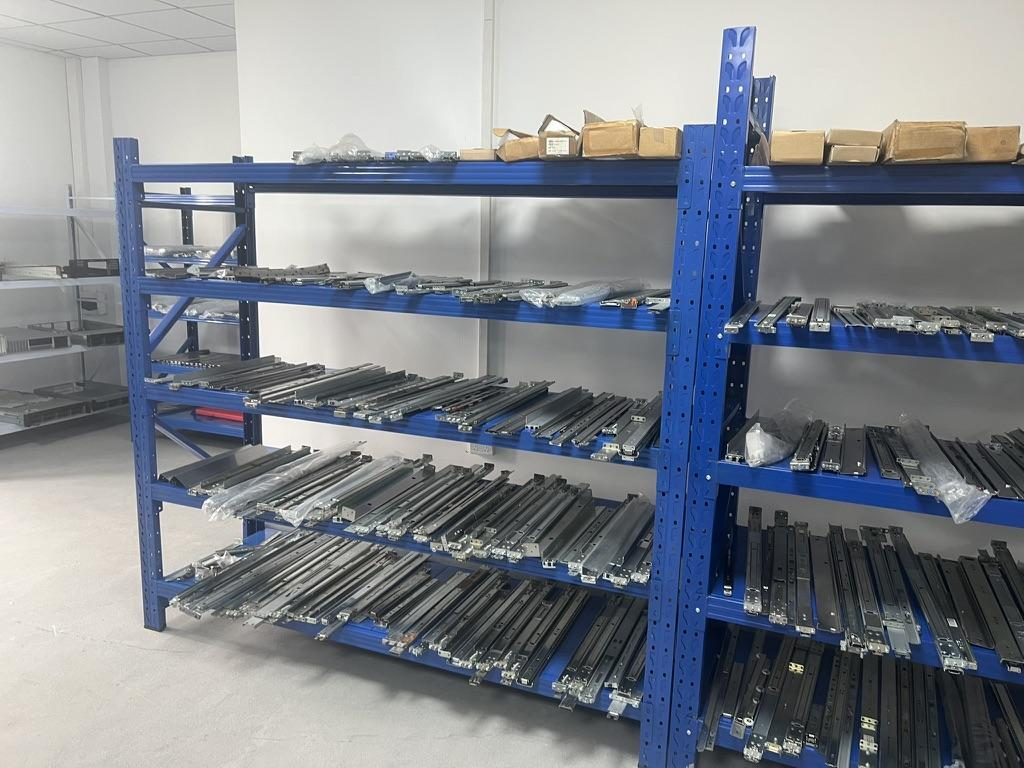 Sliding and fixed rail samples on the factory display rack
Load Capacity, Stability, and Safety Considerations
Read any load rating in context: confirm whether it’s per‑pair or per‑rail, static or dynamic, and whether the rating applies at full extension. In MetrixSlide’s factory static‑load test a rail pair is held under load at full extension for 24 hours, and the MS‑FMR‑2U‑100 held 100 kg in that test; an example heavy‑duty family in our documentation has a nominal capacity of up to 180 kg per pair, with a formal test report at that load not yet available. Always request the rating conditions for the model you plan to use.
Key points
- Ratings are almost always per pair: do not assume a single rail carries the pair rating.
- Extension matters: ratings may change with travel state; a rail that carries a load when stowed can sag at full extension.
- Validation gate: require CAD fit and a physical sample test that includes the intended load and extension condition before production acceptance.
Failure modes
- Member bending (yield) under overload.
- J‑slot slip if pin retention geometry is insufficient for the applied load.
- Ball loss or jamming in ball‑bearing slides due to misassembly, debris or forced insertion.
Safety controls
- Use lock‑out features, safety lips, and retention pins during service.
- Anchor racks to floor or adjacent racks to prevent tipping when heavy servers are extracted.
- For very heavy trays (GPU sleds, blade carriers), prefer heavy‑duty ball‑bearing rails validated at the intended extension and load. Adding more pairs or rails is an engineered decision — don’t simply multiply a per‑rail number without vendor confirmation.
Practical recommendations for high‑load servers
- Specify a per‑pair static rating at full extension and request evidence of the static test (duration and deflection criteria).
- Where customers requested reduced pull‑out for load testing, examples show pull‑out reduced from ~300 mm to a target of 150 ±3 mm to meet sag and test fixture requirements — plan for such lock‑out or reduced‑extension options if load/deflection is critical.
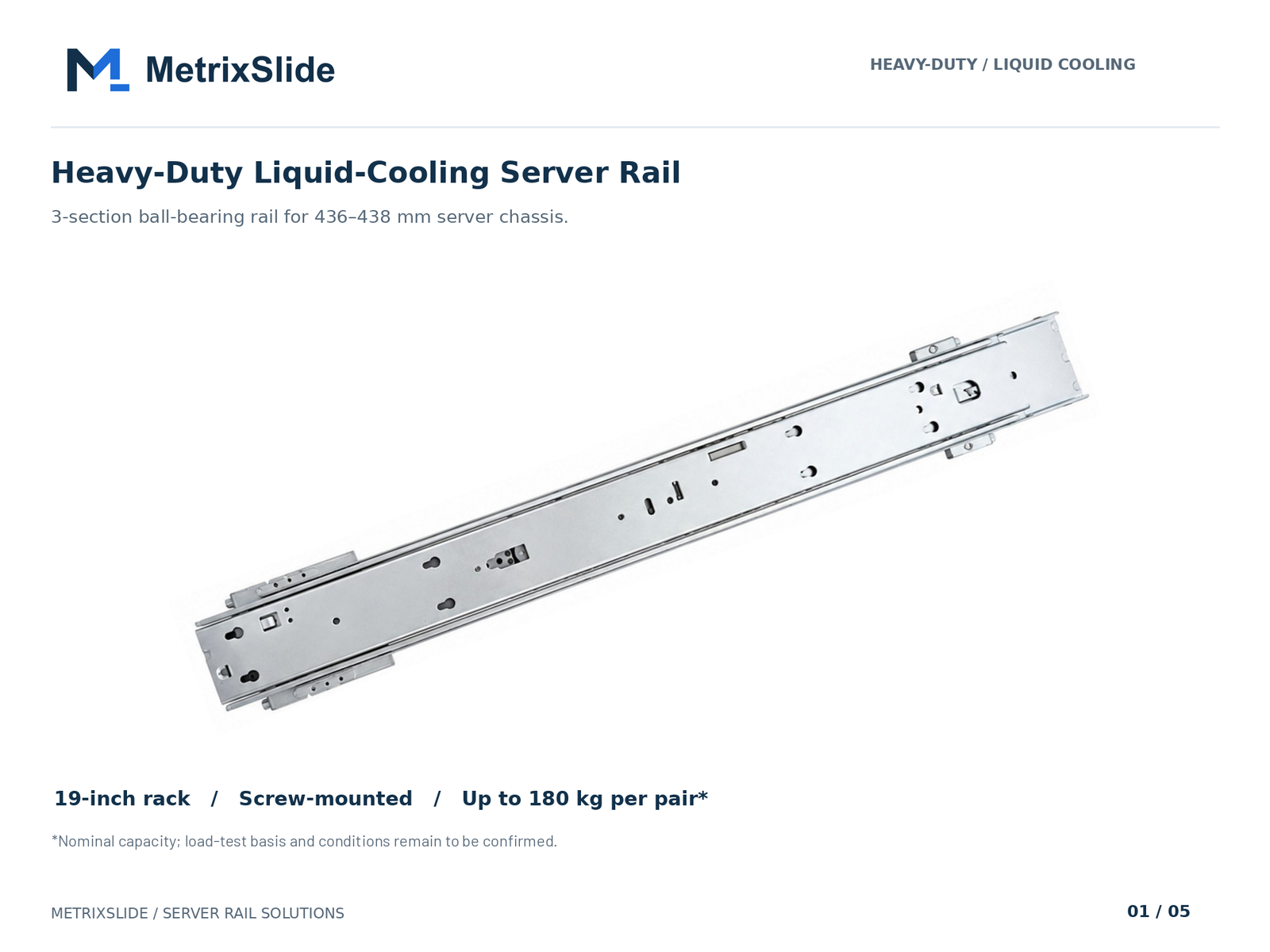 MS-BBR-180 Heavy-Duty Liquid-Cooling Server Rail — view product
Cost, Procurement, Retrofitting, and Troubleshooting
Decision framework: follow compatibility hard gates first (interface fit, bracket range, load validation) then make trade‑offs for price, tool‑less features and slide type.
Procurement channels
- OEM replacement part numbers when available give the highest chance of drop‑in compatibility.
- Third‑party universal rails are economical but require the same compatibility checks (pin geometry, hole pattern, bracket range).
- Refurbished rails may be acceptable for non‑mission‑critical uses — inspect for ball loss, wear and straightness.
Retrofitting an older rack
- Adapter plates, universal bracket rails and repositioning cage nuts commonly solve mismatched depths or hole types.
- If your rack has non‑standard tapped holes, a conversion bracket or compatible bracket range is the usual solution; select a rail family with a bracket span that covers your measured post distance (example family spans: 650–965 mm).
Maintenance & troubleshooting checklist
- Rail binding: check for bent members, debris, or missing bearings. Clean and relubricate sliding surfaces with appropriate slide grease.
- Replace worn cage nuts and damaged retention clips.
- Inspection cadence: annual inspection in production environments; inspect and relubricate after heavy dust exposure or if the travel feels gritty.
- Keep a small parts inventory: inner rails, retention clips and captured bearings are common service items.
Example lead times and customization (planning guidance)
- Sample lead times depend on project and configuration; a recent sample project was delivered in about 15–20 days after order/drawing confirmation — use that as a planning baseline and confirm lead time for your configuration.
- Bounded customizations such as bracket position, hole pattern, rail length and thickness are handled routinely on existing platforms and frequently avoid tooling charges; structural redesigns, dies and 1:1 copies typically trigger NRE and tooling. Always confirm on a per‑project basis.
 Export cartons of server rail kits ready to ship
Conversion / CTA
Converting a stab‑in family to drop‑in (or vice versa) is typically an interface conversion focused on the inner rail engagement features rather than a complete rail envelope redesign. MetrixSlide engineering practice for conversion:
- Capture chassis‑side mounting interface precisely (pin head Ø, shaft Ø, under‑head clearance, center‑to‑center spacing).
- Produce revised inner‑rail J‑slot/keyhole drawings and CAD models.
- Review with customer, iterate, and produce samples.
- Physical fit test in the target rack and with the target chassis.
- Performance/deflection testing (static load at intended extension) before design freeze.
Decision rule (hard gates before preferences)
- Compatibility hard gates: chassis interface → rack bracket fit → required load & extension validation.
- Only after pass: preferences such as ball‑bearing vs friction, tool‑less vs screw, or single vs multi‑section rails.
Anonymised project examples (real figures, sanitized)
- A SaaS company building its own servers: confirmed PEM T‑pin parameters used as the controlling input for inner‑rail redesign — head Ø 6.502 mm, shaft Ø 4.0 mm, panel‑to‑under‑head clearance 1.585 mm. The conversion path involved changing inner‑rail keyhole locations and releasing preliminary drop‑in drawings for review. (Project‑specific engineering evidence; do not generalise.)
- A North American telecom OEM: asked for a friction 1U rail solution with reduced pull‑out for sag testing; pull‑out was reduced in design work from ~300 mm to 150 ±3 mm to satisfy validation fixtures and deflection limits.
- An Indian HPC ODM: used a bracket span family of 650–965 mm to match a measured rack post‑to‑post distance of ≈812 mm in their deployment; minor front‑screw centreline differences (23 mm vs 21 mm) required a front‑interface check before production CAD was released.
Next steps we recommend
- Use a rack measuring and rail matching table with these columns: post‑to‑post depth, hole type, chassis pin geometry, load, and quantity.
- When requesting a quote, provide: rack post photo, measured post‑to‑post distance (inches or mm), hole type, chassis model or drawing (STEP or DWG), pin geometry (head Ø / shaft Ø / under‑head clearance), required load and quantity.
FAQ
Q: What exactly is the difference between stab‑in and drop‑in server rails? A: Stab‑in engages the chassis into the rail path by inserting pins or the inner‑rail assembly into mating features, while drop‑in rails are pre‑installed and the chassis is lowered vertically into fully extended inner rails. The major differences are sequence and interface geometry; actual installation details are model‑specific.
Q: How do I install and remove stab‑in rails versus drop‑in rails step by step? A: See the documented Drop‑In sequence in this article. For Stab‑In, follow the chassis/rail drawing; the generalized sequence above is typical, but MetrixSlide engineering advises validating the exact procedure against the model drawing because Stab‑In sequences vary by OEM.
Q: How can I tell if my 19" rack uses square holes, tapped holes, or needs cage nuts for these rails? A: Take a close‑up photo of the post and measure: square punched holes are commonly ~9.5 × 9.5 mm, round holes ~Ø7.1 mm, and threaded holes will show visible threads (10‑32, 12‑24, M series). If posts are non‑threaded, plan to use cage nuts.
Q: What are the typical load capacities and safety limits for stab‑in compared with drop‑in rails? A: Load capacity is specified per pair and depends on rail family, bearing type and extension state. MetrixSlide’s heavy‑duty GPU family, as an example, has a nominal capacity of up to 180 kg per pair, and a formal test report at that load is not yet available; always request the per‑pair static rating and the test conditions for your specific model.
Q: Can I retrofit an older rack that only has tapped rails or odd depths to accept stab‑in or drop‑in servers? A: Yes — adapter plates, universal brackets and repositioned cage nuts are common solutions. If the rack depth is outside your rail family’s bracket range, choose a family with a broader range (for example 650–965 mm) or use spacer/adaptor plates. Confirm with CAD and a sample physical test.
Talk to a MetrixSlide engineer
Not sure how this applies to your servers? Send us a chassis drawing or model (STEP or DWG), the rack post-to-post distance and hole type, the expected load and your planned quantities. Within 24 hours you get a rail matching proposal from an engineer, followed by 2D/3D drawings for review and sample pairs (typically 15–20 days after drawing approval) for physical validation before the full order.
Bracket position, hole pattern, rail length and thickness adjustments on our existing platforms usually carry no tooling fee; structural redesigns are quoted separately with dies made in-house.