A practical guide for engineers and procurement teams to read rail drawings, compare the three length values, check tolerances, and confirm rack/chassis compatibility before you buy.
Understanding Drawing Views, Symbols, and Scales
Reading a server‑rail drawing starts with the views, projection method and the title block—this is where the drawing tells you how to interpret every dimension and hidden feature.
-
Common view types
- Front (elevation), top (plan), side, and section views show orientation and internal features. Section views reveal hidden J‑slots, welds or inset nuts that may not appear in elevation.
- Detail/zoomed views call out small features (keyholes, chamfers, PEM pins) at a larger scale with cross‑reference tags.
-
Projection and the title block
- Look in the drawing title block or legend for the projection symbol (third‑angle or first‑angle). Third‑angle is common on North American drawings; the projection symbol removes ambiguity about which view is “opposite” which.
- The scale in the title block tells you whether a dimension is shown full size or reduced; never assume scale equals real size if a numeric dimension is present—use printed dimensions, not the scaled measure alone.
-
Line types and what they mean
- Visible lines: part edges. Hidden lines (broken): internal holes or recesses. Centerlines (dash‑dot): hole/axis datum. Section hatching: cut surface.
- Break lines: indicate omitted (long) lengths; check for a note that specifies the omitted dimension.
-
Common symbols and abbreviations to spot in the legend
- Weld symbols (fillet, plug), chamfer (CHAMF or Cx45°), countersink/counterbore, slot/j‑slot geometry, and thread shorthand (e.g., M# / #‑32 / 10‑32).
- Keyhole/J‑slot geometry is usually drawn with critical dimensions for the head‑entry and narrow retention sections. The slot must be derived from the pin or screw head size—don’t assume universality.
-
Where hidden features can hide
- Look for notes and section lines that mark features inside folded flanges, welded inserts or embedded cage nuts. If a hole appears in a single view but no centerline or section is provided, ask for a section to verify whether the hole is through, blind, or in a stamped ear.
Annotated legend (for reference)
 Server rail sample display rack at the MetrixSlide factory showroom
Quick checklist to confirm you’re reading the drawing correctly:
- Confirm projection symbol in title block.
- Note scale and verify key dimensions numerically rather than by measuring the print.
- Locate the revision block and legend for special symbols (weld, thread, surface finish).
- Find datum references used for baseline dimensions.
Reading Dimensions, Tolerances, and Units
Three length values commonly appear on a rail drawing: closed length, extended length (or full extension), and fit/installation range. Read them from the appropriate view and the notes—don’t compute one from the other unless the drawing explicitly defines the relationship.
-
Definitions
- Closed length: the rail length when fully retracted. This is the rail product dimension and should be read directly from the model drawing.
- Extended length: the length at the intended full extension or lock‑out as shown on the drawing. Some drawings show an intended lock‑out service position rather than the absolute maximum possible travel.
- Fit range (bracket or mounting range): the validated range of front‑to‑rear rack post distances the rail bracket is designed to span. This is a bracket/rail capability and is not the same as closed length or chassis depth.
-
Reading tolerances
- Dimensions are usually followed by tolerances (± values) or a general tolerance note in the title block (for example “Unless otherwise specified: linear ±0.5 mm”). Always treat the drawing‑level tolerances as authoritative.
- MetrixSlide engineering evidence shows model‑specific tolerances on closed and extended dimensions. Example model outputs include closed/extended values recorded as 650 ±3 mm / 810 ±3 mm and 674 ±3 mm / 919 ±3 mm. These are model‑specific drawing values — do not treat them as universal.
- Reference (REF) dimensions are for information only and are not controlled to manufacturing tolerance—do not use REF dimensions for fit‑critical checks.
-
Baseline vs chain dimensioning
- Baseline (datum) dimensioning reduces stack‑up error: pick the datum shown (often a front face or bracket ear) and compare hole centerlines from that datum.
- Chain dimensions accumulate tolerances—avoid using a chain dimension set when checking mounting hole positions or U‑space alignment.
-
Units and scale checks
- Convert if units are mixed: 1 in = 25.4 mm. If only scale is present (no numeric dimension), use the scale bar and the scale noted in the title block to recover the real size, then verify against any numeric dimensions shown.
- Quick verification step: measure two orthogonal dimensions with your CAD tool (or ruler on a printed drawing) and confirm they match the numeric callouts within drawing tolerances.
-
Precision notes and expectations
- Factory internal precision targets (for example, tight T‑pin hole fits) may be stated in supplier documentation—treat these as quality‑intent statements and confirm by inspection reports or samples. MetrixSlide internal discussions reference a stamping hole‑fit target on critical features; always request measurement evidence for critical fits.
Practical example
- For a rail shown as closed 650 mm / extended 810 mm on its drawing: the nominal travel shown on that model is 160 mm. If a fit range or bracket adjustment is documented as model‑specific with ±3 mm tolerances on its dimensions, use the tolerance band from the drawing in your fit check rather than the nominal numbers alone.
Mounting Hole Patterns, Rack Depth, and Compatibility
Compatibility is a function of hole type, hole center spacing, bracket fit range and the rack post form. Drawing clues let you map a rail to your rack quickly.
-
Rack hole types you’ll see on drawings
- Square punched hole: typically accepts a cage nut. Examples in MetrixSlide workstreams reference square holes around ~9.5 × 9.5 mm for some equipment; verify the drawing callout for the model you plan to buy.
- Round hole: may be clearance for a screw or a tapped/threaded post hole (some projects reference Ø7.1 mm as a clearance example).
- Threaded hole: drawing will show thread spec (e.g., M# / 10‑32 / 12‑24); use the thread callout directly.
-
How to verify hole mapping to fastener or cage nut
- If drawing shows a square hole without thread callout → plan to use a cage nut sized to the square dimension.
- If drawing shows a round clearance hole and your rack uses threaded posts → you’ll need cage nuts or captive nuts in the rail.
- If the drawing lists a tapped thread, confirm the thread class and pitch match the rack post or the fastener in your BOM.
-
What to measure on the drawing
- Hole center‑to‑center spacing (vertically and horizontally).
- Distance from the rail datum (front flange face or ear) to hole centers.
- Bracket range (min–max post distance the bracket will span). Use the documented fit range from the specific drawing — do not infer it from closed length.
-
Compatibility checklist (step‑by‑step)
- Measure your rack post inside‑to‑inside distance or the expected range if posts are adjustable. Compare to the rail fit range (including the tolerance band on the drawing).
- Verify hole type and diameter against your rack post (square vs round vs threaded).
- Map hole centerlines from the rail datum to the rack datum (ensure same datum or compute offset).
- Confirm vertical U‑space alignment: use the drawing’s U‑height locations and your chassis front edge to calculate final U position.
- Check clearance and interference (cable trays, busbars, airflow) using a section view or CAD overlay.
Comparison table: hole types → typical hardware
| Hole type on drawing | Typical hardware used | Drawing callout to confirm |
|---|---|---|
| Square punched (e.g., ~9.5×9.5 mm in some projects) | Cage nut (size matched) | square dimension, note “for cage nut” |
| Round clearance (Ø example values appear in our evidence) | Clearance for screw + captive nut | Ø value + note (clearance or drill) |
| Threaded hole | Screw directly to post | thread spec (M# / 10‑32 / 12‑24) |
| Keyhole / J‑slot | T‑pin / PEM engagement | keyhole geometry with head‑entry and retention width |
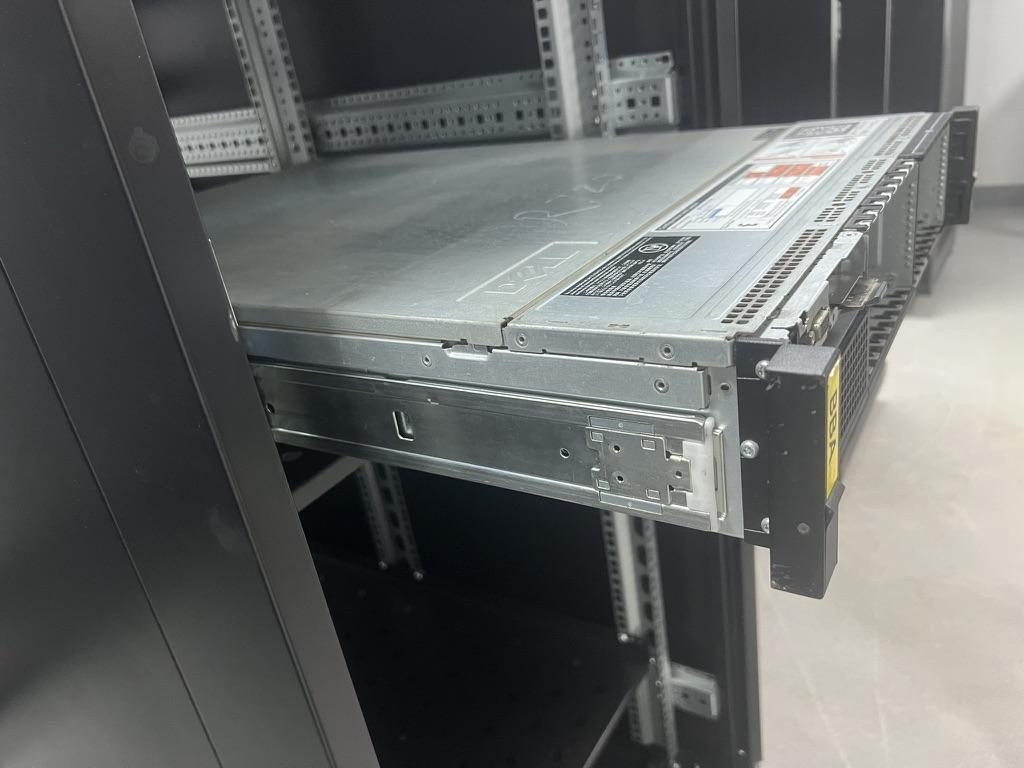
Product fit photo
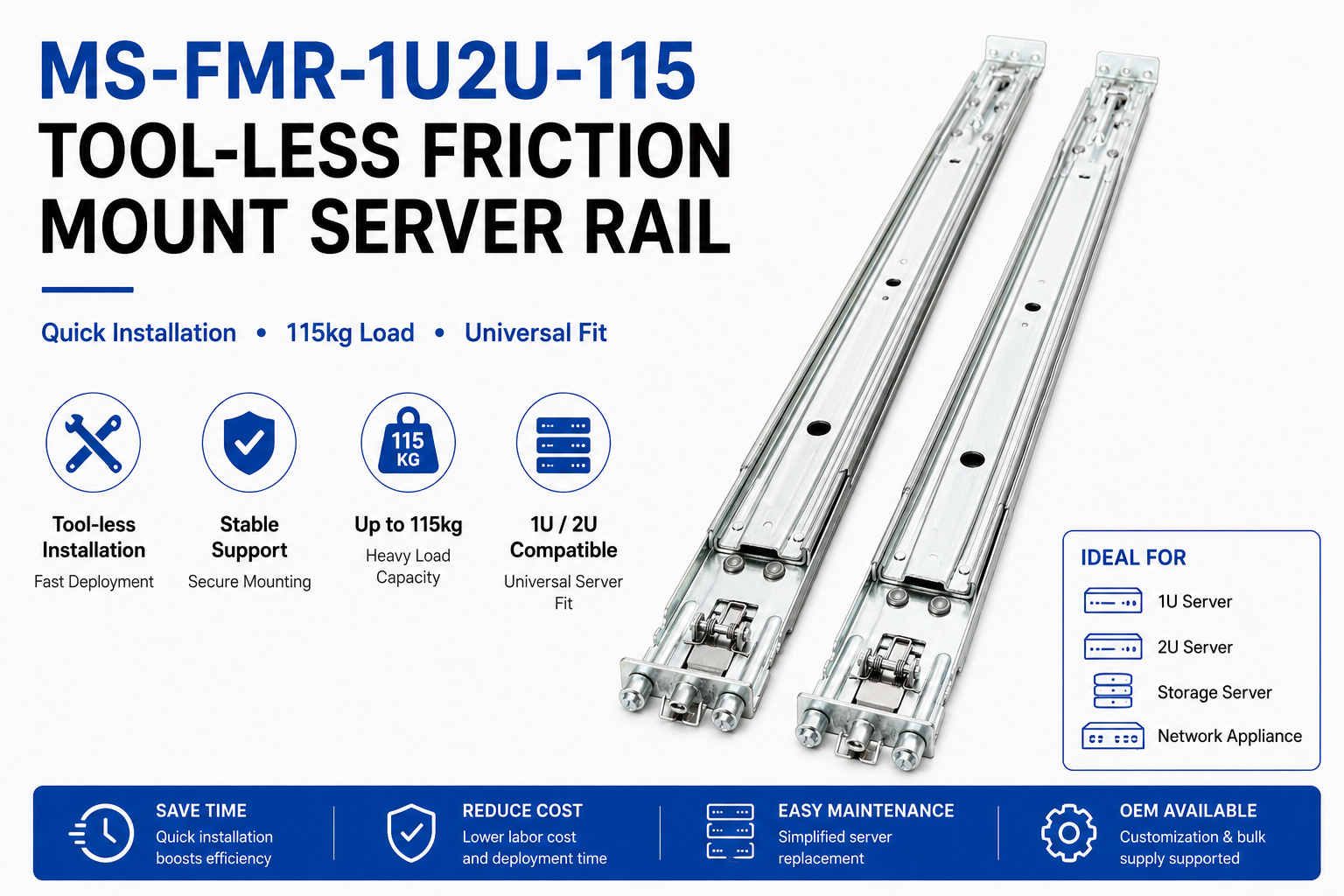 MS-FMR-1U2U-115 Tool-less Friction Mount Server Rail — view product
Handling common exceptions
- If a universal rail doesn’t line up with OEM racks, check whether holes are indexed to a different datum or whether the rail expects captive nuts. When hole patterns don’t match, a bracket or adapter plate is often simpler than a full rail redesign.
Load Ratings, Material Specs, and Fastener Requirements
A drawing rarely stands alone for structural acceptance—look for the load table, notes and related spec sheets.
-
Where load ratings appear
- Dedicated load table on the drawing or a referenced technical data sheet. Load callouts must state: per pair or per rail, extension state (closed/full), static vs dynamic, and the test condition.
- MetrixSlide product data includes model‑level load statements; for example one heavy‑duty GPU family has a nominal capacity of up to 180 kg per pair, although a formal test report at that load is not yet available. Use these explicit statements to gate selection.
-
Verifying load against the drawing features
- Cross‑check material and thickness notes (sheet steel gauge callouts, material grade) and weld symbols with the load requirement. Thicker material, larger cross section and anti‑sag features correlate with higher rated loads.
- In MetrixSlide’s factory static‑load test a rail pair is held under load at full extension for 24 hours, and the MS-FMR-2U-100 held 100 kg in that test; request the test protocol if load and sag are critical.
-
Fastener callouts and torque
- Look for explicit screw specifications (size, thread, material) and any torque notes. If torque is not specified on the drawing, follow the fastener manufacturer’s torque spec or supplier guidance; do not assume torque from hole size alone.
- Locking methods (spring washer, threadlocker, nylon insert) are often noted. If absent, plan for a conservative locking method when rail retention is critical.
-
What to request if not on the drawing
- Test protocol for load ratings (fixture, duration, acceptance criteria).
- Material spec (steel grade), finish (zinc, black oxide, passivation) and sheet thickness.
- Fastener list and torques for procurement and assembly.
MetrixSlide engineering practice: decision rules, taxonomy and checklists
To turn drawing reading into a reproducible selection process, MetrixSlide engineering follows a simple set of hard gates and a taxonomy that separates installation/architecture choices from preference items.
-
Compatibility decision rules (hard gates → preferences)
- Hard gates: required mounting‑depth fit (rack post distance inside validated bracket range), chassis‑to‑rail engagement (T‑pin or keyed feature), and load gate (per pair vs per rail, extension state). If any hard gate fails, stop selection.
- Only after hard gates pass do we apply preferences: sliding vs fixed, ball‑bearing vs friction, tool‑less vs captive, section count (two/three member).
- Validation path: Requirement → CAD verification → physical sample / fit → performance test. Passing CAD does not substitute for physical validation.
-
Taxonomy (how to classify a candidate rail quickly)
- Motion architecture: sliding (telescopic) vs fixed.
- Sliding mechanism: ball‑bearing (low friction, high load) vs friction/roller.
- Installation style: tool‑less vs screw‑fixed; stab‑in vs drop‑in (drop‑in is a rear‑first vertical seat, stab‑in is lateral insertion).
- Member count: two‑section vs three‑section (three‑section gives longer service extension).
- Mounting interface: T‑pin / PEM / keyhole / captive nut / threaded.
-
Short intake checklist (what to capture before RFQ)
- Rack: measured post inside‑to‑inside distance or range; hole type(s) and photos of post; required U‑position.
- Chassis: installation method (stab‑in/drop‑in), expected engagement features (T‑pin spec: head Ø, shaft Ø, under‑head clearance), chassis width and datum.
- Load: required per‑pair or per‑rail, static or dynamic, extension state.
- Service: required pull‑out / lock‑out behaviour.
- Deliverables: CAD/STEP needed, sample quantity and schedule.
Annotated Examples, CAD Files, and a Compatibility Checklist
Here’s a practical walk‑through using real, anonymised project‑level values from MetrixSlide engineering evidence and a compact checklist you can reuse.
Annotated examples
-
Example: a SaaS company building its own servers — drop‑in family example
- Documented rail closed = 650 ±3 mm; extended = 810 ±3 mm; these are model drawing values used for a drop‑in conversion. The drawing shows inner/middle member geometry and chassis engagement features derived from a PEM/T‑pin requirement for the customer.
-
Example: a North American telecom OEM — three‑member solution
- Design output shows closed = 674 ±3 mm, fully extended = 919 ±3 mm, and a defined pull‑out (service) dimension of 150 ±3 mm used as the locked service position for this project. Note: the 150 mm pull‑out was a project‑specific solution and is not a general recommendation.
-
Example: an Indian HPC ODM (bracket range)
- A bracket/fit adjustment family documents a validated bracket range such as 650–965 mm and, in one integration case, customer post distance measured ~812 mm sits inside that range. Always read the rail‑specific bracket range rather than deducing it from closed length.
-
Example: an anonymised chassis PEM/T‑pin
- For one conversion the PEM/T‑pin geometry used as input included head Ø ~6.502 mm, shaft Ø ~4.00 mm and under‑head clearance ~1.585 mm — these pin dimensions define keyhole/J‑slot geometry and therefore any slot must be derived from the pin, not assumed.
How to extract key data from a CAD or OEM PDF (step‑by‑step)
- Open the STEP/IGES/STEP in your CAD viewer and use the measure tool to read hole center spacings and bracket dimensions; compare to numeric callouts.
- Extract the BOM or property table in the STEP (many exporters include material/part attributes).
- Read the revision history block to confirm you have the latest drawing revision.
- Export a 2D print if you need to overlay your rack or chassis drawings for interference checks.
- If the drawing contains only scaled views, recover dimensions from the scale and verify against any numeric dimensions given.
Final compatibility checklist (printable)
- Rail closed / extended / travel (and tolerances from the drawing)
- Fit range (min–max) and tolerance band (use drawing values)
- Hole types and center spacing (front and rear)
- Fastener list and thread specs
- Per pair vs per rail load ratings, static/dynamic and test reference
- Material, thickness, finish, weld notes
- Datum alignment to chassis and rack
- Revision number/date and drawing source
- CAD overlay fit check and a plan for physical sample validation
Visual example
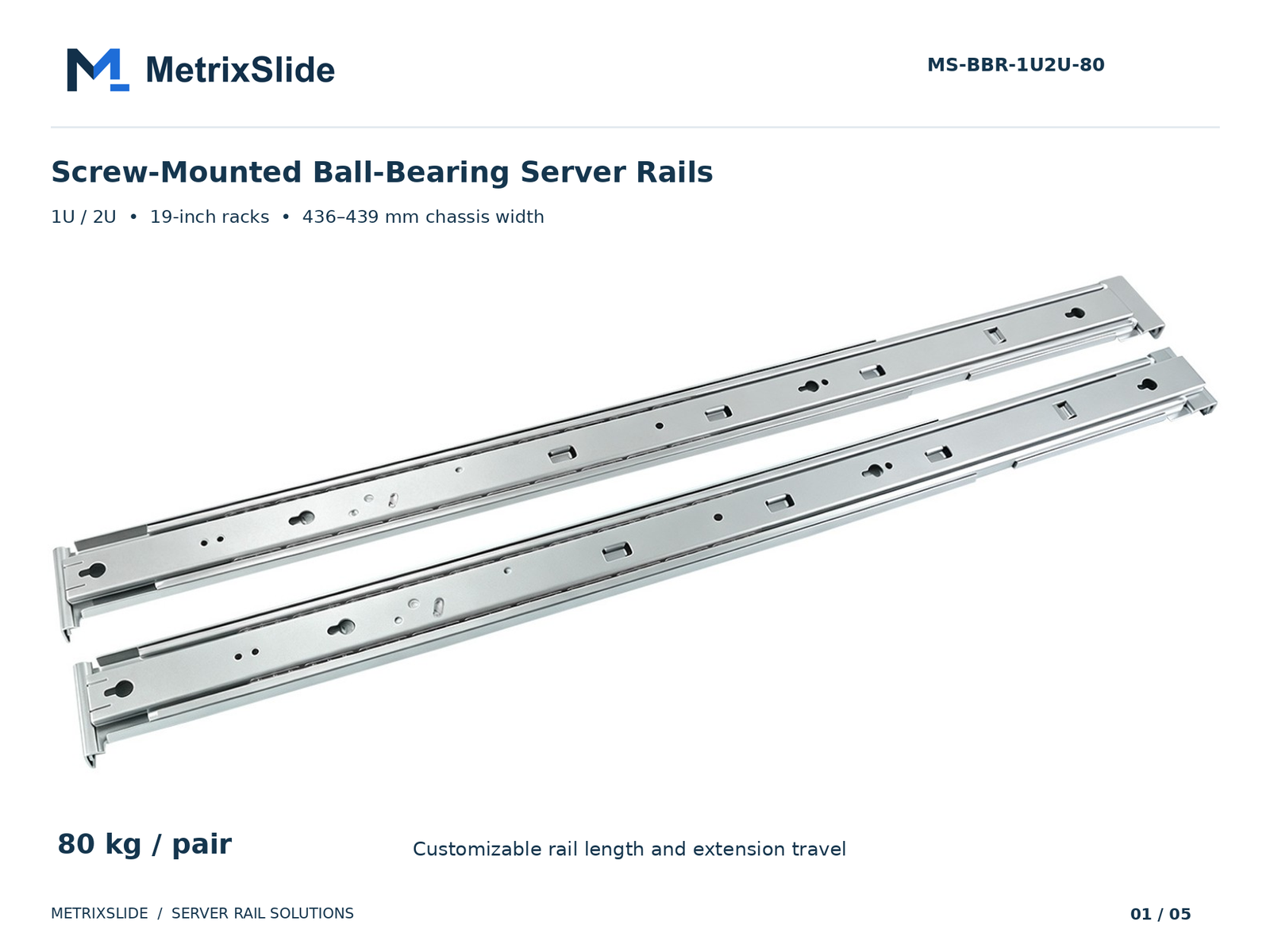 MS-BBR-1U2U-80 Screw-Mounted Ball-Bearing Server Rails — view product
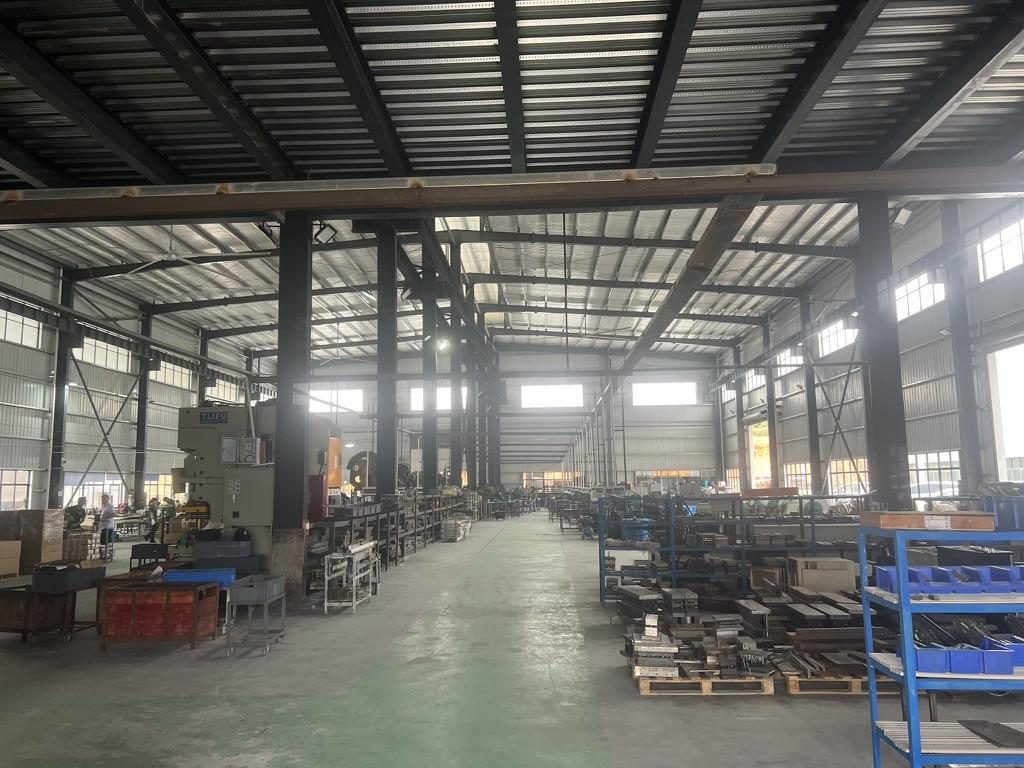
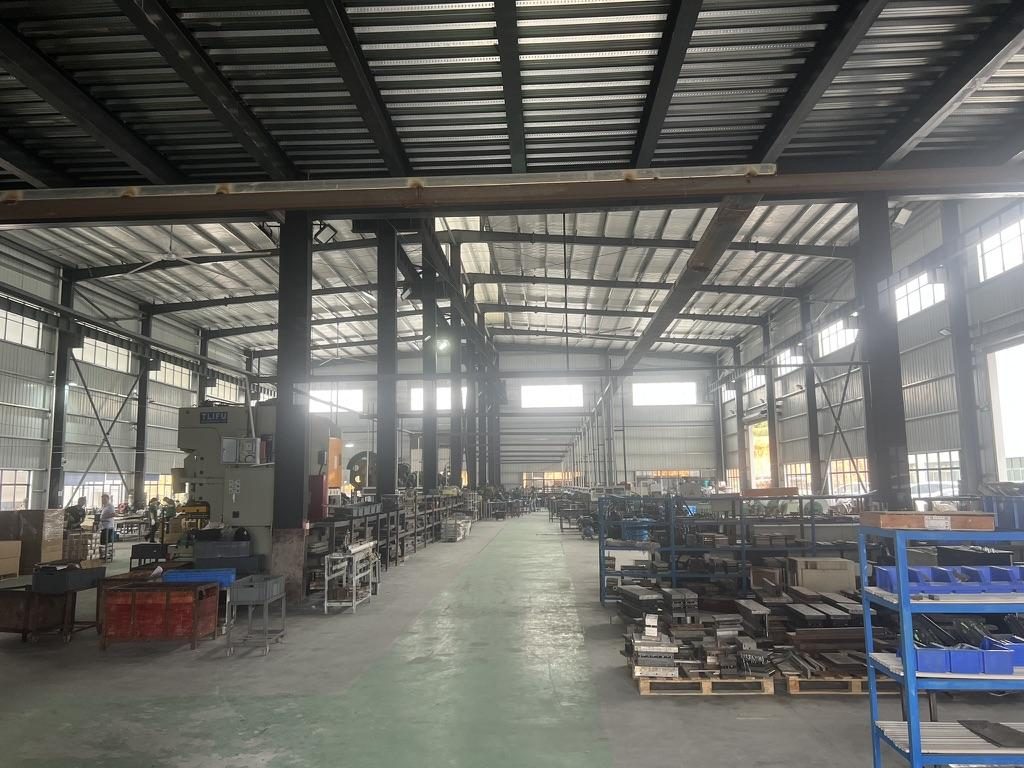 Overview of the server rail production workshop
Conversion / CTA
Use a simple comparison table with these columns: rail closed length, extended length, travel, fit range (min–max), hole type, hole spacing, load rating, material, finish. Compare your rack post distance to the fit range including tolerance.
Note on supplier quality and validation
- MetrixSlide’s factory and quality practice include ISO 9001:2015 certified processes for slide production and internally documented validation steps such as static load checks for heavy‑duty families. The company also references a patented anti‑sag slide structure in some product discussions. Even with certificates and patents in place, treat each model’s drawing and test evidence as the authoritative source for fit and load.
FAQ
Q: How can I tell if a drawing uses third‑angle or first‑angle projection, and why does it matter for server rails? A: Check the title block or legend for the projection symbol (a standard graphic). Projection determines where views sit relative to each other—misreading it can swap left/right or top/bottom views and cause you to misinterpret hole positions or bracket orientation.
Q: What drawing callouts indicate square holes, round holes, or threaded holes and how do I translate those into the right fastener or cage nut? A: Square holes are dimensioned as width×height (e.g., 9.5×9.5 mm in some projects) and imply a cage nut; round holes show a diameter (Ø) and will be either clearance or drill‑for‑thread; threaded holes include a thread spec (M#, 10‑32, etc.). Use the callout directly to select the matching cage nut or screw; when in doubt, ask for the recommended hardware list.
Q: How do I verify a rail drawing will fit my 19‑inch rack and specific rack depth (what exact measurements should I compare)? A: Compare your rack post inside distance to the rail fit range (min–max) and include the drawing’s tolerance band. Verify hole centerlines from the rail datum to match your post hole pattern and confirm U‑height alignment by comparing the rail’s front datum to your chassis front datum.
Q: Where are load ratings and safety factors usually shown on rail drawings, and how should I interpret static versus dynamic ratings? A: Load ratings are usually in a note or a dedicated table and must state whether they are per pair or per rail, and whether they apply at full extension or closed. Static ratings are for steady loads (sitting still); dynamic ratings are for moving or service loads—always use the rating that matches your use case and ask for test protocols when the application is safety‑critical.
Q: What is the step‑by‑step method to extract mounting patterns, rail length, and required hardware from an OEM CAD file or spec sheet? A: Open the CAD in a viewer, measure hole center distances from the datum, confirm closed and extended lengths and travel, extract part properties/BOM, inspect the revision block, and cross‑check hole types against the rack thread/hole standards. Create a one‑page compatibility table listing fit range, hole types, fasteners and load rating for procurement.
Talk to a MetrixSlide engineer
Not sure how this applies to your servers? Send us a chassis drawing or model (STEP or DWG), the rack post-to-post distance and hole type, the expected load and your planned quantities. Within 24 hours you get a rail matching proposal from an engineer, followed by 2D/3D drawings for review and sample pairs (typically 15–20 days after drawing approval) for physical validation before the full order.
Bracket position, hole pattern, rail length and thickness adjustments on our existing platforms usually carry no tooling fee; structural redesigns are quoted separately with dies made in-house.