A practical, four‑level server rail compatibility checklist for engineers: requirement → CAD → physical fit → performance, with the frontal 2 mm alignment risk explained.
Step-by-Step Rack & Chassis Measurement Checklist
Start with a printed checklist and a consistent datum — a single edge or panel face on the chassis and the rack post face — and measure every candidate chassis and rack before you pick a rail. Never rely on the nominal “19‑inch” label alone: measure the real interfaces.
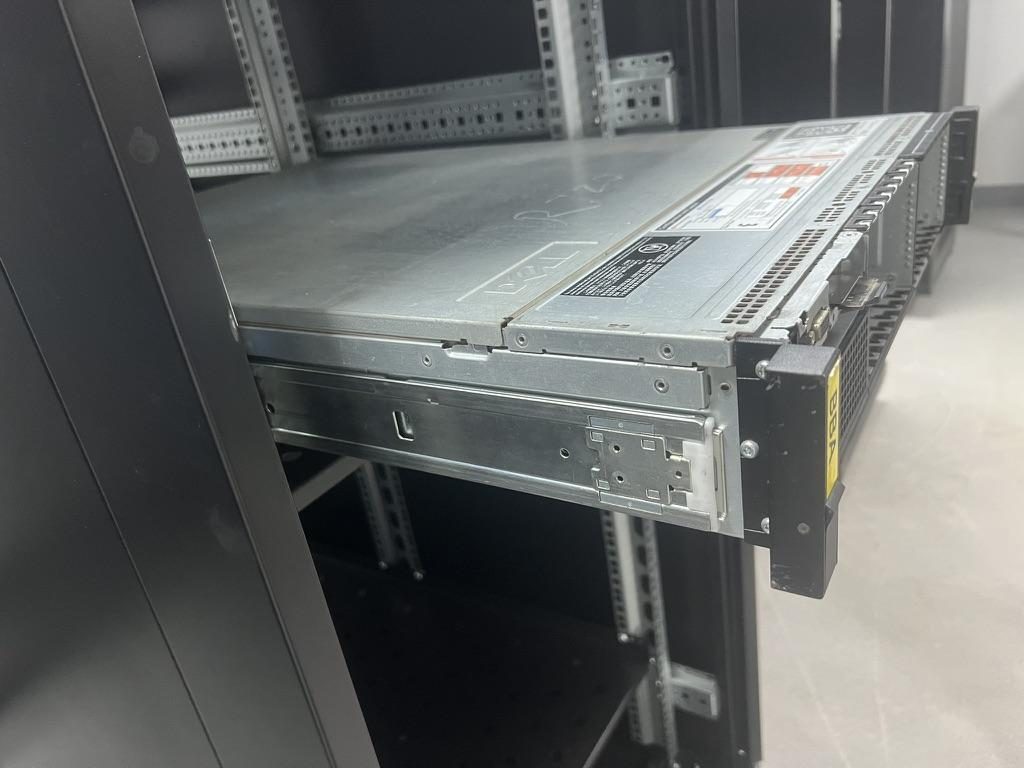
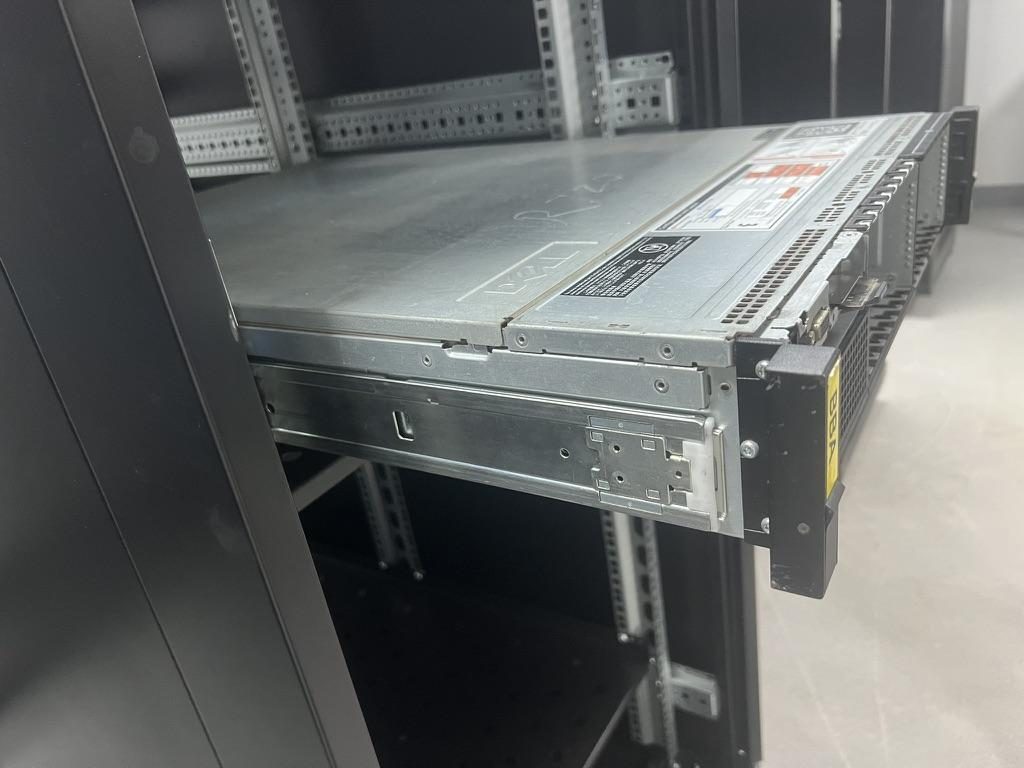
 Server rail sample display rack at the MetrixSlide factory showroom
Essential measurements (with where to measure)
- Front-to-rear post distance (rail-to-rail mounting depth): inside post faces or inside of cage‑nut row; record min/max if the rack has adjustable posts.
- Closed / installed bracket range: the rail manufacturer’s bracket‑range min and max the rail will accept (this is a rail-side capability; do not substitute closed rail length for bracket range).
- Chassis external depth and engagement envelope: overall chassis depth, and the depth from the chassis front datum to the first mounting datum (usually a T‑pin or PEM boss).
- Chassis-to-rail front interface offsets: distance from chassis front datum to captive‑screw centreline, T‑pin centreline or keyhole datum. Note that small offsets (project examples show 2 mm differences) can change the chassis landing position in the rack U-space.
- Rail closed length, extended length, and pull‑out / lock‑out travel (keep these as separate values — closed length ≠ fit range ≠ usable travel).
- Inner-rail effective travel (usable extension under load) measured from the chassis datum to the landing feature.
- Mounting hole spacing and thread type: vertical pitch (U or mm), horizontal offset from post face, hole diameter and thread spec (10‑32, 12‑24, M6, M4).
- T‑pin / PEM details: head diameter, shaft diameter, head‑to‑panel clearance, and centre spacing.
- Bracket / ear thickness and any stepped geometry or raised features that can interfere with a cage nut or adjacent equipment.
Tools & tolerance notes
- Use a calibrated digital caliper, depth gauge, and a 1‑meter steel rule. For hole centre checks use a small‑centering punch or a 2‑mm probe to confirm alignment.
- When measuring refurbished or altered chassis, inspect for field‑added rivets, paint build‑up, or repaired ears that change datum positions.
- Note: MetrixSlide’s stamping practice targets tight hole fit; the ~0.08 mm hole‑centre repeatability target remains a capability claim pending independent inspection evidence. Always record the as‑measured value; a drawing tolerance from the chassis maker is not a substitute.
Quick “A/B/C” diagram (printable)
- A = front datum to T‑pin centreline
- B = front datum to captive‑screw centreline
- C = chassis overall depth (front datum to back) Attach a photo of the front and rear post area and annotate these three points. Keep one page per chassis in your fleet.
Measurement record
- Keep a one‑page record of these measurements and a CSV‑compatible matrix to track your fleet records.
MetrixSlide engineering practice (brief)
- Validation sequence: Requirement → CAD/drawing review → physical sample installation → performance validation (load, extension, life). Passing a CAD review does not prove physical fit or performance.
- Hard gates before preferences: interface fit, bracket‑range fit and verified load rating must be satisfied before you trade off ball‑bearing vs friction, tool‑less options, or slim profile.
Choosing Rails: Telescoping vs Sliding, OEM vs Third‑Party, and Load Ratings
Pick rails by hard gates first: interface fit, bracket range and verified load rating. Preferences like tool‑less, ball‑bearing, or ultra‑slim come after the hard gates.
Key functional differences
- Fixed rails: simple, low cost, no telescoping members; best for light loads or when service access can be achieved by removing the server.
- Sliding (telescoping) rails: allow front service without full removal. Two‑section and three‑section designs trade travel and stiffness; three‑section gives full extension but has more moving interfaces.
- Ball‑bearing vs friction: ball‑bearing gives smoother motion and higher practical dynamic handling; friction is simpler, slimmer and often lower cost. Heavy loads typically favour ball‑bearing designs.
Taxonomy (quick)
- Motion: Fixed vs Sliding (two‑section / three‑section)
- Mechanism: Ball‑bearing vs Friction
- Mounting features: Tool‑less vs Screw; Stab‑in vs Drop‑in (J‑slot / keyhole)
- Parameters: Closed length, extended length, bracket adjustment range, pull‑out/lock‑out travel, per‑pair static rating
OEM vs third‑party
- OEM rails may match subtle chassis features, captive screws and U‑position datums by design. Third‑party rails can be functionally equivalent, but confirm:
- mounting hole patterns and T‑pin geometry,
- captive‑screw location vs chassis datum (project evidence: an Indian HPC ODM observed a 23 mm vs 21 mm captive‑screw centreline difference that shifted the resulting U‑position — a 2 mm local change that affected rack position),
- any OEM retention/release features (manual positive lock, J‑slot geometry).
Load ratings and safety margins
- Read the rating sheet carefully: is the number per rail or per pair? Is it static (holding) or dynamic (moved under load)? Does the rating assume full extension?
- MetrixSlide product baseline: MS-BBR-180 has a nominal capacity of up to 180 kg per pair (a formal test report at that load is not yet available) — use model‑specific data when sizing heavy duty needs.
- Engineering practice: specify a safety margin above expected worst‑case load (industrial buyers commonly leave a margin) and check whether seismic anchoring or building code requirements add further constraints.
Selection matrix (quick)
| Requirement | Fixed | Sliding / telescoping | Ball‑bearing | Friction |
|---|---|---|---|---|
| Frequent front service | Low | High | High | Medium |
| Max dynamic load | Low | Medium | High | Low |
| Slim profile | High | Medium | Medium | High |
| Cost sensitivity | High | Medium | Lower | Higher |
| Precise front datum control | Medium | High (verify) | High | Medium |
Practical notes
- “Universal” rails are conditional; they often accept multiple hole types and depths but can miss critical OEM locators. Treat universals as candidate, not guaranteed.
- Validate bracket range (not closed length) against your rack’s actual post distance before CAD approval.
Mounting Hardware, Inner vs Outer Rail Diagrams, Torque Specs and Required Tools
Understand the parts: outer rail attaches to rack post, inner rail to chassis. Middle rails (two‑ or three‑section) carry load and define travel geometry.
Annotated components to check
- Outer rail: mounting holes (threaded or clearance), cage‑nut friendly holes, bracket ear shape.
- Inner rail: chassis interface — T‑pin, PEM bosses, keyholes or thumb‑screw locations.
- Middle rail (if present): travel stop, lock‑out latch, detents, anti‑sag features (MetrixSlide holds a patented anti‑sag slide structure and applies anti‑sag features in some families).
- Fasteners commonly used: 10‑32 (UNF), 12‑24, M6, M4 for brackets. Confirm hole diameter and hole countersink/clearance on both chassis and rail.
Recommended hardware & torque guidance
- Typical fastener choices: use the thread spec the rack/chassis requires — do not mix thread types in the same installation.
- Recommended practice: use a calibrated torque wrench for final torque. Specify torque in Nm or lb‑in on your installation sheet; if the vendor’s sheet is missing torque info, request it before assembly. Use a thread‑locker on high‑vibration sites and lock‑washers or prevailing‑torque nuts where the spec calls for it.
- Tools list: torque wrench, hex/Phillips drivers, digital caliper, depth gauge, spirit level, and a 3D probe for hole verification.
Installation pitfalls & troubleshooting
- Misaligned hole centres (especially on refurbished chassis) cause binding or dropped balls in ball‑bearing slides.
- Excess side clearance or too little side clearance increases sensitivity during insertion and can cause jamming.
- If the slide feels stiff or binds, remove, inspect for bent members or burrs, and check fastener torques and washer stack; do not force insertion.
- Replacement parts: maintain a mapping of SKU to replacement inner/middle/outer parts so you can swap the failed member rather than replace an entire rail.
Factory validation notes
- In MetrixSlide’s factory static‑load test a rail pair is held under load at full extension for 24 hours (the MS‑FMR‑2U‑100 held 100 kg in that test), and the factory is ISO 9001:2015 certified for metal slide processing; confirm specific dynamic ratings and acceptance criteria with your supplier.
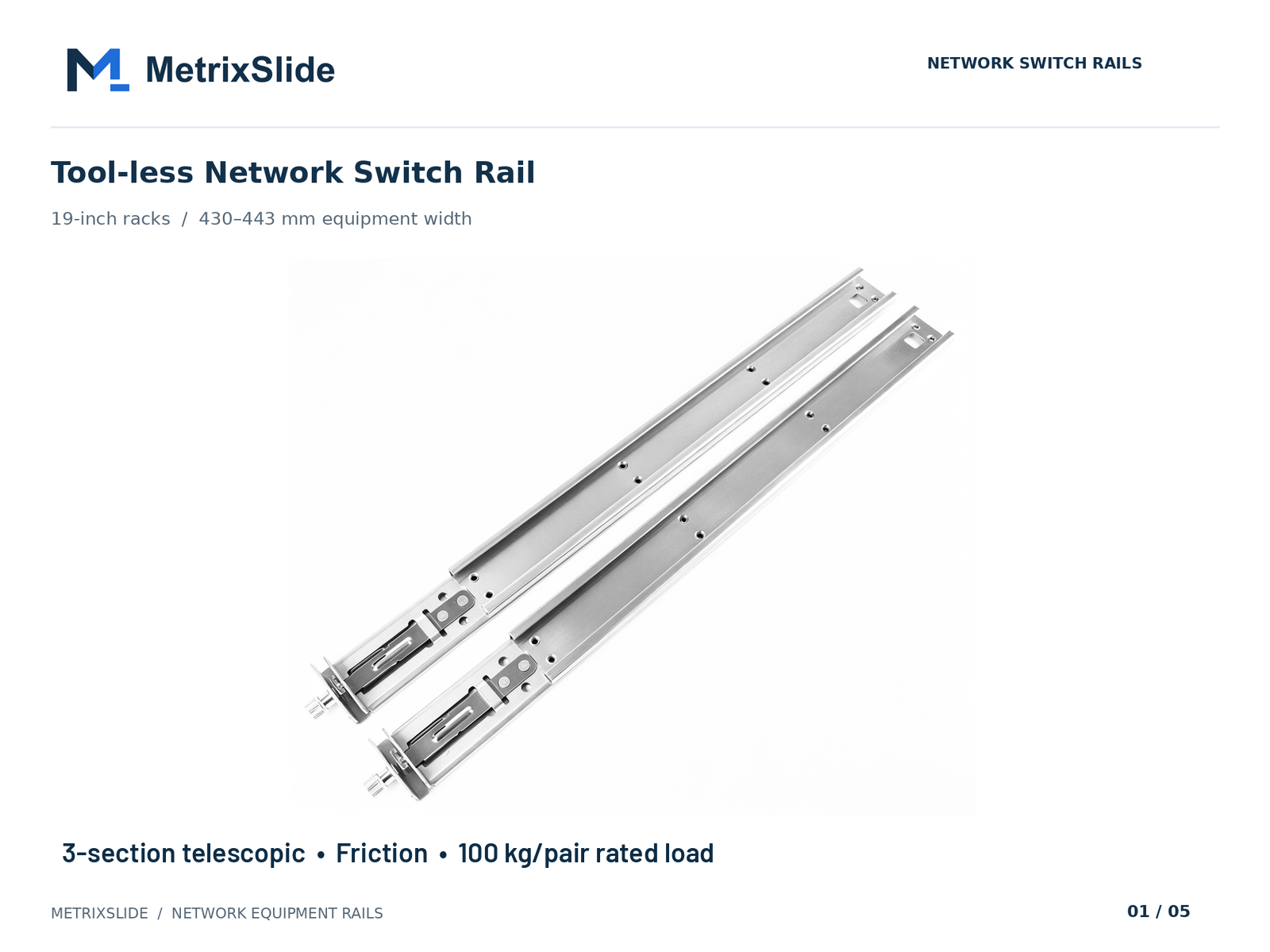 MS-FMR-SW-100 Tool-less Network Switch Rail — view product
Added checklist: what to send with an RFQ for a compatibility check
- Chassis: front mounting-area STEP or 2D annotated photo (A/B/C offsets), overall width and depth, T‑pin/PEM details.
- Rack: photos of post, hole type, measured front‑to‑rear post distance (min/max), door/CMA clearances.
- Operational: expected max loaded weight, service access expectation (front only, front+rear), expected quantities and timeline.
- Preference knobs (after hard gates): ball‑bearing vs friction, tool‑less vs screw, slim profile.
Practical mounting examples
- A North American telecom OEM required a 1U friction rail with reduced pull‑out: an initial design with 300 mm pull‑out was revised to ~150 ±3 mm usable lock‑out travel to meet load and sag targets in the rack — CAD and sample steps followed. This illustrates that usable extension is an application parameter, not a universal property of a family.
- An Indian HPC ODM 2U case: chassis width 434 mm, required bracket adjustment range confirmed at 650–965 mm while the measured rack‑post distance was ~812 mm. The customized 3D rail CAD aligned at CAD level and a PI for sample pairs was issued; physical samples and installation must still validate the CAD evidence.
- A SaaS company building its own servers asked to convert stab‑in rails to drop‑in for vertical loading; the conversion required J‑slot geometry changes only once the T‑pin spec and head/shaft/clearance were confirmed (example PEM values used in drawings: head Ø 6.502 mm / shaft Ø 4 mm / under‑head clearance 1.585 mm).
Clearance, Rear Support, PDU & Cable Routing, and Cooling Considerations
A rail passes the mechanical gate, but the server lives in a cooled, wired rack. Plan rear support, routing and airflow before deployment.
Rear support & stabilization
- When required: long chassis, heavy payloads or long overhangs demand rear support. Use rear support kits, mid‑span arms, or add a second pair of rails as the design calls for.
- Verify whether the rail’s stated load rating assumes rear support. For multi‑rail systems (e.g., four‑rail OCP prototypes), do not assume simple addition of single‑rail ratings without an engineering assessment of load sharing.
PDU, cable and airflow clearances
- Measure the rail and cable management arm (CMA) envelopes. Reserve clearance behind the chassis for PDU outlets and for cable bends; a tight bend radius or PDU directly behind the rail can block rail travel or prevent full seating.
- Front‑to‑back airflow: rails and mounted PDUs can obstruct front‑to‑back airflow. Map airflow by placing the server in its intended U‑position, attach typical cable bundles, and verify intake/exhaust temperatures in a lab check.
Rack layout checklist
- Confirm PDU outlet placement vs rail rear seam and ensure no interference when inner rail is fully extended.
- Verify that cables from the chassis don’t conflict with the rail’s motion path or with a neighbouring device when rails are fully extended.
- For mixed OEM/multi‑vendor environments, run a quick conflict detection: sample one server per model, install rails, attach PDU and cables, extend and lock; document clearance failures in your compatibility matrix.
Cooling note for high‑density: leaving extra rear clearance and minimizing cable bundles behind the chassis improves perforated door effectiveness and helps prevent hot‑spotting around rails.
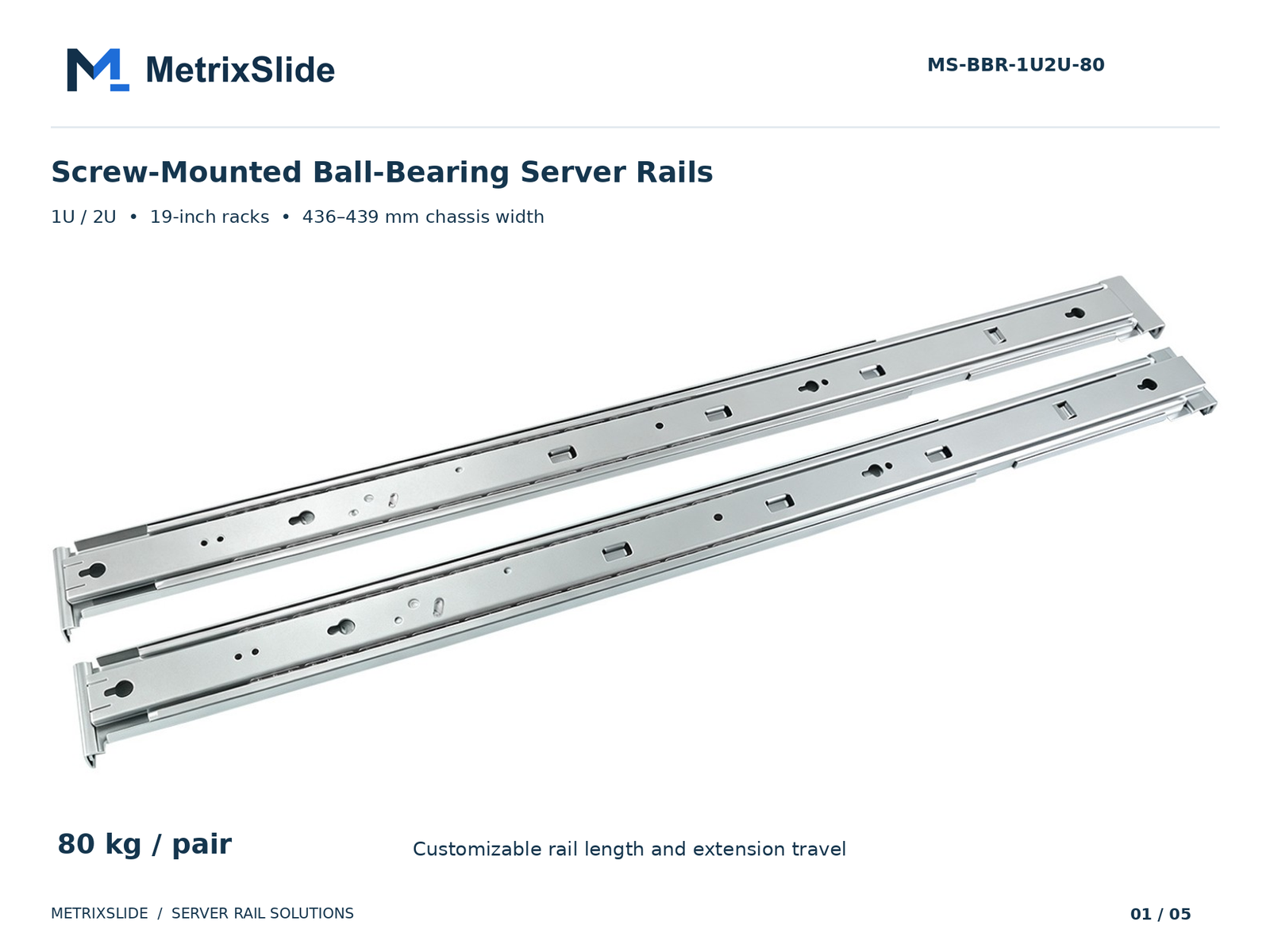 MS-BBR-1U2U-80 Screw-Mounted Ball-Bearing Server Rails — view product
Compatibility Matrix, Legacy/Refurbished Fleet Guidance, and Field Records
A compatibility matrix is the practical output of this process. Make it a live CSV or Google Sheet with these fields:
Suggested matrix fields
- Site, Rack ID, Unit Location (U), Chassis model, Chassis serial or batch, Chassis width & depth (mm), Chassis front datum offsets (A/B/C), Rack post distance min/max, Hole type(s), Candidate rail model (SKU), Bracket range (min‑max mm), Load rating (per pair/static/dynamic), Front interface notes, Rear support required (Y/N), CAD approved (Y/N), Sample ordered (Y/N), Installation notes.
Legacy/refurbished guidance
- For refurbished fleets, check the serial and modification history. Field repairs often alter hole positions, add welds or change ear geometry; measure every unique chassis that differs by serial batch.
- When matching an old server to a vendor SKU, cross‑check physical pin data (T‑pin head/shaft), hole spacing and any raised datum features rather than relying on model names.
Records to keep
- One‑page measurement record.
- Compatibility matrix in CSV or spreadsheet format.
- Standard tools and torque reference.
- Quick installation diagram (inner vs outer rail, lock‑out test).
Share these records with your procurement and facilities teams so compatibility checks are routine, not accidental.
Practical compatibility decision gates (MetrixSlide practice)
- Requirement capture: chassis interface, rack post distance, load, service expectations.
- CAD/drawing alignment: match datums and bracket ranges; resolve front‑interface conflicts (Layer 1) and check resulting chassis landing position in the rack envelope (Layer 2).
- Sample production & physical fit: install sample pair(s) and verify insertion, lock, clearances and cable/CMA fit.
- Performance validation: static load test, extension under load, lock‑out behavior and life testing.
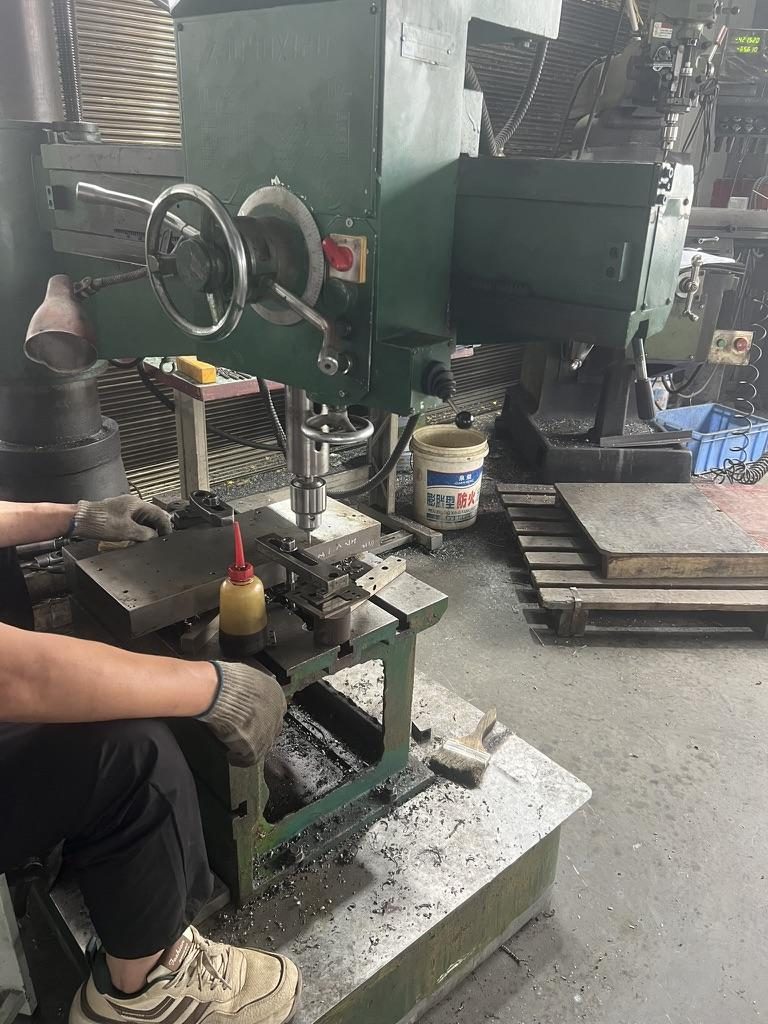
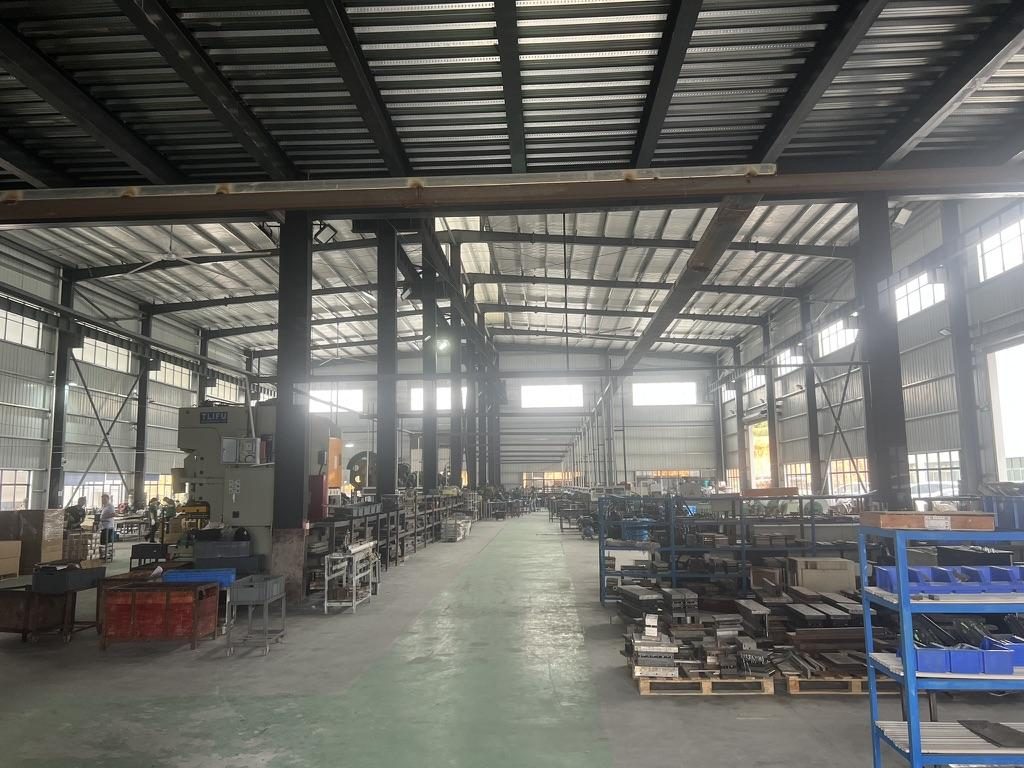 Overview of the server rail production workshop
Conversion / CTA
Next steps you can take today:
- Use a one‑page record of these measurements and a spreadsheet compatibility matrix to track your fleet.
- Map candidate rails against your CSV of models and flag hard‑gate failures internally.
- For CAD review, send the chassis STEP or at least a mounting‑area STEP, rack post photos and the measured A/B/C offsets.
Typical deliverables from a MetrixSlide compatibility review
- Completed compatibility matrix, suggested rail SKU mappings, CAD markups and a shortlist of alternate parts where applicable.
- Samples: MetrixSlide sample lead time is typically 15–20 days after order confirmation for first samples (confirm per project).
- Note on customization: common bracket/hole‑pattern/length/thickness adjustments typically carry no tooling fee; structural or 1:1 copy work can require NRE.
FAQ
Q: What exact measurements should I take to verify rail compatibility with my rack and server? A: Measure the rack post‑to‑post distance (inside faces), the chassis overall depth, and the chassis front‑datum to each mounting datum (T‑pin centreline, captive screw centreline, PEM bosses). Record hole types and thread specs (10‑32, M6, etc.), the rail’s bracket range, and the rail’s closed/extended lengths; notes and photos are critical for CAD review.
Q: How do telescoping (sliding) rails differ from fixed rails in serviceability and load capacity? A: Telescoping rails provide front access without removing the chassis and typically have more moving members (two‑ or three‑section) which affects extension and stiffness. Fixed rails are simpler and often suitable for lighter loads or where removal is acceptable; heavy or service‑frequent systems usually favor ball‑bearing telescoping rails.
Q: How can I match a server model to a vendor rail part number or SKU reliably? A: Match by measured interfaces, not just by model name: confirm T‑pin/PEM dimensions, hole spacing and captive‑screw offsets, bracket range, and intended U‑position. If possible, provide a mounting‑area STEP or photos with annotated A/B/C offsets for CAD verification.
Q: What load rating and safety margin should I require for rails, and how do seismic or building codes affect rail selection in the U.S.? A: Require the rating to specify per‑pair vs per‑rail, static vs dynamic, and the extension state. Add an engineering safety margin (commonly 20–50% in many procurement practices) above your worst‑case operational load, and check whether your local code or facility seismic requirements mandate anchoring or higher rated hardware.
Q: How do I adapt rails or use depth adapters/extenders for legacy or refurbished servers? A: Verify the original mounting datums and measure any field modifications. Depth adapters and extenders can bridge mismatches, but always confirm the adapter’s rated load and travel, and include a physical sample check because CAD approval does not guarantee smooth mechanical alignment.
Talk to a MetrixSlide engineer
Want an engineer to run this check on your own chassis and rack? Send us a chassis drawing or model (STEP or DWG), the rack post-to-post distance and hole type, the expected load and your planned quantities. Within 24 hours you get a rail matching proposal from an engineer, followed by 2D/3D drawings for review and sample pairs (typically 15–20 days after drawing approval) for physical validation before the full order.
Bracket position, hole pattern, rail length and thickness adjustments on our existing platforms usually carry no tooling fee; structural redesigns are quoted separately with dies made in-house.