Rack depth, chassis fit, and compatibility matrix
Accurate rail selection begins with measurements, not assumptions. Measure three separate dimensions and capture them in a single intake sheet: (1) front-post to rear-post inside distance (the mounting depth), (2) full chassis depth including any rear overhang or I/O connectors, and (3) the chassis front-ear to front-ear dimension that engages the rack posts. Do not assume “19-inch” implies fit — 19-inch (482.6 mm) is a front-panel classification (IEC 60297 series), but hole type, post offset and rail bracket range determine compatibility.
Practical measurement steps
- Measure inside post-to-post distance at the mounting plane (top and bottom); record min/max if adjustable posts are present.
- Photograph the post hole pattern (close-up) and the post edge (for flange width). Note hole type: square punched, round or threaded.
- Measure chassis engagement features: T-pin head diameters and under-head clearance (if using stab-in/keyhole), or J-slot geometry if drop-in. Include CAD or STEP for any proprietary features.
Quick depth guidance (common cabinet depths and recommended rail approach)
- 600 mm shallow racks: use fixed supports or short-travel friction slides; verify rear clearance for connectors.
- 800–1000 mm typical data-center racks: three-section ball-bearing or heavy-duty telescoping slides that support full-extension service access are commonly preferred for heavy GPU loads.
- 1200 mm deep / OCP-style bays: use purpose-designed heavy-duty or adapter kits and validate the payload mounting interface (19-inch EIA vs OCP ORv3).
MetrixSlide approach and tools
- Use a compatibility table mapping common depth bands to candidate rail families (e.g., friction ultra-slim for shallow chambers, MS-BBR-180 for heavy GPU loads). Match your chassis depth and U-height to a candidate family for an initial fit check.
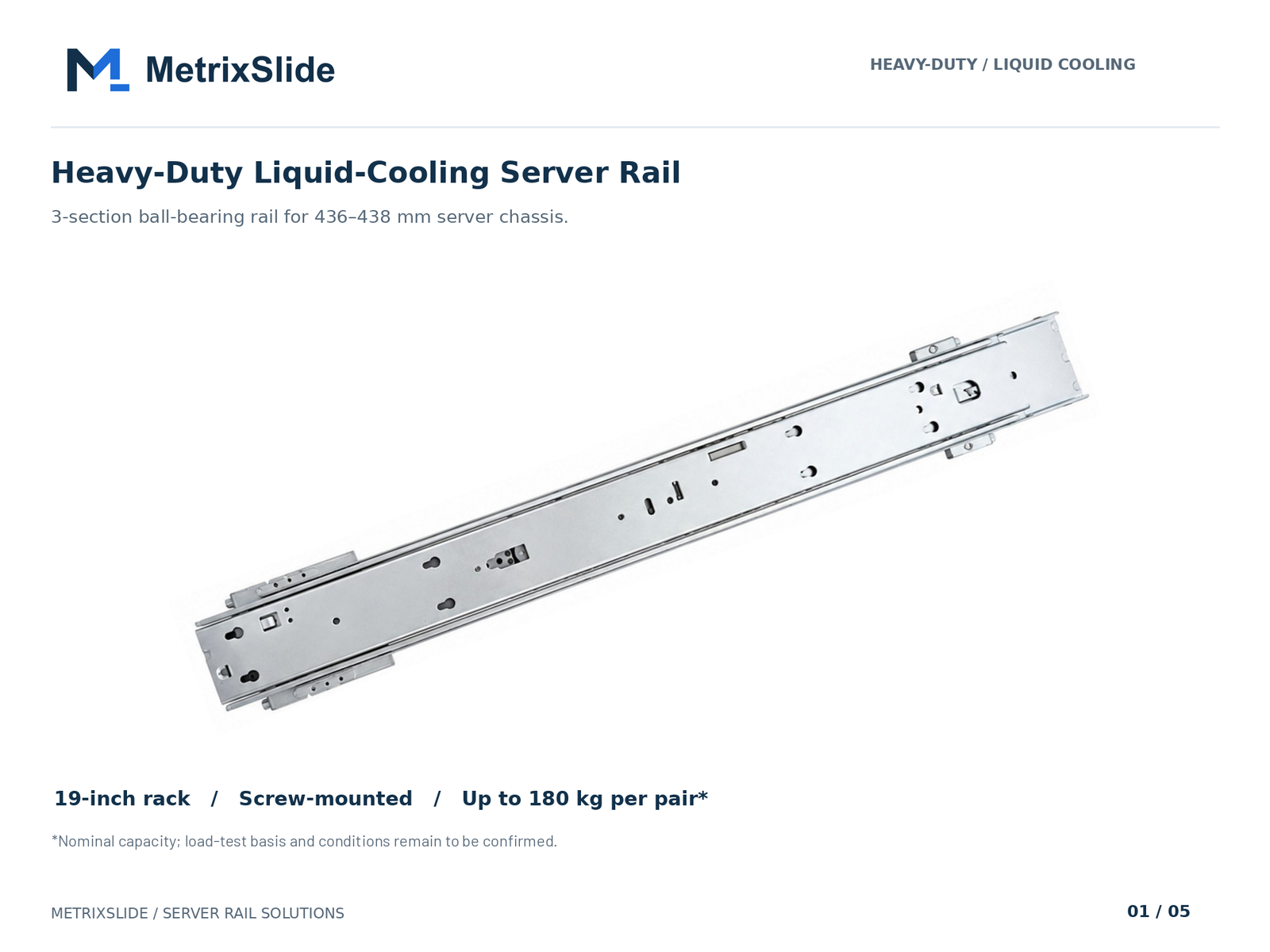 MS-BBR-180 Heavy-Duty Liquid-Cooling Server Rail — view product
Non‑standard depths and retrofit options
- If your rack is outside common depths, we typically resolve with bracket length changes, alternate bracket positions or adapter plates. Many bracket/hole-pattern/length/thickness adjustments are bounded customizations that can be made without full tooling rework; structural changes or 1:1 replica tooling typically require NRE.
What to send with your RFQ
- A front-and-side photo of the rack posts, a STEP/CAD of the chassis mounting area (or dimensioned drawing), post-to-post distance, hole type, expected load and quantity. Use these to check bracket range, hole pattern and rail family against the chassis.
Key definitions (MetrixSlide engineering practice)
- Closed length: the physical length of a rail assembly when fully retracted (drawing value).
- Extended length / full extension: the length when the rail is fully pulled out; this is the condition that matters for service access and many load tests.
- Bracket (fit) range: the span of post-to-post distances that the rack-side bracket positions will cover; a rail’s bracket range is the number you use to confirm fit to posts.
Never infer fit from closed length alone — always confirm bracket range and extended length separately.
Load capacity, materials, and durability specs for heavy GPU servers
For GPU/AI servers, the rail’s usable capacity is defined by strict qualifiers: per-rail vs per-pair, static vs dynamic rating, and the extension state at which the rating is measured. A load figure is incomplete without those qualifiers. In MetrixSlide’s heavy-duty GPU family, the MS-BBR-180 has a nominal capacity of up to 180 kg per pair; a formal test report at that load is not yet available. Ask suppliers to state all four qualifiers explicitly.
MetrixSlide selection decision rule (hard gates before preferences)
- Requirement (functional load, service access, environment).
- CAD-level fit (bracket range, hole pattern, T-pin / J-slot geometry).
- Physical fit (sample install, front datum, clearances).
- Performance validation (static full-extension test, cyclic test if required).
Pass each gate before moving to preference decisions (tool-less vs screw, ball-bearing vs friction, extended travel length).
Safety factors and test practice
- Apply a conservative procurement margin appropriate to your operational risk and service expectations; discuss the intended margin with the supplier rather than relying on a universal multiplier.
- In MetrixSlide’s factory static-load test a rail pair is held under load at full extension for 24 hours (the MS-FMR-2U-100 held 100 kg in that test); if you require longer hold times or cyclic evidence, specify duration and fixture in the RFP.
Reading vendor ratings
- Require the vendor to provide: model-level rating, whether it is per pair or per rail, the extension state (closed/partial/full), test protocol (fixture and duration), and acceptance criteria (e.g., functional pass, lock engagement). Avoid blind comparisons of single-number load tables.
Deflection and anti‑sag structures
- Sustained full-extension loading introduces sag/deflection risk; stiffness and mounting geometry matter as much as raw load numbers. Patents exist for anti-sag slide structures — ask vendors for test evidence rather than assuming a patent implies a specific rating.
Materials, coatings and long-term durability
- Material strength and stiffness affect deflection under sustained load; corrosion-resistant finishes and stainless options help in harsh environments. Specify material/finish requirements when corrosion or long service life is a concern and request validation for sustained static loads.
Durability testing and acceptance
- Require static full-extension testing if the rack will see heavy sustained loads. For service-heavy installations, include a cyclic-test protocol with clearly defined acceptance criteria for lock engagement, travel smoothness and deflection at full extension. MetrixSlide follows an evidence-driven path: requirement → CAD → physical fit → performance.
OEM vs aftermarket differences
- OEM rails are typically designed to interface to a specific chassis datum and may include features (positive manual release, captive thumbscrews) that universal rails do not. For heavy GPU loads prefer ball-bearing, multi-section architectures validated for full-extension static loading and with model-level evidence. Patents or design claims are useful signals — confirm test evidence.
Sample and lead-time guidance
- Typical engineering samples for compatibility and physical validation are often available in a few weeks; MetrixSlide typically quotes a lead time of around 15–20 days after drawing approval or order confirmation, but confirm this for your program and quantities.
Multi-rail configurations and load sharing
- Do not assume simple multiplication of per-pair ratings when adding parallel rails. Multi-pair layouts change load paths and deflection behaviour; require a structural assessment and a manufacturer statement on collective performance at full extension. For very heavy assemblies, define load distribution and attachment stiffness in the requirement package.
Anonymised MetrixSlide engineering examples (what we actually see on projects)
- A North American telecom OEM required a reduced pull-out lock-out for a 1U unit; the project used a three-section family with post distance range ≈ 674 ±3 mm to 919 ±3 mm and a reduced pull-out/lock-out target around 150 ±3 mm for heavy front-loaded connections. The case shows why lock-out and pull-out requirements belong in the initial RFQ.
- An Indian HPC ODM provided a 2U chassis (≈434 mm wide) and asked for a bracket range 650–965 mm; one validated fit point inside that range was ≈812 mm post distance. This demonstrates bracket range vs actual mounting point in practice.
- A SaaS company building its own servers needed a drop-in conversion that hinged on T-pin geometry; the PEM pin spec used as a datum was SKS-R1.5-4-0 (head Ø 6.502 mm, shaft Ø 4 mm, under-head clearance 1.585 mm). Supplying exact pin geometry upfront avoids costly redesign.
Rail types and step-by-step installation guide (sliding vs fixed)
Rail types and when to use them
- Fixed rails: stationary L-shaped supports; simple, lowest cost, suitable when service access is by lifting the unit out or when minimal extension is acceptable. Best for shallow chassis or very high-density stacks with little field service.
- Friction slides (telescoping with controlled glide): compact and lower cost than ball-bearing; acceptable for lighter server builds or occasional servicing.
- Ball-bearing telescoping slides (two- or three-section): provide full-extension service access and smoother, higher-load capacity — generally preferred for heavy GPU servers and racks requiring frequent servicing. Ball-bearing architectures tend to be the first choice as required load increases.
Taxonomy reminder (MetrixSlide): motion architecture (fixed vs sliding) × sliding mechanism (ball-bearing vs friction) × mounting attributes (tool-less vs screw; stab-in vs drop-in) — use the taxonomy to map preferences only after hard gates pass.
Installation: tools, order and safety checks Tools and consumables
- Torque wrench (for rack/captive screws), common screwdrivers, threadlocker if specified by rack vendor, anti-tilt brackets or retention pins, spare cage nuts and appropriate fasteners.
Step-by-step (recommended sequence)
- Verify compatibility: confirm bracket range fits the post-to-post distance and hole pattern.
- Mount rack-side brackets or outer rails first, level and torque to the rack posts. If the supplier did not provide torque specs, follow rack vendor guidance and record values.
- Install inner rails on chassis per drawing; ensure PEM/T-pin alignment with the keyhole/J-slot datum. If using drop-in rails, pre-install outer rails and extend inner rails fully before lowering chassis into position.
- Slide chassis in slowly and engage retention features; insert safety/limit pins where provided. For heavy loads, use two technicians or a lift to avoid personnel injury.
- Test full travel under load: extend to full service position, check for sag/deflection, audible grinding, and that lock-out detents engage.
Safety features and verification
- Verify lock-out engagement and limit-pin positions. Check any positive-release mechanisms (manual release or keyed) for expected operation. Verify that cable management arms and PDUs do not snag during travel; secure PDUs and cabling to the rack side and use flexible slack loops sized to travel distance.
Printable installation checklist (abbreviated)
- Confirm rail model and pair count; verify per-pair rating and the test condition behind it.
- Check post hole type and fasteners; measure actual post-to-post distance on the mounting plane.
- Confirm T-pin / PEM geometry (head Ø, shaft Ø, under-head clearance, centre spacing).
- Torque rack fasteners and record values.
- Verify inner-rail attachment to chassis and that all retention pins are present.
- Conduct full-extension static hold test and inspect for excessive deflection and lock engagement.
- Confirm cable management clears full travel.
Common faults and troubleshooting
- Rail binding: check front-to-rear alignment and squareness of posts.
- Excessive lateral play: confirm bracket tightness and that inner/middle/outer members are fully seated.
- Failure to lock out under load: inspect detents and limit-pin positions; confirm rail family rating covers the load at full extension.
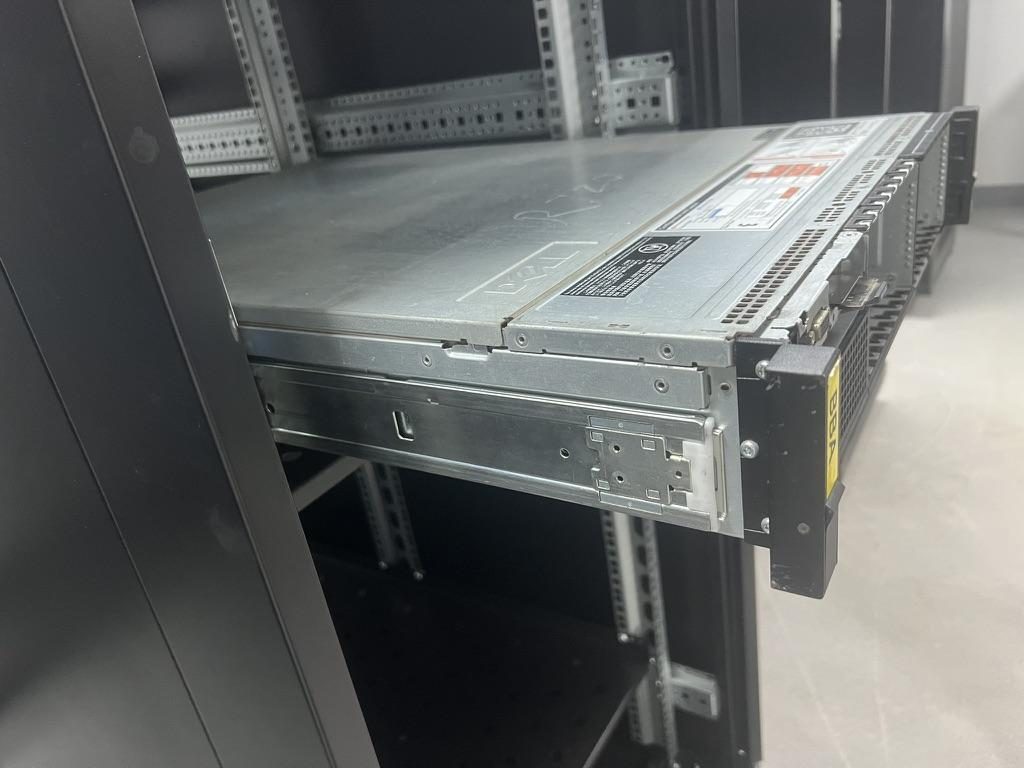
 Server rail sample display rack at the MetrixSlide factory showroom
Airflow, cooling integration, and cable/PDU management for high-density GPU racks
Rails and airflow interact: sliding rails change the internal free volume and can create local flow obstructions if they extend into the airflow path. Plan rails and airflow together, especially when you run hot-aisle containment or liquid-cooled doors.
Key impacts and mitigations
- Flow obstruction: extended rails can leave gaps or openings that short-circuit cold-to-hot aisles. Mitigate with blanking panels, side-channel ducting or short guide plates at the rail exit.
- Rear clearance: ensure the rear heat-rejection route is preserved — include your chassis drawing with the RFQ so the vendor can check for interference with PDUs, connectors and liquid-cooling hardware.
- Liquid-cooling integration: specify a reserved rear envelope for quick-disconnects and hose routing; provide secure fixed points on inner rail members to attach clamp brackets or harnesses.
Cable and PDU management best practices
- Route high-current PDUs and power connections to avoid interfering with rail travel. Use flexible PDU lead lengths and secure mounting so the PDU remains anchored to the rack, not the sliding chassis.
- Use articulating cable management arms sized to your rail travel; secure bundles with Velcro and respect minimum bend radius for power and network cables. When sliding out GPU servers, ensure cable loops are long enough for full travel and anchored to the rack, not the chassis.
Thermal and operations note
- Design to the equipment vendors’ thermal limits and common data-centre guidance. If you use hot-aisle containment, ensure rails and any extension stops do not disrupt containment seals when extended.
Practical improvement case
- In a high-density prototype rack, adding a short duct plate at the rail exit reduced bypassed cold air and improved inlet temperatures for adjacent units. Small guide plates and blanking panels are inexpensive and effective first measures.
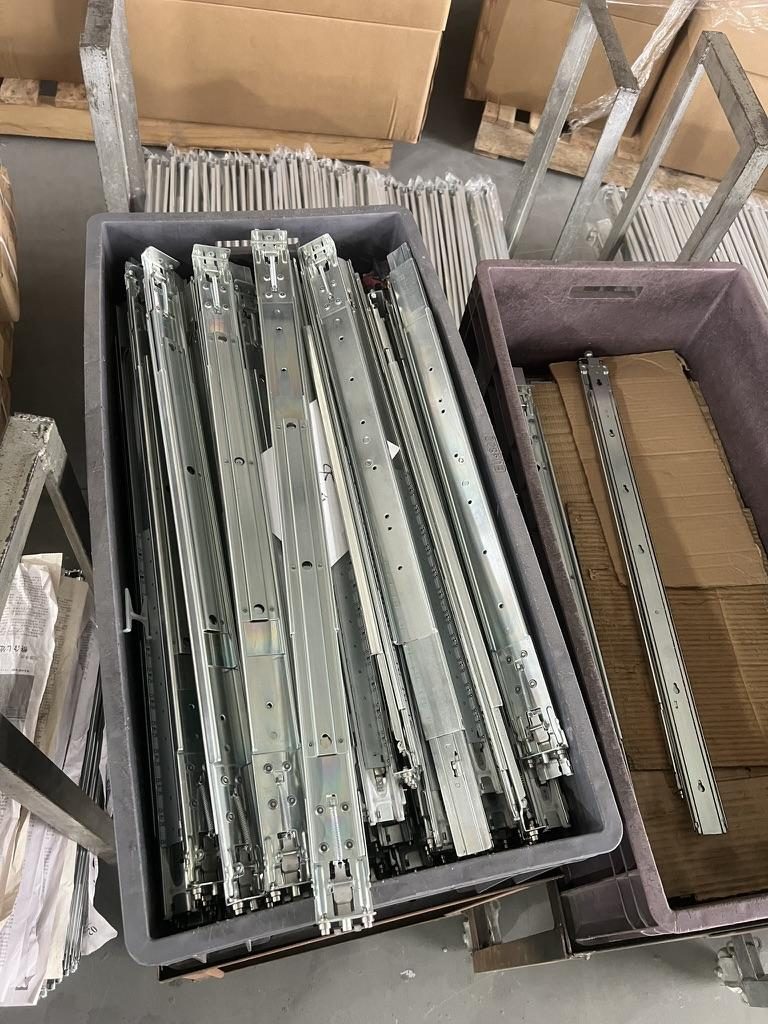
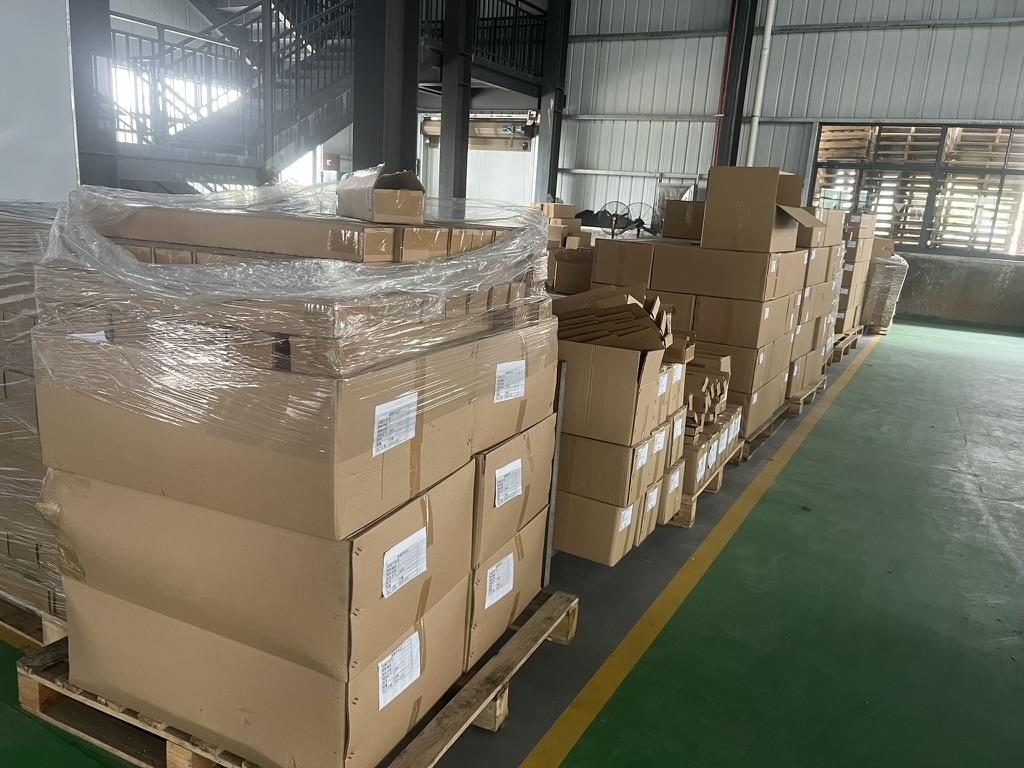 Export cartons of server rail kits ready to ship
Seismic, vibration, maintenance, and safety checklist
Design and procurement should include lifecycle and site-specific risk measures: seismic zone, shipping vibration, and maintenance intervals.
Seismic and vibration guidance
- In seismically active regions require rail-to-rack top or bottom anchors and anti-tilt devices; specify local building-code anchorage where applicable. For transport and shipment, request temporary shipping locks or bolts to prevent slide separation. For travel-heavy installations, consider secondary retention pins and reinforced plates at the rack interface.
Multi-rail configurations and load sharing
- Reiterate: do not multiply one-pair ratings to claim multi-rail capacity. When a design proposes parallel rails (for example, two rails per side), require the vendor to validate load distribution for the exact mounting geometry and to provide test evidence for collective performance at full extension.
Maintenance and inspection schedule
- Daily/weekly: visual check for obstructions, verify cables clear travel.
- Quarterly: torque check of rack fasteners, inspect sliding members for debris, check lubrication points and wipe with approved lubricant.
- Annual: full-service extension cycle test, verify lock-out reliability, record maximum deflection under a known temporary static load if required.
RFP and acceptance clauses to include
- Define load rating with qualifiers (per pair/extension/state), require static full-extension test evidence (in MetrixSlide’s factory static-load test, one pair of MS-FMR-2U-100 rails held 100 kg at full extension for 24 hours) and pass/fail criteria for sag, and request sample units for physical validation. Include warranty and expected lifecycle cycles or MTBF if available.
When to request custom machining
- If your chassis or rack requires non-standard bracket offsets, extended support arms, or thicker rail flanges for stiffness, request these as bounded modifications early. Many bracket/hole-pattern and length adjustments can be made without tooling charges; structural redesigns or 1:1 replica tooling typically incur NRE — confirm with the supplier.
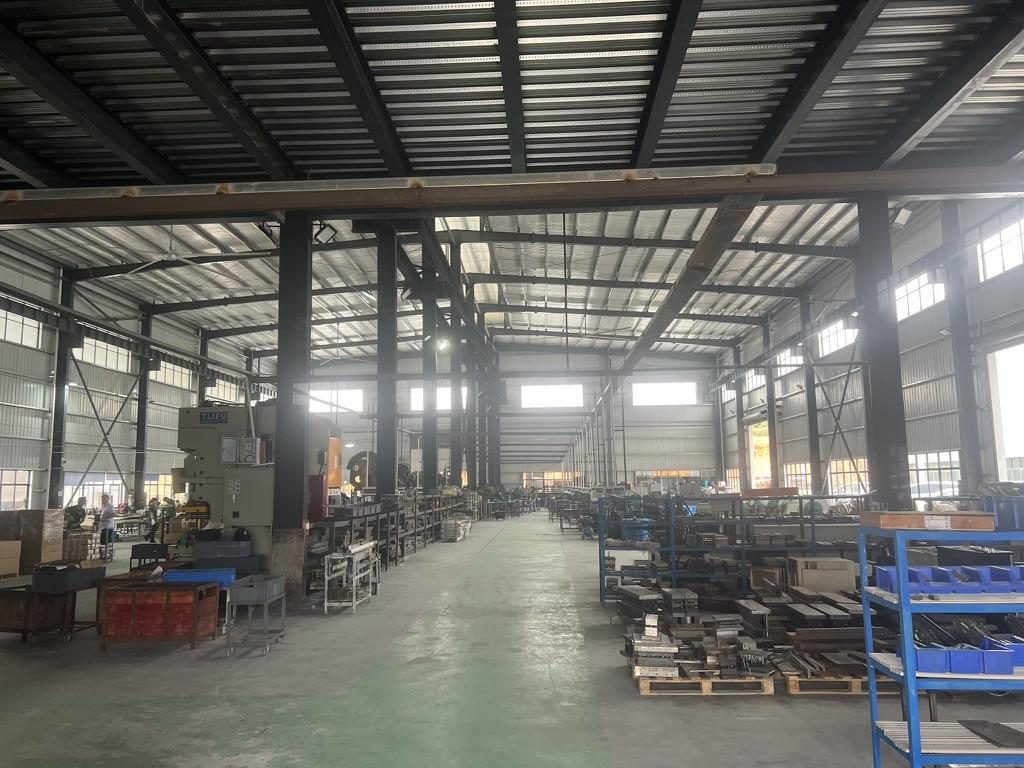
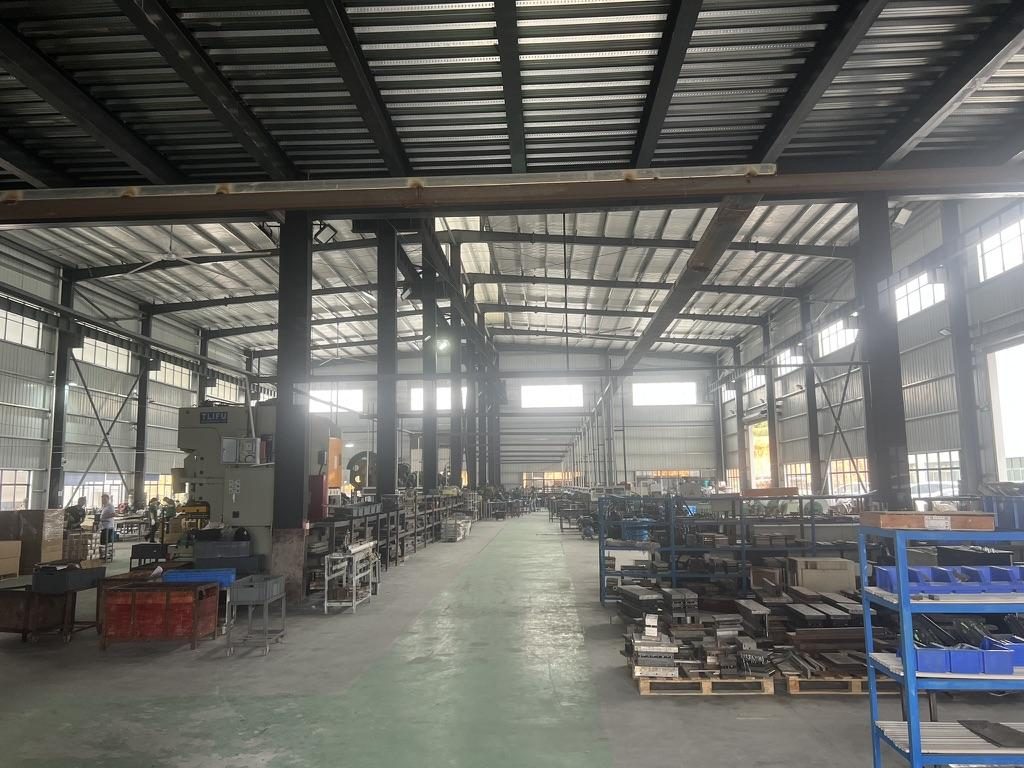 Overview of the server rail production workshop
Conversion / CTA
Ready to move from checklist to prototype? Use the depth-fit guidance and installation checklist above, or request a custom quote. Two fast paths:
- Confirm the candidate rail family against your rack depth, chassis dimensions, hole pattern and per-pair load rating.
- Request a tailored rail quote: upload a chassis drawing or a photo with key dimensions (front ear spacing, chassis width, depth, and post-to-post distance) and specify load, quantity and required extension.
For non‑standard cabinets, include a photo with dimensions in your RFQ. Typical sample lead time is about 15–20 days after confirmation for engineering samples.
FAQ
Q: How do I determine if a heavy-duty rail kit fits my rack depth and GPU server chassis?
A: Measure three things: inside post-to-post mounting depth, chassis depth including connectors, and the chassis front-ear engagement dimensions. Provide a photo of the rack posts (including hole type) and a CAD/STEP of the chassis mounting area; a vendor compatibility matrix will then confirm bracket range and rail family fit.
Q: What load rating should I choose for rails supporting multi-GPU servers, and how much safety margin is recommended?
A: Require the vendor to state the rating per pair or per rail, under static full-extension conditions. Engineers typically design with a conservative procurement margin appropriate to the risk and service profile — discuss the margin with the supplier and ask for full-extension static testing evidence when specifying heavy GPU loads.
Q: When should I use sliding rails versus fixed rails for heavy GPU servers?
A: Use ball-bearing, multi-section sliding rails when you need frequent service access or must support heavy loads at full extension. Fixed rails are appropriate when units are infrequently serviced, or rack density and minimal extension are priorities.
Q: How do rails and their installation affect airflow and cooling in a high-density GPU rack?
A: Extended rails can change internal flow patterns and create bypasses; mitigate with blanking panels, guide plates or ducting at rail exits. Also reserve rear clearance for heat rejection and route PDUs/cables so they don’t obstruct airflow when the chassis is slid in or out.
Q: Are there seismic or vibration standards I should require for server rails in U.S. data centers?
A: For seismically active locations, require anti‑tilt devices, top/bottom reinforcement and anchorage per local building codes; also request temporary shipping locks for transport. Specify vibration and shock mitigation requirements in the RFP and require vendor confirmation of mounting-strength or reinforced attachments.
Talk to a MetrixSlide engineer
Want an engineer to run this check on your own chassis and rack? Send us a chassis drawing or model (STEP or DWG), the rack post-to-post distance and hole type, the expected load and your planned quantities. Within 24 hours you get a rail matching proposal from an engineer, followed by 2D/3D drawings for review and sample pairs (typically 15–20 days after drawing approval) for physical validation before the full order.
Bracket position, hole pattern, rail length and thickness adjustments on our existing platforms usually carry no tooling fee; structural redesigns are quoted separately with dies made in-house.