How to read, specify and validate "server rail load capacity" for a purchase — including a 180 kg-per-pair example and multi‑rail load sharing.
Understanding Rail Load Ratings: Static vs Dynamic
"Server rail load capacity" on a datasheet can mean different things depending on the vendor and test condition. Two terms you must separate when specifying rails are static (short- or long-duration, non-moving) and dynamic (rolling, installed‑and‑operated) ratings.
- Static load capacity — the supported weight when the chassis is stationary. MetrixSlide's MS-BBR-180 has a nominal capacity of up to 180 kg per pair; a formal test report at that load is not yet available. In MetrixSlide's factory static-load test a rail pair is held under load at full extension for 24 hours, and the MS-FMR-2U-100 held 100 kg in that test.
- Dynamic (rolling) load capacity — the weight the slide supports while it is being moved in and out. Dynamic ratings depend on bearing type (ball‑bearing vs friction), section count, lubrication and test speed; for many product lines dynamic numbers are not yet established as a formal product rating and must be requested as a test deliverable if you require service access while loaded.
What a complete rating statement must say
- whether the figure is per pair or per individual rail;
- whether it’s static or dynamic;
- the extension state used for the test (closed / partial / full);
- the fixture and duration (for static tests) and the acceptance limits (deflection, permanent set) if they exist.
Do not assume dynamic ratings or multi‑rail sharing behaviour unless the vendor provides model‑specific test evidence.
Definition: closed length vs extended length vs bracket range
- Closed length: the slide in its retracted position (assembly envelope).
- Extended / full‑extension: the slide pulled to its service position (telescoped out).
- Bracket range (mounting or fit range): the front‑post to rear‑post spacing the rail’s brackets can span; this is the value you must compare to your cabinet post distance. Do not infer bracket range from closed length alone.
Practical verification requests
- Ask for a test report that states "per pair" or "per rail", the static vs dynamic method, extension state, fixture description and duration (for example, in our factory static‑load test a rail pair is held under load at full extension for 24 hours, and the MS‑FMR‑2U‑100 held 100 kg in that test).
- Require a drawing or 3D STEP showing the rail front‑bracket datums and the bracket fit range so you can confirm fit to the rack posts before assuming the rating applies in your installation.
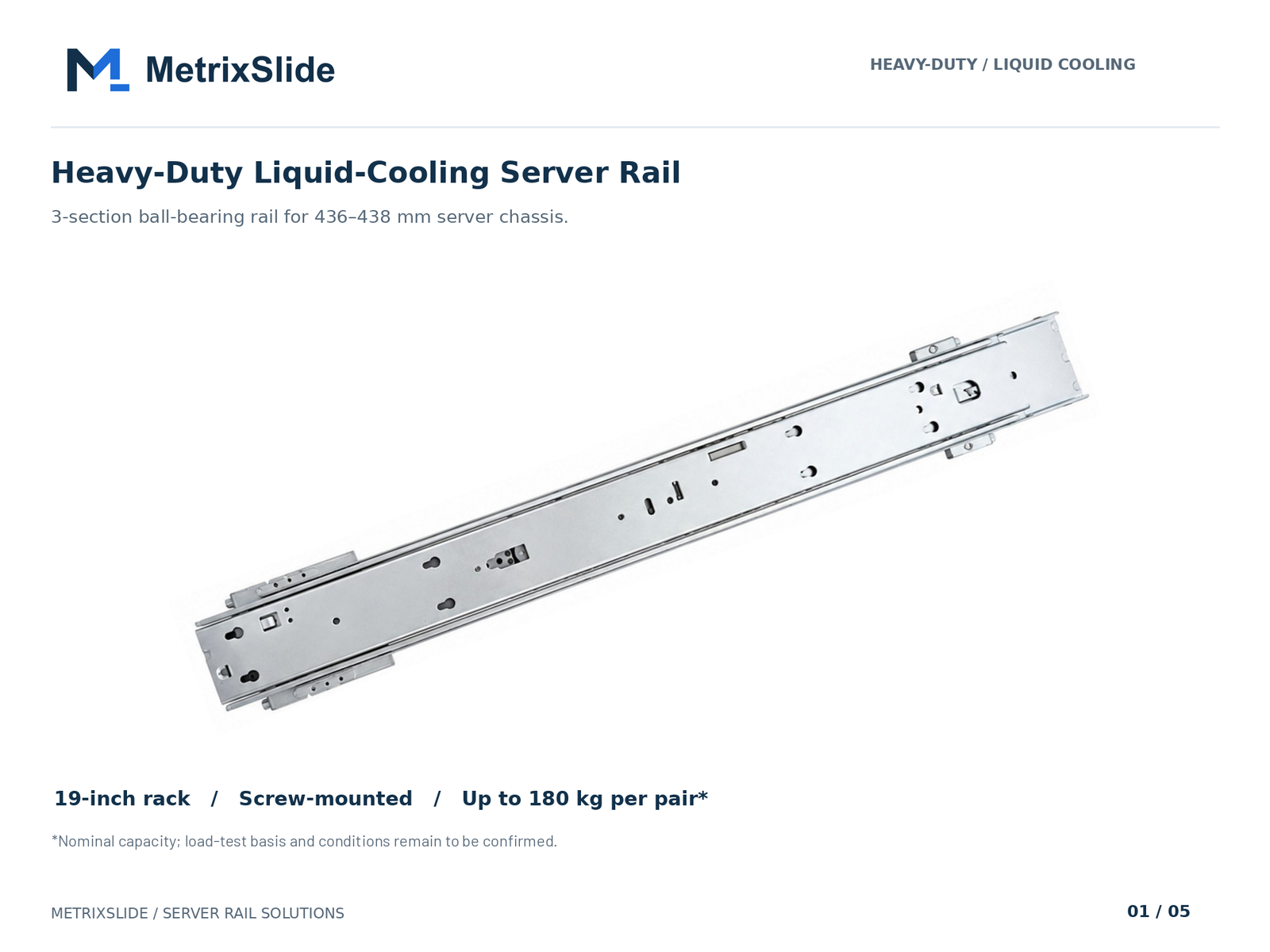 MS-BBR-180 Heavy-Duty Liquid-Cooling Server Rail — view product
Practical note: many spec sheets omit dynamic ratings or conflate "per rail" vs "per pair". Always treat the published number as a starting point and require a verified test report that matches your intended extension and service conditions.
Per‑Rail and Per‑Rack Limits: Calculating Total Payload and Floor Loading
Convert single‑rail ratings into rack‑level and facility‑level loads using a stepwise calculation. Use the MS-BBR-180 nominal capacity (up to 180 kg per pair) as a worked example, remembering this is a nominal figure and a formal test report at that load is not yet available.
-
Per‑pair → per‑unit conversion
- MS-BBR-180: 180 kg / pair = 396.8 lb per pair (kg × 2.20462).
- If your server uses one pair, that chassis must not exceed 180 kg, the nominal capacity, unless you obtain an explicit, validated higher rating.
-
Rack total payload
- Example: ten GPU servers, each mounted on one MS-BBR-180 pair.
- Total payload at nominal capacity = 10 × 180 kg = 1,800 kg = 3,968.3 lb.
-
Convert to pounds per square foot (PSF)
- Choose cabinet footprint. A common footprint example: 24" × 36" = 864 in² = 6.0 ft².
- PSF = Total weight (lb) ÷ footprint (ft²) = 3,968.3 lb ÷ 6 ft² ≈ 661.4 lb/ft².
- Compare PSF to your raised‑floor tile or slab rating and to building design limits (refer to local IBC/ASCE 7 requirements and your facilities team).
-
Point loads and caster/contact area
- Floor loading is not uniformly distributed; casters or fixed feet create concentrated loads. Compute contact pressure by dividing the load carried by a single foot/caster by its contact area.
- Design measures: spreader plates or base stiffening increase contact area and reduce PSF beneath a single foot.
Quick formulas
- lb = kg × 2.20462
- PSF = total lb ÷ (width in ft × depth in ft)
- Contact pressure (psi) = load on foot (lb) ÷ contact area (in²)
Practical engineering checks
- Apply a safety factor appropriate to your risk profile and code requirements (server racks, seismic regions, raised floor classes).
- For heavy GPU/AI configurations, avoid assuming multiple rail pairs multiply load capacity without checking the cabinet structure and post loading — the rack frame, posts and base must carry the summed weight.
- If you lack a floor rating, engage a structural engineer; raised floors often have lower point‑load ratings than concrete slabs.
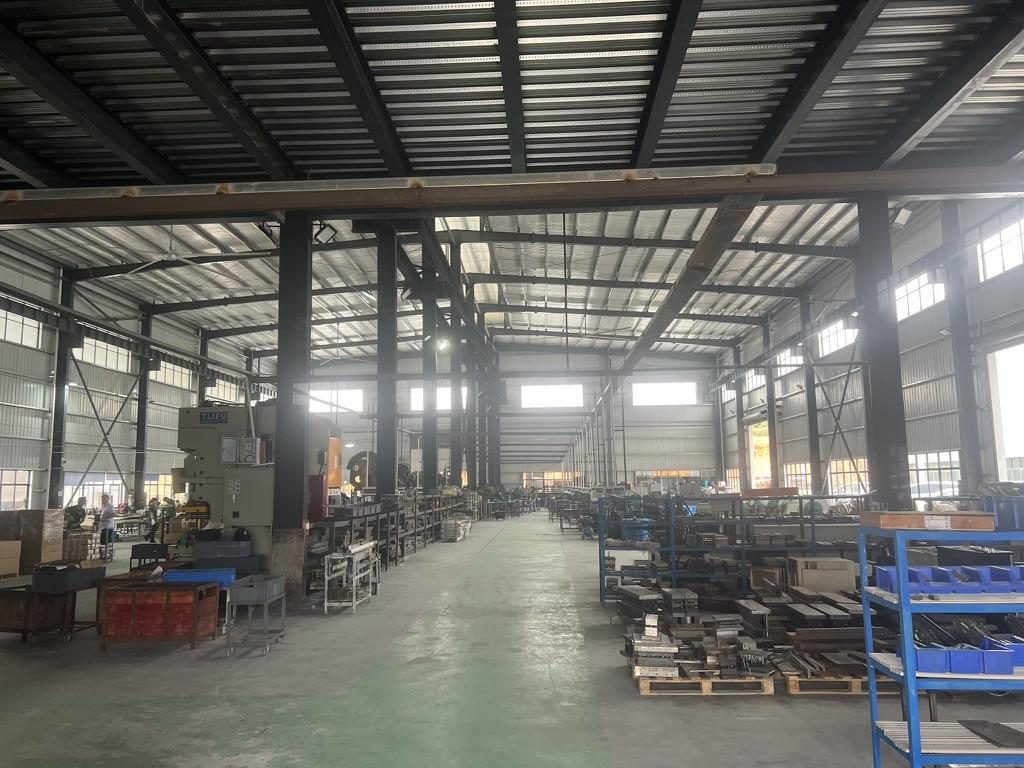
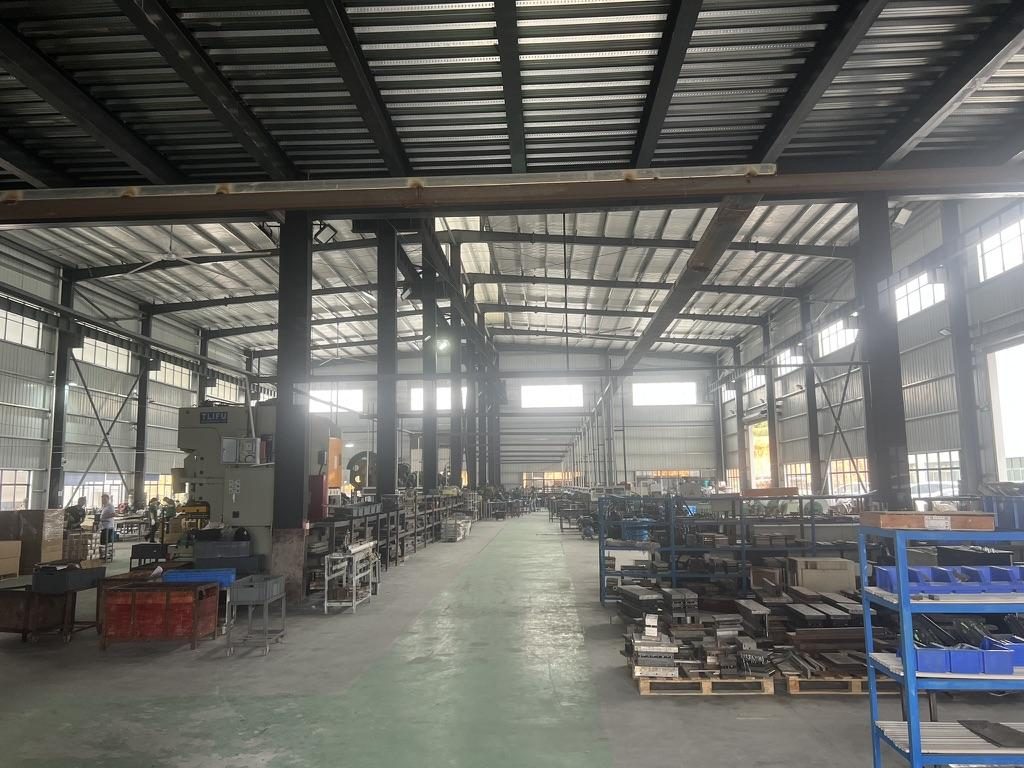 Overview of the server rail production workshop
Rail Compatibility, Installation and Mounting Best Practices
Compatibility is a four‑step check: chassis → rail → rack → load. MetrixSlide engineering practice follows a strict selection order: requirement → CAD → physical fit → performance. Hard gates (mechanical fit, hole/type and validated load) must pass before preferences (tool‑less, finish, pull‑out).
Compatibility checklist (hard gates first)
- Chassis datums: send mounting‑area STEP/DWG, front‑to‑rear datum, and pin/slot coordinates.
- Rack posts: measure actual front‑to‑rear post distance or bracket range photo; identify hole type (square, round, threaded) and thread spec.
- Load hard gate: confirm per‑pair vs per‑rail rating and extension state; if required load exceeds one validated pair, do not multiply ratings — request engineering validation for multi‑pair sharing.
- Physical fit: match bracket fit range to measured post distance; check that front mounting geometry places the chassis within the intended RU/OU.
Front face and U alignment
- Verify that the rail’s front bracket and chassis datums place the component within the intended RU/U. Small deviations in screw centrelines (a few millimetres) can shift a chassis out of its intended U‑position; MetrixSlide engineers have encountered 23 mm vs 21 mm centreline differences that materially change U‑location.
Mounting depth and bracket range
- Confirm closed/extended length and bracket fit range against actual post‑to‑post distance — closed length alone does not guarantee fit. Example: one 2U customer used rails with a bracket range of 650–965 mm that covered an observed post distance of approximately 812 mm; verify CAD to be sure.
Hole type and fasteners
- Square, round or threaded posts require the correct bracket variant or cage nuts; confirm T‑pin/P.EM. dimensions and under‑head clearance if chassis uses PEM pins. As an example from customer engagements, a commonly specified PEM is head Ø 6.502 mm, shaft Ø 4 mm, under‑head clearance ≈ 1.585 mm — derive J‑slot/keyhole geometry from the pin, not vice versa.
Stab‑in vs drop‑in
- Specify the intended installation method. Drop‑in rails let rails be pre‑installed in the rack and the chassis lowered vertically; conversion between stab‑in and drop‑in typically requires only an inner‑rail J‑slot redesign and subsequent validation.
Installation best practices
- Use a calibrated torque wrench and the manufacturer's torque spec where supplied. If a torque value is not supplied, document the fastener size/type and request the vendor's recommendation before installation.
- Tightening sequence: secure the rack‑side brackets first, level the rails, then mount the chassis. Ensure rails are square and free of binding before final torque.
- Tools for verification: portable load cells, calibrated weighing pads or lift scales help verify installed load distribution; a calibrated torque wrench enforces consistent fastener preload.
Maintenance and checks
- Initial post‑installation inspection and load test: verify smooth travel and lock‑out under expected loads.
- Periodic check: initial 30‑ to 90‑day re‑check after commissioning, then at least annually for production racks (more frequently in high‑vibration or high‑usage environments). Document results for audits and warranty claims.
Practical mitigations
- Use spreader plates under rack bases to reduce point pressure.
- For thin‑wall or light‑duty racks, prefer rails with integrated support brackets or add a reinforced baseplate to avoid localized frame deformation.
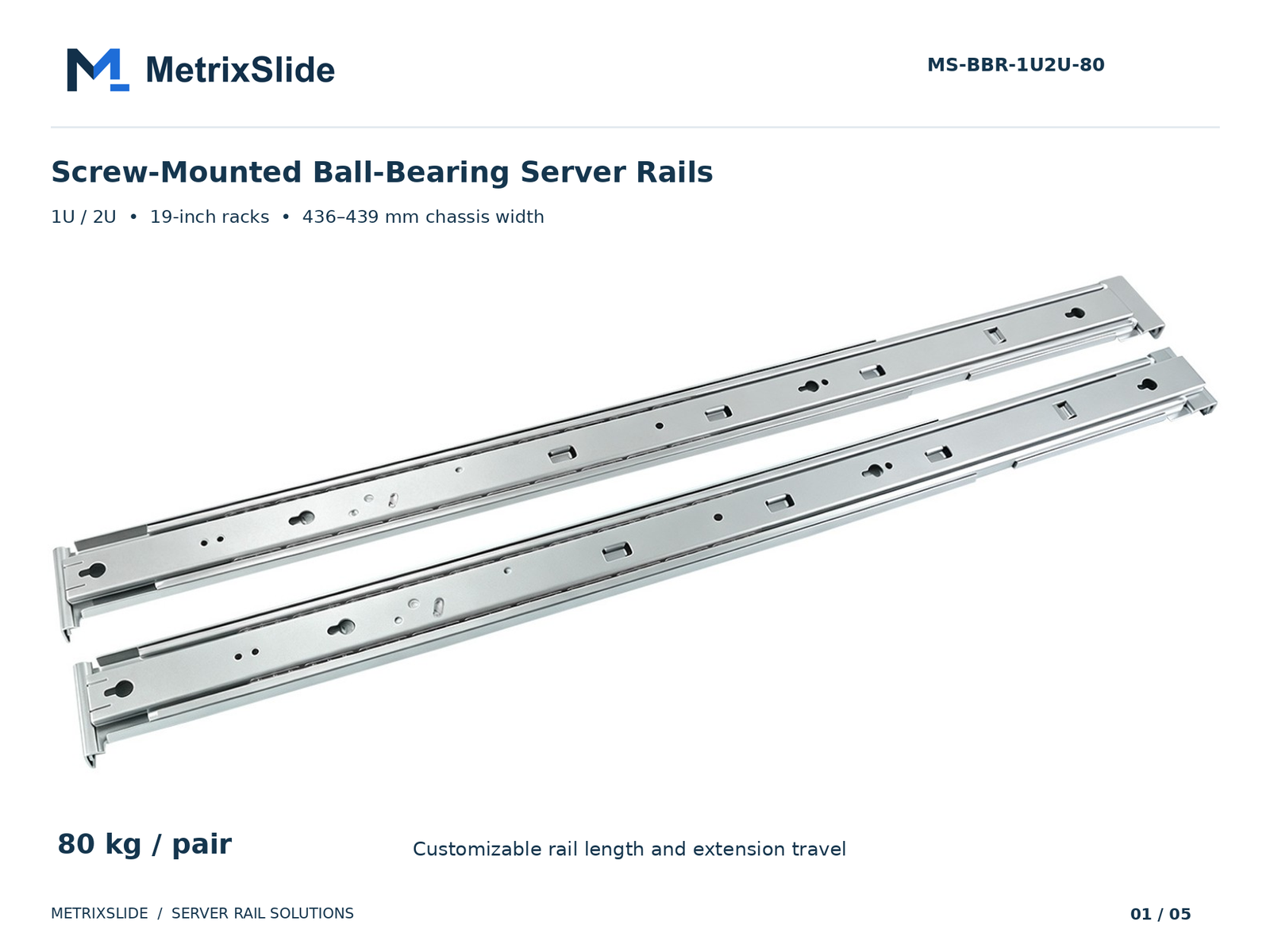 MS-BBR-1U2U-80 Screw-Mounted Ball-Bearing Server Rails — view product
Transit, Seismic, Vibration and Common Failure Modes
Rails and racks experience short‑duration shocks (shipping, handling) and long‑term vibration (data‑center cooling equipment, seismic events). Account for these loads in procurement and installation.
Transit and handling
- Short shock loads during shipping can exceed static ratings briefly. Use packaging that restrains travel, and specify transit clamps or shipping bolts if your equipment will be moved filled.
- Common transit failure: telescoping members moving under load can damage ball bearings or eject balls. Lock rails in travel position and pack to limit movement.
Seismic and vibration
- In seismic regions consult local code (IBC/ASCE 7) and data‑center guidance (for example TIA‑942) for required anchorages and seismic bracing; rails alone are not seismic certificates — the rack‑to‑floor and rack‑to‑structure anchors determine survival.
- Reinforcements: weld‑on angle bracing, thicker baseplates, shear brackets and rack‑to‑floor anchors raise the overall system capacity against lateral and uplift loads.
Two short anonymized lessons learned
- Misapplied multi‑rail assumption: an OEM design attempted to meet a 500 kg bay load by installing four rails and assumed linear load sharing. The rack frame and baseplate failed because they had not been designed to the summed load. Lesson: verify the rack frame and base attachments for the total applied load — rails are only part of the load path.
- Assembly jamming from misalignment: a narrow tolerance gap between inner rail and chassis hole pattern caused forced insertions; ball‑bearing cages lost balls and a few rails jammed. Lesson: confirm hole positions, stamping precision and use specified PEM/T‑pin dimensions; allow clearance per vendor recommendations.
Certified load testing
- Ask vendors for certified load tests that match your extension and duty condition. In MetrixSlide's factory static‑load test a rail pair is held under load at full extension for 24 hours, and the MS‑FMR‑2U‑100 held 100 kg in that test; formal model‑level test reports and fixture descriptions remain the verification gate for published product ratings.
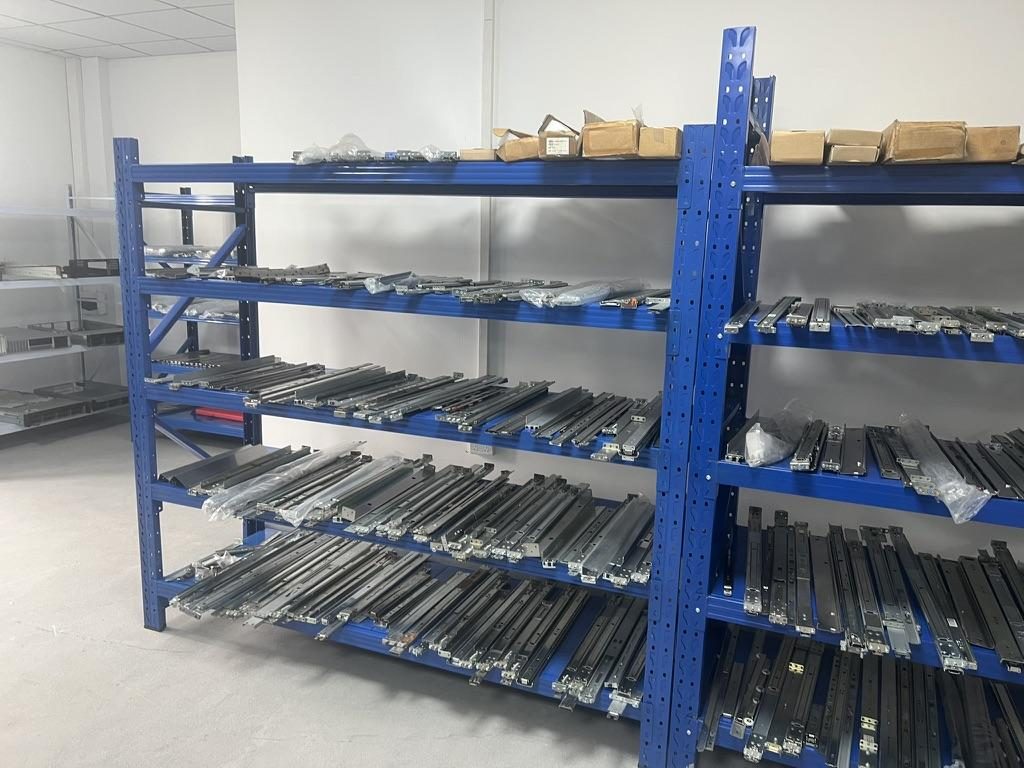
 Server rail sample display rack at the MetrixSlide factory showroom
Comparing Rail Options and Procurement Checklist
Taxonomy (how we classify rails)
- Motion architecture: sliding vs fixed.
- Mechanism: ball‑bearing vs friction.
- Mounting features: tool‑less vs screw; stab‑in vs drop‑in.
- Sections: two‑section vs three‑section (extension and travel).
- Parameters: closed/extended lengths, bracket fit range, per‑pair or per‑rail rating, full‑extension behaviour.
Quick comparison (examples and notes). Confirm any numeric rating with vendor test reports — the MS-BBR-180 figure is a nominal capacity of up to 180 kg per pair, and a formal test report at that load is not yet available.
| Model (example) | Mechanism | Load figure (pair) | Best use case | Notes |
|---|---|---|---|---|
| MS-BBR-180 | Heavy‑duty ball‑bearing | Nominal capacity up to 180 kg per pair | GPU / heavy loads | Formal test report at that load not yet available; patented anti‑sag slide structure exists |
| MS-BBR-1U2U-80 | Three‑section ball‑bearing | not published — request datasheet | Long travel with active service access | Good for deeper chassis; ask for dynamic test data |
| MS-FMR-SW-100 | Friction / compact | not published — request datasheet | Slim 1U servers where cost/space matter | Friction slides are low‑profile but check extension spec |
| MS‑FIX‑1U | Fixed support | not applicable (stationary) | Lightweight, low‑cost use where no service access required | Simple, high stiffness; no moving parts |
Procurement checklist (must‑have items on RFQ)
- Explicit load statement: per pair vs per rail; static vs dynamic; extension state for the rating.
- Rack and chassis data: front‑to‑rear post distance, post hole type and pattern, chassis datum drawings or STEP of mounting area.
- Service requirements: required extension, lock‑out, tool‑less preference, T‑pin/J‑slot geometry if applicable.
- Validation deliverables: certified static/dynamic reports or documented internal test records (fixture, duration and acceptance criteria), witness test option, and acceptance criteria (deflection limits, cycle count).
- Mechanical fit checks: closed/extended lengths, bracket fit range and inner/middle/outer rail travel; verify that bracket range covers measured post distance (examples include 650–965 mm bracket ranges observed on prior projects).
- Warranty and liability: replacement terms for failed rails, and return/repair process.
- Packaging/handling for transit: shipping locks, packing method, and acceptance criteria on arrival.
MetrixSlide engineering practice — selection order
- Requirement capture (load, chassis datum, rack posts).
- Hard gates: mechanical fit (bracket range vs post distance), hole type and head/slot compatibility, per‑pair/per‑rail validated load.
- CAD match: check STEP/DWG and run interference/clearance checks.
- Physical sample: receive sample pairs (typical lead time after drawing approval is in the order of a few weeks) and perform fit / functional checks.
- Performance verification: run the agreed static/dynamic tests and acceptance checks before production.
Procurement tools
- To model unit counts, PSF and point loads, build a simple calculation table with these columns: per‑pair rating (kg and lb), populated positions per U, total weight (lb), cabinet footprint (ft²), PSF, safety factor, and contact pressure per foot/caster (psi). Use this to compare candidates against floor and rack limits and to flag when structural reinforcement is needed.
Anonymized project examples (engineering practice)
- A North American telecom OEM asked for a 1U friction solution and accepted a reduced pull‑out (300 mm → 150 ±3 mm) to meet load and lock‑out needs on a 4‑post rack; MetrixSlide implemented reduced pull‑out as an agreed design parameter and validated fit with CAD and samples.
- An Indian HPC ODM provided a 2U chassis width ~434 mm and required a bracket fit range of 650–965 mm; that range covers an observed post distance of ≈812 mm and was used to confirm bracket selection and CAD fit before sampling.
- A Korean surveillance‑equipment maker requested an ultra‑slim 4U NVR rail with a target thin section; this drove selection of appropriate rail family and front‑datum design choices (mechanical architecture before finish or thickness concessions).
- A SaaS company building its own servers supplied PEM T‑pin parameters (head Ø 6.502 mm / shaft Ø 4 mm / under‑head clearance ≈1.585 mm) so we could derive J‑slot geometry for a drop‑in conversion.
Do not treat these cases as product guarantees — they illustrate the MetrixSlide engineering flow: requirement → CAD → physical fit → performance.
Conversion / CTA
- Load calculation table: build a simple comparison table with these columns: cabinet footprint (for example 24"×36", 24"×48"), per-pair rating in kg and lb, number of populated positions, total weight in lb, safety factor, and contact pressure per foot or caster (psi).
- Rail-compatibility check: gather chassis drawings or STEP files, rack post-to-post distance and hole type, the expected load and your planned quantities before ordering, then match them against the rail datasheet for fit and load.
How to run the calculation: enter per-pair ratings (or supplier numbers), populate expected unit counts per U, and supply contact area for casters/base plates to compute PSF and contact pressure. Then confirm thresholds with your facilities/structural team.
Schedule options:
- Paid on-site survey and load verification for complex or high-value installs.
Start the process at our contact pages:
- Create a quote: https://www.metrixslide.com/page/create-a-quote/
- General contact: https://www.metrixslide.com/contact-us/
FAQ
Q: What is the difference between static and dynamic rail load capacity, and which should I use for design? A: Static capacity is the weight the rail supports while stationary; dynamic (rolling) capacity is for when the slide is moving. Use static values when equipment will be stationary while powered; require dynamic/tested dynamic ratings if you plan to move heavy equipment while populated or under power.
Q: How do I calculate total rack payload from per-rail ratings and convert it to pounds per square foot (PSF)? A: Sum the per-pair ratings for every populated position to get total mass, convert kg to lb (×2.20462), then divide by the rack footprint in ft² (width × depth in feet). Account for point loads at feet/casters separately by dividing weight on each foot by its contact area.
Q: How can I verify a specific rail model's load rating and find certified test reports or manufacturer data sheets? A: Require the vendor to provide a certified test report stating "per pair/rail", static vs dynamic, extension state and fixture. If unavailable, ask for witness testing, a third‑party lab report, or an in‑house 24‑hour static soak with documented deflection limits.
Q: When is dual‑rail support recommended over single‑rail, and how does that choice affect load distribution and maintenance? A: Dual‑rail (one pair per chassis side) is standard for heavier or serviceable equipment — it centers load in the chassis. For higher bay loads, add rails only after verifying rack frame strength; more rails do not automatically make the rack structure capable of carrying the summed load without base and post reinforcements.
Q: How should I account for shipping, transit, seismic, and vibration loads when specifying rails and racks? A: Specify shipping locks/bolts and packaging to restrain movement during transit. For seismic regions, follow local code (IBC/ASCE 7), use seismic anchors, and design rack bracing and rack‑to‑floor attachments; require vendor tests or third‑party seismic verification where needed.
Talk to a MetrixSlide engineer
Not sure how this applies to your servers? Send us a chassis drawing or model (STEP or DWG), the rack post-to-post distance and hole type, the expected load and your planned quantities. Within 24 hours you get a rail matching proposal from an engineer, followed by 2D/3D drawings for review and sample pairs (typically 15–20 days after drawing approval) for physical validation before the full order.
Bracket position, hole pattern, rail length and thickness adjustments on our existing platforms usually carry no tooling fee; structural redesigns are quoted separately with dies made in-house.