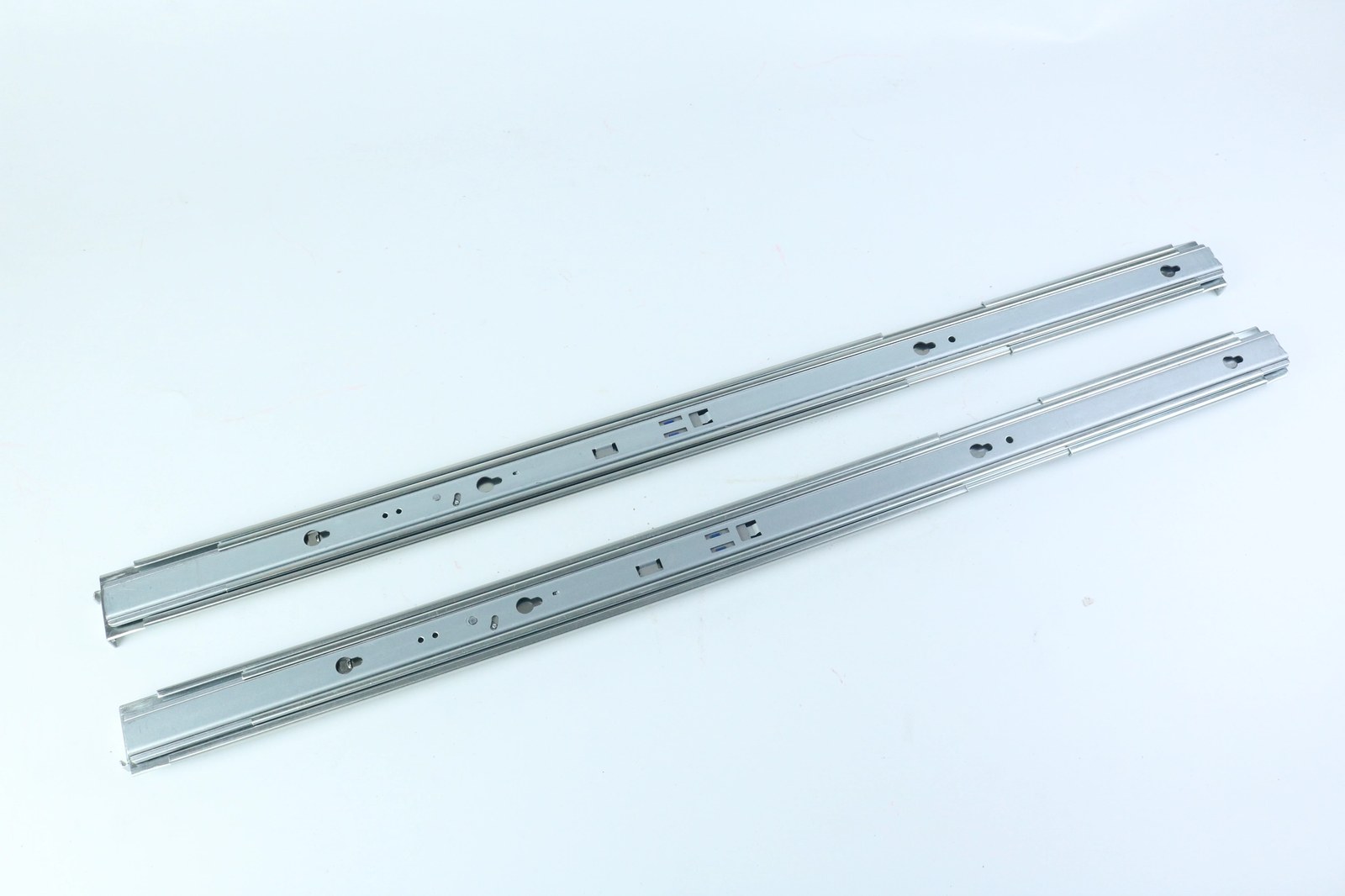


Server rail compatibility is not a brand question, it is a chassis-and-rack question. A Dell rail kit is matched to one PowerEdge generation, an HPE kit to one ProLiant model family, and a generic rail to whatever chassis interface and rack post it was designed for.
This guide explains how the OEM kits are matched, what physically makes a rail compatible, and when a generic or custom rail can replace an OEM kit. For the rack-by-rack checklist, use the existing server rail compatibility checklist; this post covers the OEM side it does not.
How Dell matches rails to servers
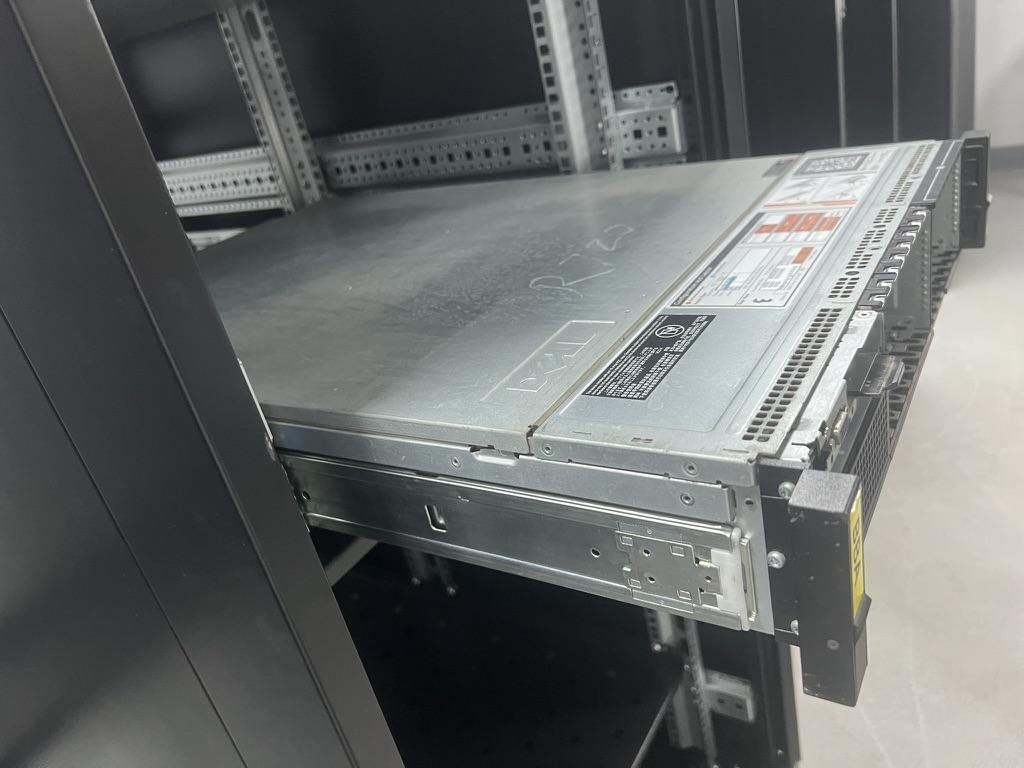
Dell ships its rack servers with ReadyRails kits, in sliding and static versions. Each kit is matched to a server generation and chassis height, because the chassis-side interface changes between generations: the position of the standoffs or T-pins on the side wall, the chassis length and the latch location on the inner member.
Dell identifies the kits with a type code; the used-market listings for a 2U sliding kit typically show the ReadyRails II type B6, for example. The type that applies to a given server is stated in that server's rack installation guide.
ReadyRails kits are designed for tool-less installation in square hole and unthreaded round hole racks, and for tooled installation with the supplied hardware in threaded hole racks. Dell's video below shows the threaded-rack case, which is the one most people get wrong.
Video: Dell Technologies
The practical rule for Dell server rail compatibility: do not order by chassis height alone. A 2U kit for one generation does not fit a 2U chassis from another, even when the racks are identical. Part numbers vary by generation and by sliding or static version, so check Dell's rail compatibility matrix or the installation guide for your exact model before buying, new or used.
How HPE matches rails to servers
HPE follows the same logic with different naming. ProLiant DL servers ship with rail kits such as the Quick Deploy kits, and the applicable kit is listed per model family and generation in each server's QuickSpecs document. A DL380 kit from one generation is not a documented fit for the next, because the chassis length, side-wall interface and rear bracket travel change with the platform.
Video: third-party racking demonstration
HPE kits are also available in tool-less and screw-mount styles, and some families have both a sliding and a fixed (static) option. As with Dell, part numbers change with the generation. Check the QuickSpecs or HPE's rail compatibility information for your exact server rather than relying on a listing title.
What actually makes a rail compatible
Strip the branding away and a rail is compatible with a server and a rack when five things line up. This is the same list whether the rail is OEM, generic or custom.
1. Chassis interface
The inner member must attach to the chassis side wall. OEM chassis use standoffs with keyhole slots, T-pins with a spring latch, or plain screw holes. The pattern, pitch, pin diameter and position from the chassis front all have to match. This is the interface that changes most between server generations and the reason OEM kits are not cross-generation. The T-pin and keyhole guide shows what to measure.
2. Side clearance
Rails sit in the gap between the chassis wall and the rack post. Under EIA-310-D the equipment opening is fixed, so a wider chassis leaves less room for the rail section. Ultra-thin rails exist for wide chassis, and a rail that is a few millimeters too thick simply will not go in. Check the chassis width against the rail thickness on the spec sheet; the chassis dimensions post lists the figures.
3. Bracket adjustment range
The rear bracket on the outer member slides to suit the front-to-rear post spacing. The rail is compatible with a rack only if the actual post spacing falls inside that range. Nominal rack depth is not the number; see rack mounting depth vs rack depth vs chassis depth.
4. Rack hole type
Square 9.5 mm, round unthreaded and threaded posts each need a different bracket or hardware. OEM kits usually cover square and round with pegs and threaded with screws. The rack hole types guide explains how to identify the post.
5. Load rating
The rail's dynamic rating must cover the fully populated server, plus a cable management arm if one is fitted. GPU and storage-dense servers often exceed the rating of the rail that fits mechanically. Server rail load capacity explained covers how the rating is defined.
Get all five right and the rail is compatible. Miss one and it is not, no matter whose logo is on the box.
When a generic or custom rail can replace an OEM kit
There are three common situations where buyers look beyond the OEM kit:
- The OEM kit is discontinued or scarce. Older generations are common in refurbished fleets, and the matching rails are often sold separately, used. As of September 2026, used and refurbished Dell ReadyRails II 2U sliding kits (type B6) are listed at approximately US$80 to US$120 on eBay and refurbisher stores; new kits from the server vendor cost more. Availability, not price, is usually the trigger.
- The rack is non-standard. Shallow racks, deep racks, telecom racks and enclosures with unusual post spacing can put the rack outside the OEM bracket range.
- The server is being re-housed. Integrators fitting a vendor chassis into their own enclosure often need a different bracket or length.
A generic rail can replace an OEM kit when it matches the chassis interface (point 1 above), fits the side clearance and covers the load. It does not need to copy the OEM latch design; it needs to be a functional equivalent, which is a distinction covered in replacement server rails: functional equivalent vs copy.
For application review checklists, see the R720 replacement rail guide, DL380 Gen9 rack-depth guide and DL380p Gen8 support selection guide. These are guidance articles, not reports of completed customer deployments.
Confirm required interface tolerances through a project-specific review and the relevant inspection evidence. Internal precision targets are not published as verified product performance.
Compatibility checklist: OEM and generic rails
| Check | OEM kit (Dell, HPE) | Generic or custom rail | Where to find the data |
|---|---|---|---|
| Server model and generation | Must match the kit's listed generation exactly | Chassis interface drawing or a sample chassis | Vendor rail matrix, installation guide or QuickSpecs; your chassis drawing |
| Chassis height (1U, 2U, 4U) | Kit is height-specific | Rail height must suit the chassis | Server spec |
| Chassis-side interface | Built in for the listed generation | Standoff or T-pin pattern must be matched | Chassis side-wall drawing, T-pin and keyhole guide |
| Side clearance | Designed for the chassis width | Rail thickness must fit the gap | Chassis width, rail spec sheet |
| Rack hole type | Pegs for square and round; screws for threaded | Bracket specified per post type | Rack drawing, rack hole types |
| Post spacing | Must be inside the kit's stated range | Bracket range set to suit | Rack drawing |
| Sliding or static | Choose per kit type | Sliding, friction or fixed rail | Service access needs |
| Load rating | Rated for the server as shipped | Rating must cover populated weight plus CMA | Server weight, load capacity post |
| CMA | Kit-specific CMA | Bracket for CMA on request | Rear clearance |
Print the full checklist alongside this table when you are surveying a fleet.
FAQ
Are Dell server rails compatible across generations?
Generally no. The chassis-side interface, chassis length and latch position change between PowerEdge generations, so a ReadyRails kit is matched to a specific generation and chassis height. Check Dell's rail compatibility matrix or the server's rack installation guide for the exact type before buying.
Will HP ProLiant rails fit a different ProLiant model?
Only if HPE lists the kit for both models. HPE assigns rail kits per model family and generation in the QuickSpecs, and part numbers change with the platform. A kit from one DL380 generation is not a documented fit for the next.
Can I use Dell rails in an HPE rack, or the other way around?
Usually yes for the rack side, because both vendors' kits are built for EIA-310-D square, round and threaded posts and the rack brand does not matter. What must match is the server, not the rack. Confirm the post spacing is inside the kit's bracket range.
Can a generic rail replace an OEM rail kit?
Yes, when it matches the chassis-side interface, fits the side clearance, covers the post spacing and hole type, and meets the load. It does not need to copy the OEM design. MetrixSlide does this as a flexible change to a standard rail, with a fitment proposal within 24 hours of receiving the chassis drawing.
What should I send to check rail compatibility?
The server model and generation, the chassis side-wall drawing or photos with measurements of the standoff or T-pin pattern, chassis width and length, the rack hole type and front-to-rear post spacing, and the populated server weight. The RFQ guide lists the full set.
Next step
If you have a Dell, HPE or other OEM server and the original kit is unavailable, does not fit your rack, or you simply want a second source, send the chassis drawing or photos and the rack details through the quote page. A mechanical engineer returns a fitment proposal within 24 hours stating whether a standard model or a bracket change is needed.
See the custom server rail solutions category for the range of changes available, and order a sample pair to verify the fit before you commit a fleet; standard models ship in 3 business days with an MOQ of one pair.
King Slide is a trademark of King Slide Works Co., Ltd. Dell and PowerEdge are trademarks of Dell Inc. HPE and ProLiant are trademarks of Hewlett Packard Enterprise. Other brand names are the property of their respective owners and are used only to describe compatibility or comparison. MetrixSlide is not affiliated with, endorsed by, or sponsored by these companies.