
Mixed inner and outer server rails are not interchangeable on appearance alone. Treat them as a matched mechanical assembly unless the exact rail-kit or equipment manual identifies the pairing.
Start With the Rail Pairing Logic, Not the Label
Do not pair an inner rail from one kit with an outer rail from another just because the sections look similar. A mixed set is reasonable to evaluate only when the rail-kit manufacturer or the exact equipment OEM documentation identifies that specific pairing. Without that link, keep the matched members together.
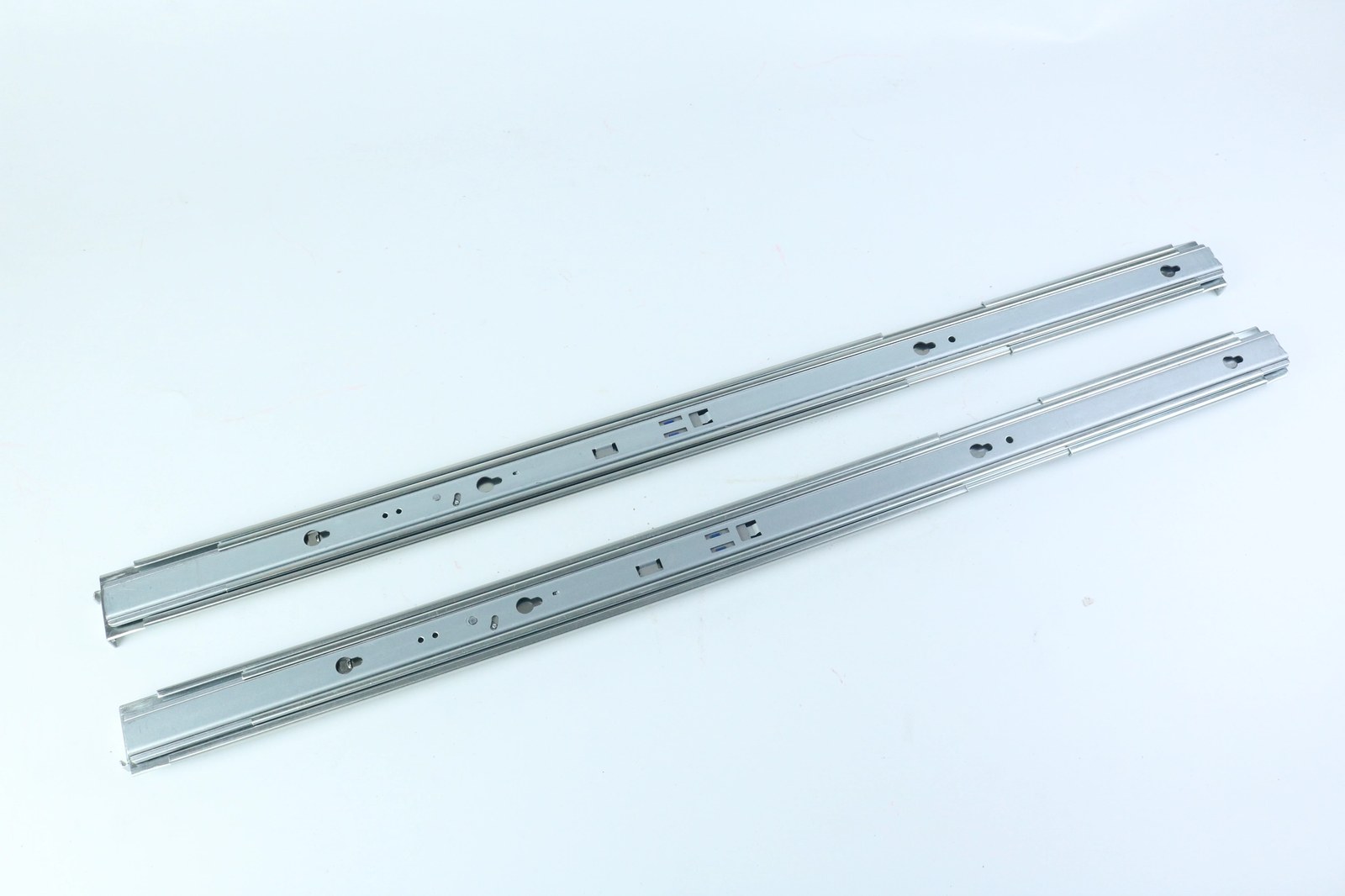
Terminology varies. The member fixed to the server chassis is often called the inner or chassis rail. The member fixed to the cabinet posts is often called the outer or rack rail. Some telescoping kits also have a middle member that carries the travel. Names and roles change by product family, so confirm the role from the kit bill of materials and manual rather than the label alone.
A matched kit should be treated as a system: members, brackets, release levers, fasteners and travel stops are selected together. A mixed assembly is a new, unverified configuration. Similar dimensions do not establish that the latch will engage, the rail sections will mate, or the load path is valid.
| Item | Typical role | Confirm in the kit or manual | Why appearance is not enough |
|---|---|---|---|
| Inner / chassis rail | Fastens to the server chassis side | Chassis holes, available length, latch and release positions, left/right and front/rear orientation | Naming and cross-sections vary by kit |
| Middle rail | Provides intermediate travel on some telescoping kits | Kit part number and revision, section, travel, latch sequence | Many kits have no middle member or use a different design |
| Outer / rack rail | Fastens to cabinet mounting posts | Hole type, post spacing, usable depth, mounting direction | The cabinet brand does not define the chassis interface |
| Brackets and hardware | Adapt the rail to the rack or chassis | Exact kit bill of materials, pegs, screws, cage nuts or threaded hardware | Similar-looking fasteners may have different threads or shoulders |
The useful question is which documented assembly the two members belong to, not whether they look alike.
Why Similar Rails Fail: Interface, Revision, Side, and Latch Matching
Mixed-rail problems can begin before the server slides in. Two rails can share a similar section yet differ in rail section, latch height, release travel, mounting-hole relationship or bracket position. A later revision may look almost identical to an earlier one and still engage differently.
Record kit part number, revision, side, front/rear orientation and whether you have a complete kit or a loose member. Do not infer the identity of the whole assembly from a marking on one member or from a proprietary prefix. If the marking is incomplete, use the exact equipment and rail-kit manual, or ask the manufacturer.
Separate the two interfaces. The rack interface concerns the cabinet posts and the outer member. The chassis interface concerns the server case and the inner member. A rack brand is not evidence of chassis compatibility, and a server model is not evidence that an unrelated outer rail will fit the cabinet. Both sides need documentation.
Latch and release geometry deserves particular attention. The release lever, catch, travel stop and mounting peg are part of the retention system. A visual match at the front flange does not prove that the catch engages at the correct point, that the release travels far enough, or that the rail cannot be partially latched. Release direction and force must come from the exact device and rail-kit manual.
Before treating two members as a pair, check:
- Is the pairing named in the exact OEM or rail-kit manual?
- Do both members carry the same kit identity, revision and side?
- Are the brackets, pegs and fasteners from the same documented bill of materials?
- Does the latch engage without forcing, and does the release follow the manual?
- If any answer is missing, has the pairing been reviewed as a new assembly?
If the last answer is no, stop treating the parts as interchangeable.
How to Check Chassis, Rack, and Kit Fitment Before Mixing Rails
Fitment checking is mostly about keeping measurements separate. Rack cabinet depth, mounting-post distance, closed rail envelope and chassis depth are distinct dimensions. Measurement datums must match the rail manufacturer's definition. An inside-face distance is not a universal datum, so a number copied from one drawing may not mean the same thing on another kit.
For the chassis side, record the server model, rail mounting-hole pattern, available rail length, latch and release positions, and front/rear orientation. For the rack side, record the cabinet model, hole type, mounting-post distance, usable depth, mounting direction and thread type where applicable. For the kit, record part number, revision, left/right members, brackets, pegs and the closed rail envelope.
Some dimensional facts are useful orientation, but they are not a compatibility proof. 19 inches (482.6 mm) is the nominal panel-width classification, not the chassis-body width. 1U is 44.45 mm. Mounting-hole column spacing is commonly about 465.1 mm, subject to the applicable standard and tolerances. If vertical hole patterns matter, distinguish one U's repeating 5/8, 5/8, 1/2 inch intervals from hole diameter. None of these facts alone confirms that a particular inner and outer rail will pair.
Threaded hardware needs its own check. M6, #10-32 and #12-24 are different thread systems: M6 coarse pitch is 1.0 mm, #10-32 has 32 threads per inch and #12-24 has 24 threads per inch. Do not confuse #6-32 with M6. Threaded holes already contain their thread. Square holes need the hardware or peg arrangement specified by the actual kit and do not always require cage nuts.
Before buying or installing, collect:
- Chassis-side hole pattern, rail length and latch locations.
- Rack-side hole type, post distance, usable depth and mounting direction.
- Kit identity, revision, side and complete hardware list.
- The exact OEM or rail-kit manual for both the equipment and the rail assembly.
MetrixSlide's server rail compatibility checklist offers a broader interface checklist. Use it to organize questions, not as a substitute for the exact manual.
Mechanical Boundaries: Tool-Less, Sliding, Static, Latching, and Brackets
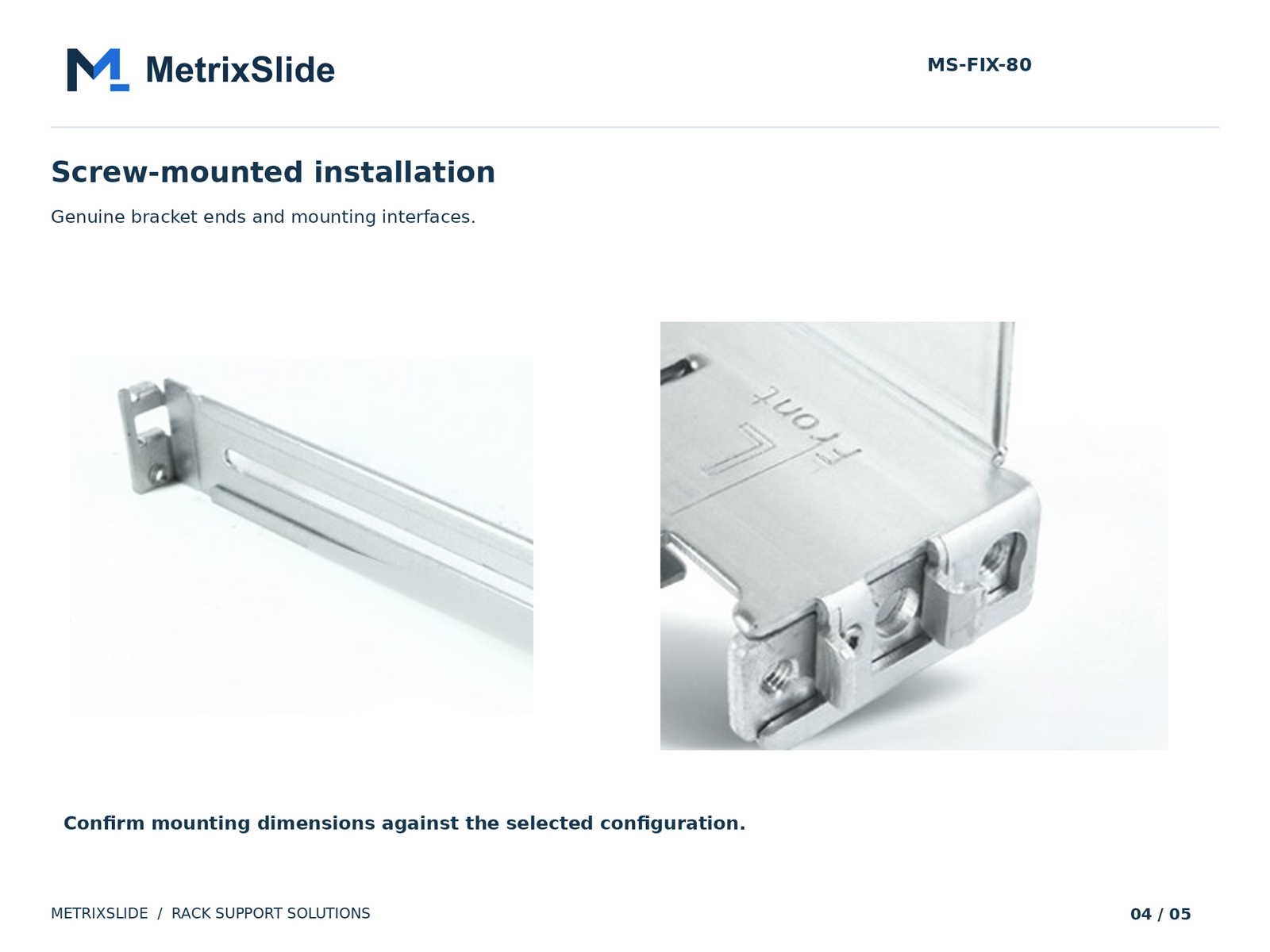
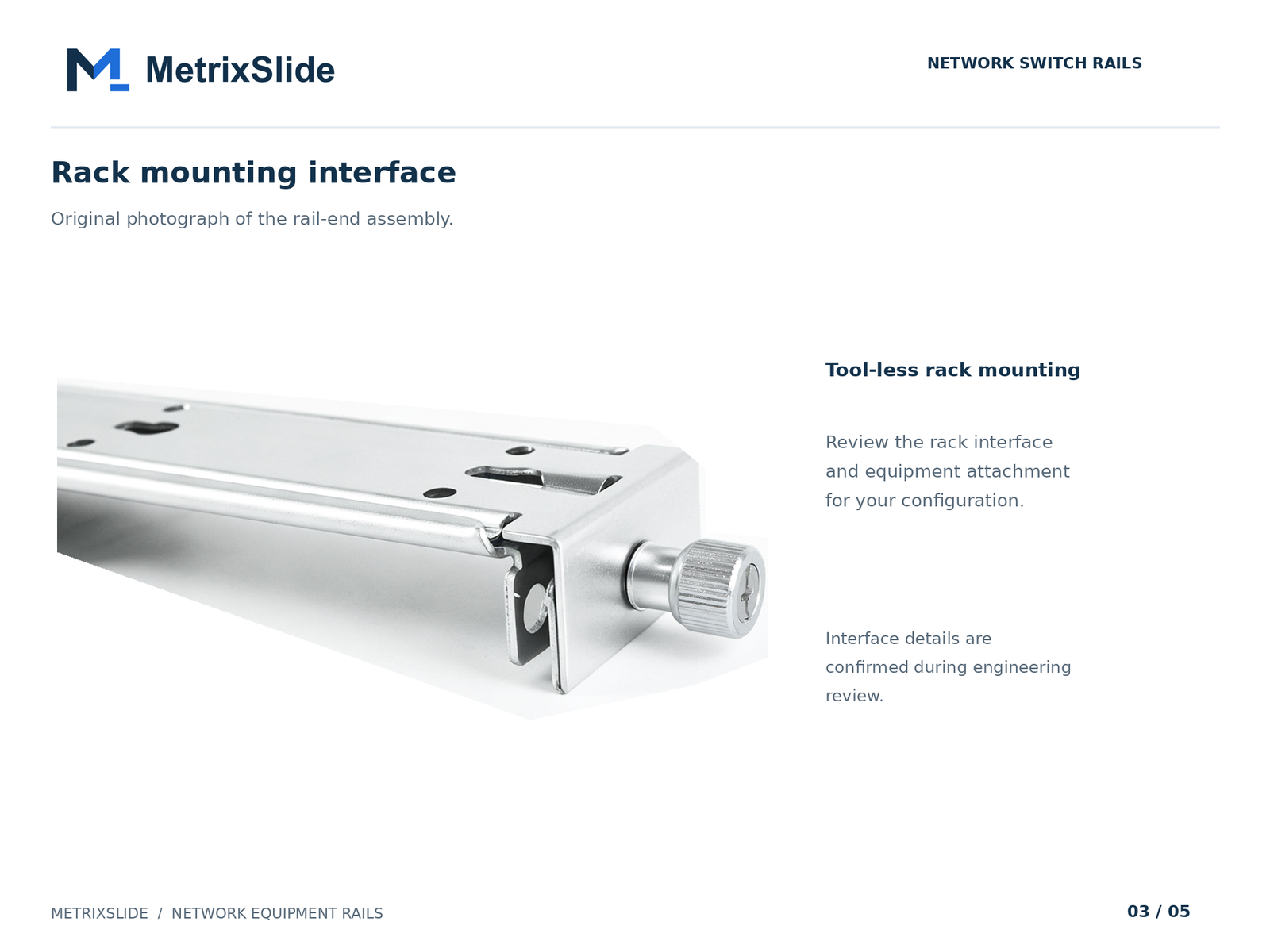
Tool-less rack mounting is not proof of tool-less chassis mounting. One end of a kit may attach to cabinet posts without tools while the chassis side still needs screws, pegs or a specific bracket. Evaluate the two ends separately.
Rail motion also matters. Static rails, sliding rails, telescoping rails and quick-release rails do not share the same travel path or retention logic. A member from a sliding kit may not provide the stops or support expected by a static bracket, even if it fits loosely. The kit manual should identify left and right members and their latch features; bracket height can change the alignment of the whole assembly.
Adapter brackets can create false confidence. A bracket that changes hole spacing does not necessarily correct the rail section, travel or latch engagement. Do not drill, weld, bend, lengthen or cut structural rail members to force a pairing, and do not bypass a latch to make assembly easier. Those changes can affect retention, stability and warranty support.
If the geometry is close but not documented, have the interfaces reviewed as a new assembly. MetrixSlide can discuss custom rail length, brackets, mounting direction and travel configurations after reviewing non-confidential rack-side and chassis-side information. That is not a declaration of general adapter or universal OEM compatibility.
Risk Review: Load, Safety, Warranty, and Troubleshooting Mixed Rails
Load capacity belongs to the stated model and configuration, per rail or per pair, with its extension and static or dynamic conditions. Do not add two rail-pair ratings to estimate a combined assembly, divide a rack weight by the number of rails, or assume each side carries exactly half. If no documented rating exists for the mixed assembly, treat load capacity as unresolved rather than guessing from the size of the metal.
Safety and warranty questions follow the same evidence rule. Mixed rails can affect retention, alignment, service access and the equipment manufacturer's support position. Ask the equipment manufacturer about warranty and approved configurations rather than assuming that a physically fitting assembly is accepted. The exact device and rail-kit manual governs handling, fasteners, latch release, preparation, lubrication and torque; do not replace those instructions with a general rule.
Troubleshooting should begin with stop signals, not force. No click, a partial latch, hole misalignment, binding, sag, wobble or a rail that needs excessive effort to close all indicate that the pairing or installation is not verified. Stop, do not force the assembly, and return to the manual to compare member identity, side, brackets and datums. If the manual does not name the pairing, do not keep adjusting it into place.
For a product-specific example of how manufacturer instructions are tied to a rail kit, see the HPE rail quick-start guide. Use it only within its product scope.
FAQ
Can you mix inner and outer server rails from different kits?
Not on appearance alone. A mixed set is reasonable only when the rail-kit manufacturer or exact OEM documentation identifies that pairing. Otherwise, keep the matched kit together or have the interfaces reviewed as a new assembly.
How do I identify an inner chassis rail, an outer rack rail, and a middle rail?
The inner or chassis rail normally fastens to the server case; the outer or rack rail fastens to the cabinet posts; a middle member provides travel on some telescoping kits. Names and designs vary, so confirm the role from the kit bill of materials and manual.
What should I measure before trying to pair rails from different kits?
Record chassis-side holes and rail length, rack-side hole type and post distance, usable cabinet depth, closed rail envelope and latch locations. Keep measurement datums consistent with the rail manufacturer's definitions. A nominal 19-inch width or a similar hole pattern is not a compatibility proof.
Can tool-less rack rails be paired with screw-in chassis rails?
Not automatically. Tool-less rack attachment says nothing about the chassis-side interface or its hardware. Check the exact kit documentation for the chassis mounting method, fastener type and latch arrangement.
Do similar hole patterns prove that two server rails are interchangeable?
No. Hole pattern is only one part of the interface. Rail section, latch height, release travel, side, revision, bracket position and documented load configuration also matter.
Why do mixed rails fail to latch, align, or slide smoothly?
The members may come from different rail sections or revisions, or the brackets and release geometry may not match. A partial latch, misalignment or binding is a sign to stop and verify the documented pairing rather than force the assembly.
Does mixing server rails affect load ratings or warranty support?
Load ratings apply to the stated model and configuration, not to an undocumented combination. Warranty support is set by the equipment manufacturer and rail supplier, so ask about the specific assembly. Do not assume that either original rating carries over.
Review a Non-Confidential Rail Pairing Application
If you have measured the rack and chassis but still cannot establish whether the inner and outer members belong together, start with a non-confidential interface review; proprietary drawings can follow under NDA. MetrixSlide can review rack-side and chassis-side interfaces and discuss custom rail length, brackets, mounting and travel. Request a custom rail review.
Read our engineering confidentiality process before sharing authorized proprietary details.