

A rack upgrade can fail at a small mounting detail even when the new server fits the planned U space. Use this checklist before purchasing rails or booking installation. It focuses on equipment support and rail integration; power, cooling, network migration and site structural requirements need their own qualified planning.
Record the Existing Rack and Proposed Equipment
Create one record for the rack, one for each chassis, and one for each rail kit. Record model, revision, current location and the source of each specification. Photograph labels and accessible interfaces without exposing confidential design details. Separate measured dimensions from catalog values and mark unknowns as pending rather than filling them with a generic number.
List what changes and what stays: server generation, populated weight, chassis width and depth, mounting features, cable management and required service access. Confirm which accessories the new equipment order actually includes. Existing cabinet rails, a reused cable arm or spare fasteners should each be verified for the intended configuration.
Measure Rack and Chassis Interfaces Separately
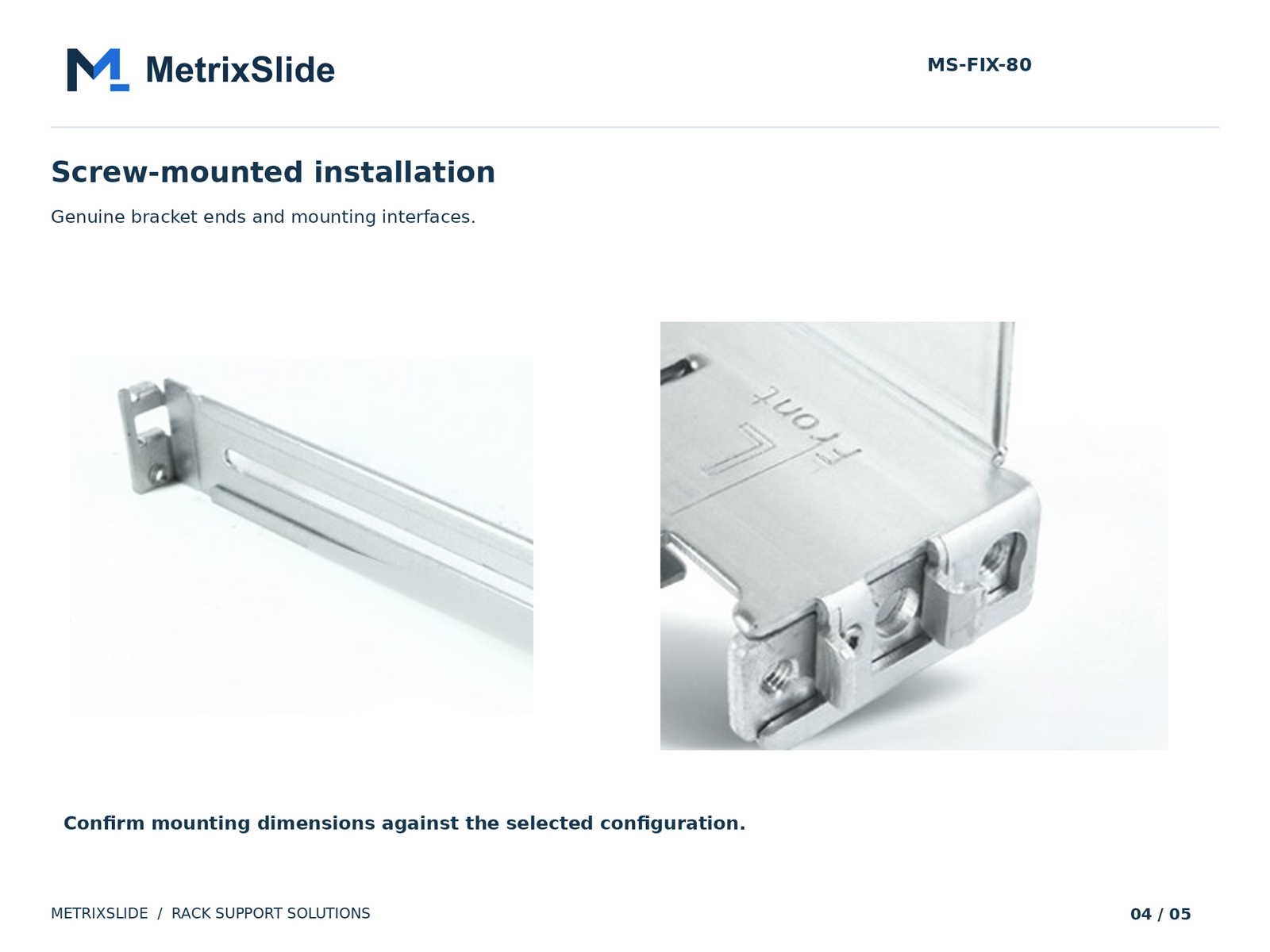
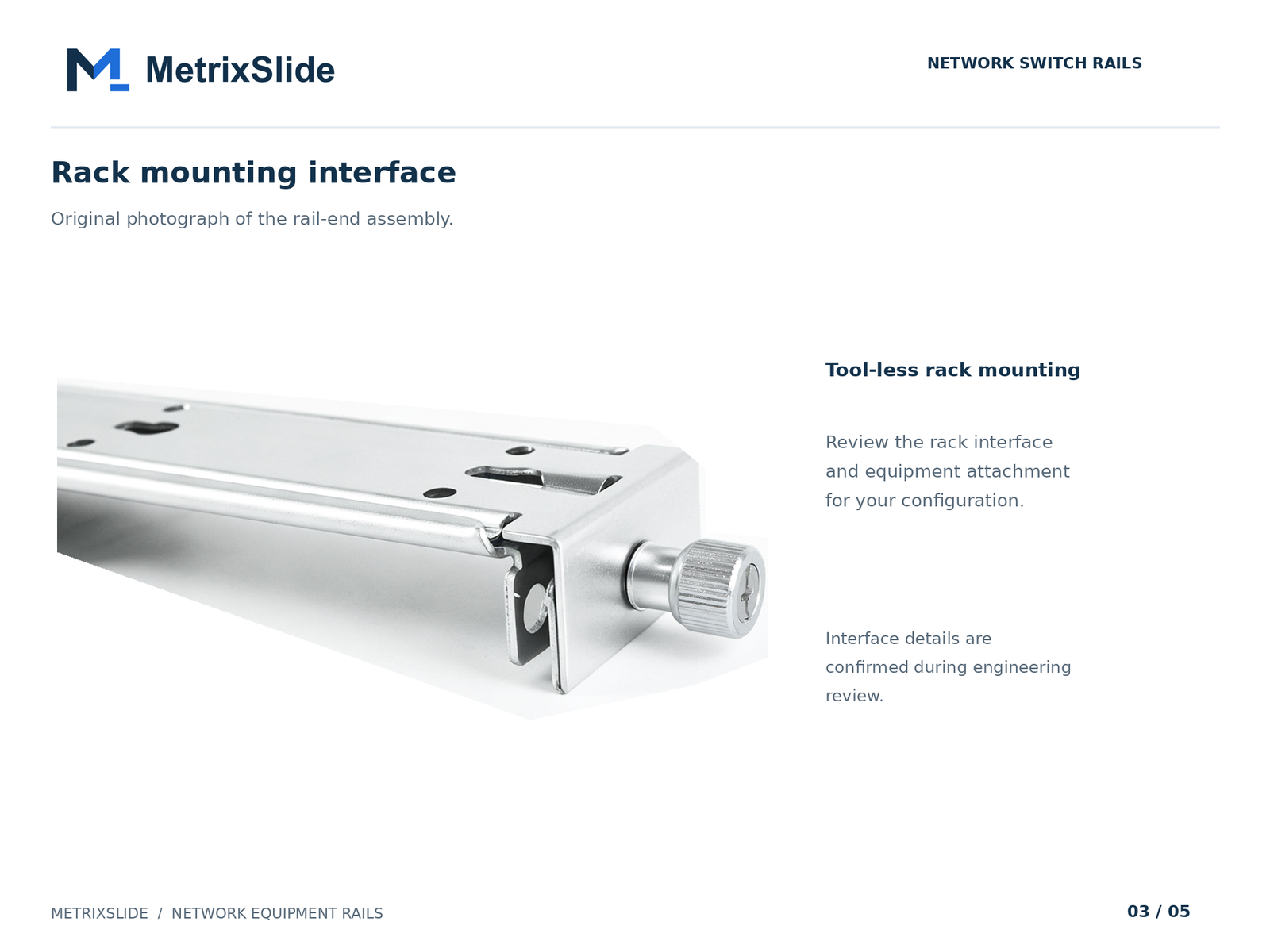
For the rack, record post count, mounting-hole type, front-to-rear post span using the kit’s measurement reference, and usable front and rear depth. Check the proposed bracket range against the measured posts. Cabinet external depth is not a substitute for mounting depth, and the same nominal rack size does not establish every bracket’s fit.
For the chassis, record actual body width, depth, U height, mounting features and the populated weight. Keep rack-side attachment separate from chassis-side attachment. Tool-less mounting at one interface does not prove tool-less mounting at the other. Use the exact kit’s instructions and the equipment drawing to resolve differences before ordering.
Review Rails, Loads and Maintenance Access
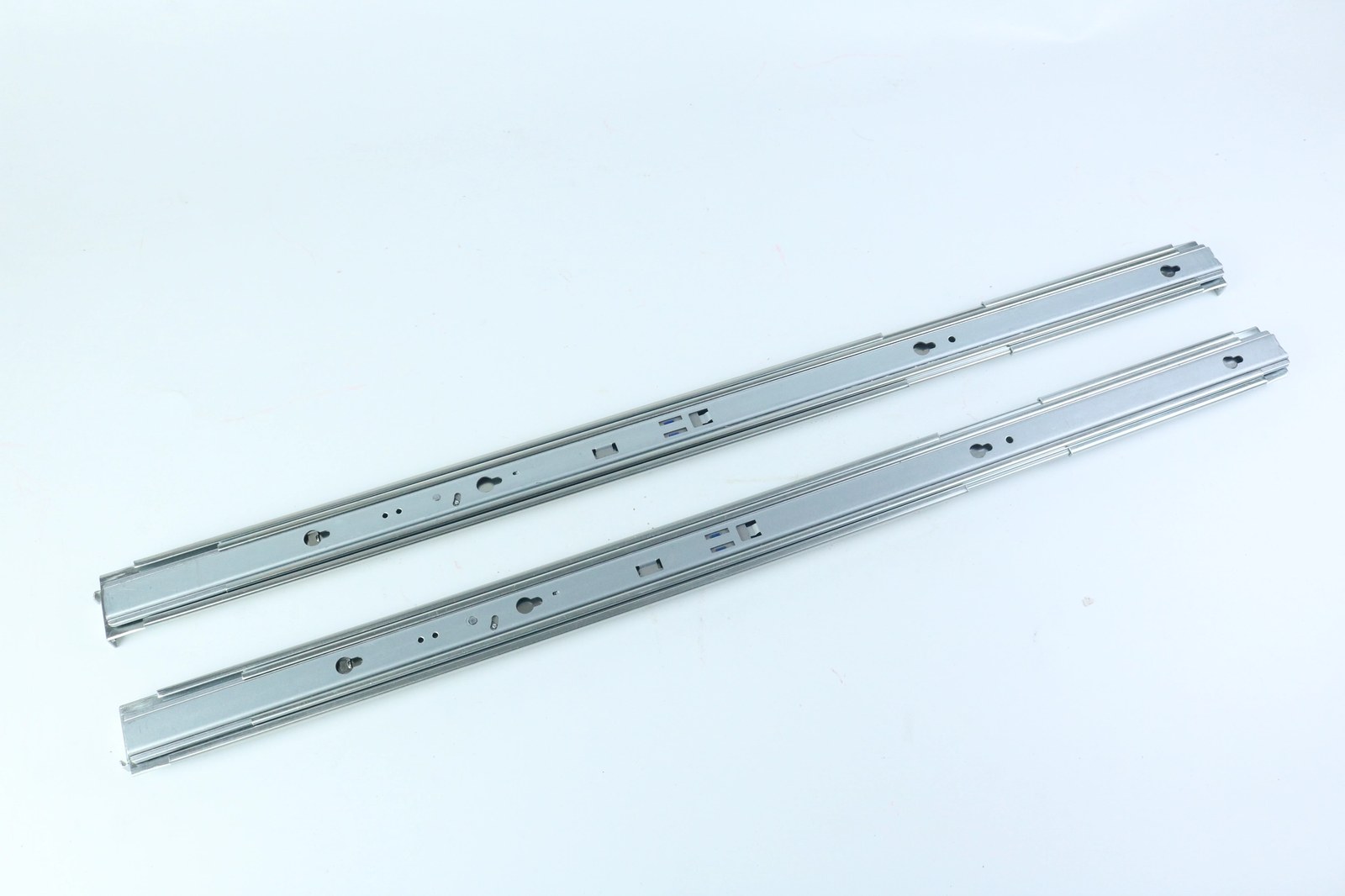
Confirm a matched rail assembly and its documented application. Review whether the stated capacity is per pair or per rail and which extension and operating conditions apply. A catalog capacity, a CAD fit check and a completed physical test are different evidence. Do not extend a test result from one model or fixture to another configuration without review.
Map the intended service movement with the actual rear PDU, connectors, cables, cable arm and doors. Check cable slack and interference according to the equipment and kit instructions. Fixed support and sliding service access are different requirements. Select the support concept before treating a rail’s length or load figure as sufficient.
Check Reuse or Define a Replacement Project
Reusing rails requires both documented compatibility and acceptable condition. Preserve kit identity and left-right pairing. Escalate bent members, damaged retention, missing components or uncertain service history before reuse. Visual inspection is useful for screening but does not prove load capacity or restore a damaged assembly’s suitability.
When replacement requires custom length, brackets or mounting features, define a project rather than an assumed off-the-shelf substitution. Separate requirements review, CAD review, sample manufacture, physical checks and production approval. MetrixSlide can review supported changes around an existing chassis; each development milestone and delivery plan must be confirmed for that project.
Build a Delivery and Installation Readiness Plan
Work back from the installation deadline through receiving inspection, transport, customs where applicable, packing, production and any sample approval. Ask the supplier to confirm assumptions at each gate rather than promise one universal lead time. A requested arrival date, a ready-for-dispatch date and an installation booking are separate calendar events.
Before releasing the installation booking, confirm the exact kit and quantity, approved configuration, required validation, shipment documents and receiving contact. Record site closures and delivery booking rules. Recheck these details if the chassis, load, destination or project scope changes. Keep the final checklist with the drawings and acceptance record so purchasing and engineering work from the same revision.
Request a Rail Interface and Project Review
Send non-confidential rack and chassis information, the intended service access, quantities, destination and requested arrival date. MetrixSlide can discuss the interface review, supported customization and sample-development path. Agree confidentiality arrangements before exchanging proprietary mounting details.
Server rack dimensions: width, depth, height and rails
Removing rails and inspecting before reuse
Plan the sample and production stages
Request a rail interface review
Manufacturer reference: Dell rack rail types and installation resources
FAQ
Do I need new rails for every rack upgrade?
Not necessarily. Reuse depends on the exact new configuration, documented kit compatibility, condition, load requirements and service access. Inspect and verify before deciding.
Does a 19-inch rack guarantee rail compatibility?
No. Check the actual rack connection, adjustment range, chassis attachment, load conditions and clearances for the selected kit.
Is rack depth the same as mounting-post distance?
No. Cabinet depth describes the enclosure; mounting-post distance describes the span between attachment references. Record both with their measurement datums.
Can a visual inspection prove a reused rail’s capacity?
No. It can reveal damage or missing parts, but capacity requires the appropriate documented model, configuration and operating or test conditions.
What should be confirmed before booking installation?
Confirm the mounting solution and required checks, actual availability and project milestones, transport assumptions, receiving access and a realistic inspection window before installation.