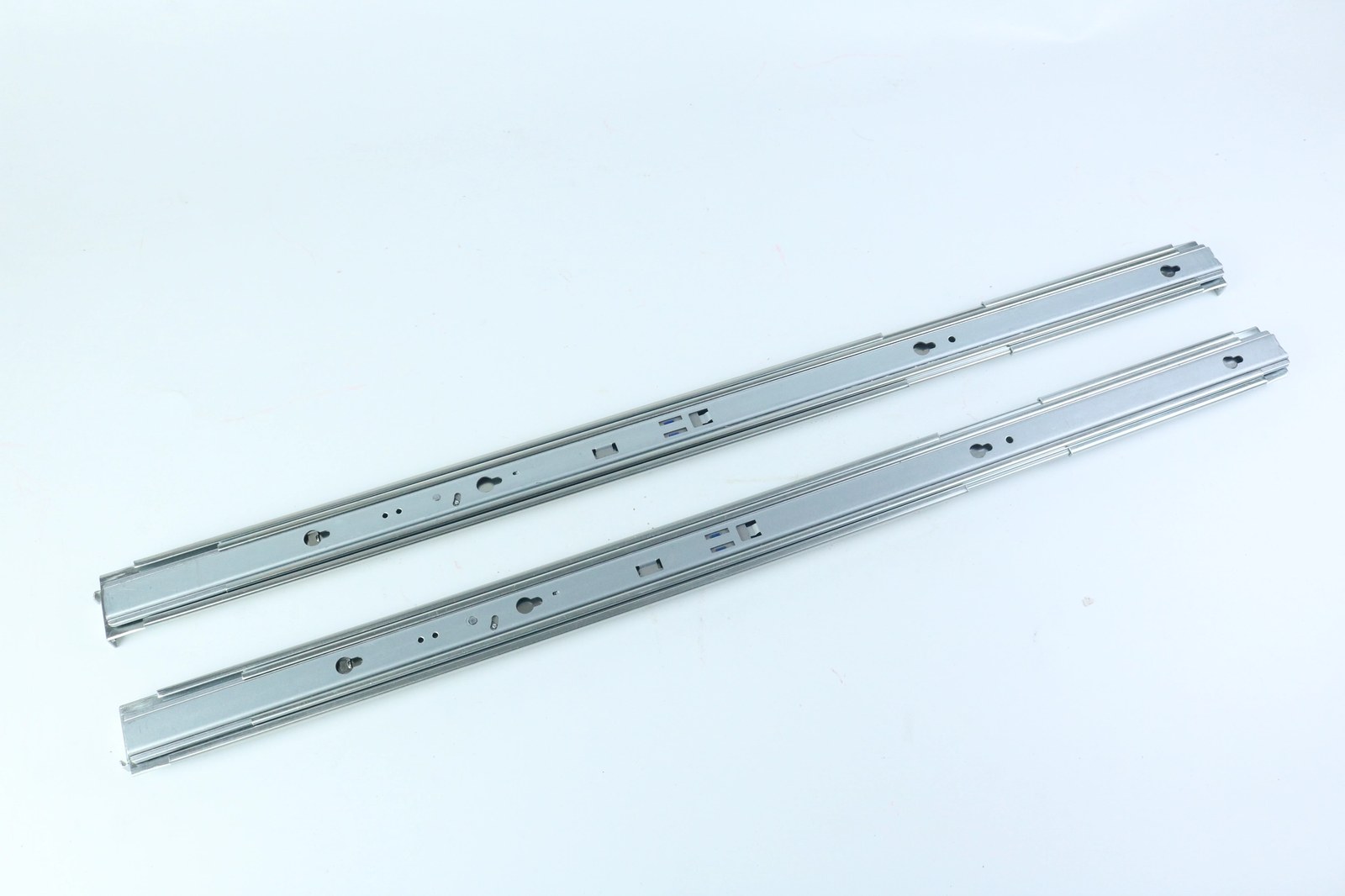


"The rails are too long" is one of the most common things a technician says when a server will not go into a rack, and it usually describes a symptom rather than a single cause. The rail may be fine and the rack posts set too close; the rail may be sized for a deeper chassis; or the rail fits and something behind the rear post is in the way. This article sorts out the causes, with Dell ReadyRails as the running example because they are the kits most often involved, and lists the fixes that keep the load rating intact.
What "too long" usually means
A sliding rail has two lengths that matter, and either can be the problem. The definitions are in server rail length and travel; the short version:
- Bracket adjustment range: the minimum and maximum front-to-rear post distance the outer member can span. If your rack's post distance is below the minimum, the rear bracket cannot come far enough forward, and the rail is "too long" for the rack.
- Closed length: the overall length of the rail with the inner member pushed home. If the closed length exceeds the space between the front post and the rear door or PDU, the rail is "too long" for the cabinet, even if the brackets could reach.
A third case is not a length problem at all: the rail fits, but the server's rear protrusions, power cords or cable management arm (CMA) hit the door. The fix for that is different, so it pays to diagnose before ordering anything.
Dell ReadyRails: what to know before diagnosing
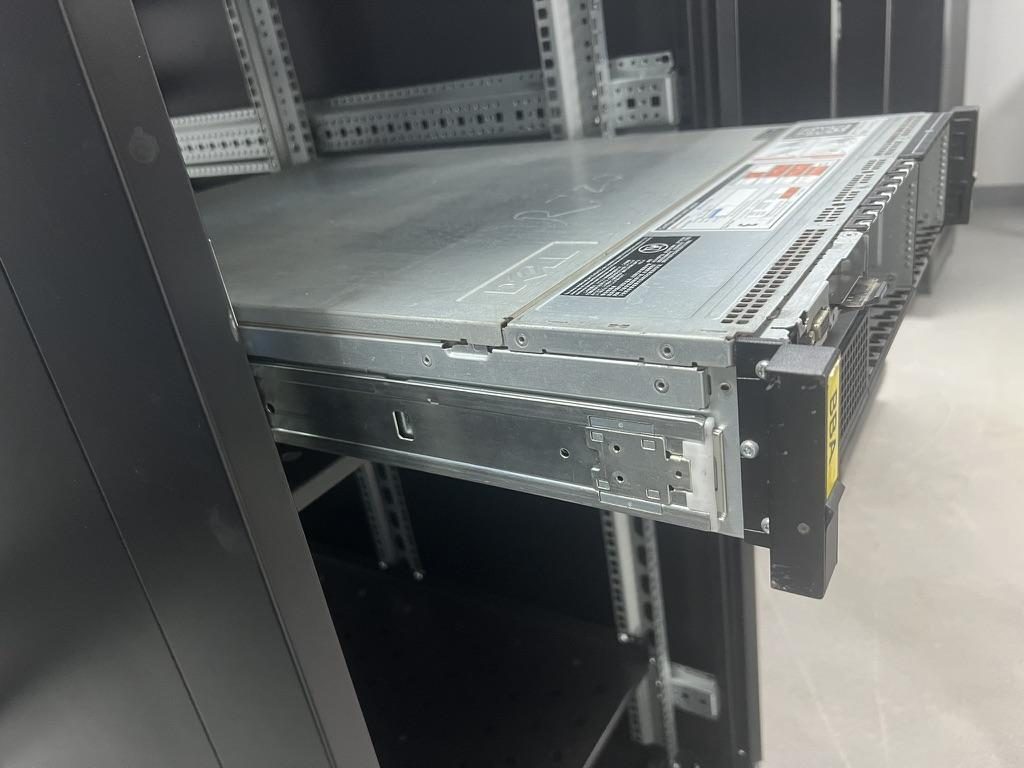
Dell ships PowerEdge servers with ReadyRails kits, and the current generations use the ReadyRails II design. Several things about these kits explain most "too long" reports.
- Two rail types. Sliding rails (Dell's type B kits) let the server extend from the rack for service and can carry a CMA. Static rails (type A kits) hold the server fixed and are the choice for 2-post racks and for racks where a sliding rail will not fit. Each type has its own supported rack depth range, published in Dell's rack installation instructions for that kit.
- Kit letter codes are specific to chassis and generation. A 2U sliding kit for one generation, such as a B6, is not the same length or interface as the sliding kit for a different chassis or a later generation. A kit that came with the wrong server, or was bought used against the wrong part number, may simply be built for a deeper chassis.
- Tool-less in square and round holes, screwed in threaded holes. ReadyRails brackets drop into square-hole and unthreaded round-hole racks without tools; in threaded-hole racks they mount with screws and the supplied adapter pieces. That changes how the bracket seats, and a bracket seated wrongly can make the rail seem a few millimeters too long.
- Full-depth 2U servers need full-depth racks. The R7xx family is a full-depth 2U chassis. A sliding kit for it, plus the rear clearance for cords and a CMA, needs a rack at the deeper end of the range. Shallow cabinets (800 mm class, and 1,000 mm cabinets with the posts pushed forward) are where the "too long" complaint usually comes from.
Check the rack depth range in Dell's documentation for your exact kit letter rather than relying on a figure remembered from another server. This video from Dell shows the threaded-rack mounting procedure, where seating problems often start.
Video: Dell Technologies
Cause 1: post distance shorter than the bracket minimum
This is the most common cause. Measure the front-to-rear post distance on both sides, as described in server rack distance between rails, and compare it with the minimum on the rail's datasheet or installation guide. If your rack is below it, the rear bracket has run out of slot. Symptoms: the rear bracket will not reach the post hole row; or it reaches only with the bracket jammed at the end of its travel and the front bracket pulled off square.
Cause 2: closed length longer than the usable depth
Even when the brackets could reach, the rail body has to fit between the front post and whatever sits behind the rear post. If closed length is greater than post distance plus rear clearance, the rail hits the door or PDU before the rear bracket seats. This is common in cabinets fitted with vertical PDUs on both sides, and in cabinets whose rear posts were pushed back to suit a long rail without checking the door.
Cause 3: rear door, PDU or CMA interference
The rail installs, the server slides home, and then the rear door will not close. This is not the rail's length; it is the server's depth plus its rear protrusions (PSU handles, cords, folded CMA) against the rear clearance. The remedy is more rear clearance, a slimmer CMA, right-angle power cords or a deeper cabinet. Changing the rail will not help unless the rail is the item taking up the space. The three depth terms are explained in rack mounting depth vs rack depth vs chassis depth.
Cause 4: wrong kit generation or type
The inner member overhangs the rear of the chassis, or the chassis-side pins and slots do not line up, or the rail is longer than the chassis by an obvious margin. The kit is for a different chassis. On Dell kits, compare the letter code on the rail with the code listed for your server model and generation; on other brands, compare the part number against the chassis. Used kits bought from marketplaces are the usual source of this mistake. Used ReadyRails II 2U sliding kits (type B6) are listed at roughly US$80 to US$120 on eBay and refurbisher stores as of September 2026, so a second wrong kit is not a cheap experiment.
The fixes
Listed roughly in order of cost and disruption.
Adjust the posts. If the cabinet's posts move, unload the rack, slide the rear posts back until the post distance is inside the rail's range, and re-check rear clearance for cords and a CMA. This is a no-cost fix when the cabinet allows it and the rear space survives.
Switch to static rails. A static kit holds the server fixed; the server is unbolted and lifted for service. Static kits have no telescoping members and often, though not always, tolerate a wider range of post distances; check the kit's own rack depth range. This is the standard answer for 2-post racks and for shallow cabinets holding servers that are serviced rarely. See fixed rack rails.
Use a rail with a shorter closed length. A different rail platform, sized for the chassis rather than for the deepest rack the OEM wanted to cover, may have a shorter closed length and a lower bracket minimum. Ask the supplier for both figures on the drawing and check them against your post distance and rear clearance.
Review a custom length. If no catalog rail fits, discuss length, bracket range, service travel and load with the engineering team. Feasibility and performance require confirmation; see the rack-depth fit guide.
Do not cut the rails. A sliding rail's load rating depends on the overlap of its members at full extension and on the anti-drop stops formed into the outer member. Cutting the outer member removes both. A cut rail may install and even slide, then let the server drop when a technician pulls it out.
Decision table
| What you observe | Likely cause | First fix | If that fails |
|---|---|---|---|
| Rear bracket cannot reach the rear post hole row | Post distance below bracket minimum | Move rear posts back | Rail with lower bracket minimum, or custom shortened rail |
| Rail hits rear door or PDU before bracket seats | Closed length exceeds post distance plus rear clearance | Move posts forward only if chassis still fits; relocate PDU | Rail with shorter closed length |
| Rail installs, server slides home, rear door will not close | Server depth plus cords or CMA exceeds rear clearance | Right-angle cords, slimmer CMA | Deeper cabinet |
| Inner member overhangs chassis or pins do not align | Wrong kit generation or type | Verify kit letter or part number against the server | Correct kit, or a rail built to the chassis drawing |
| Rail is a few millimeters long in a threaded-hole rack | Bracket seated wrongly with screw-mount adapters | Re-seat per the installation guide | Bracket for threaded holes made to the rack |
| 2-post rack, sliding rail | Sliding rails need four posts | Static rail with center mount | 2-post to 4-post conversion kit |
FAQ
Why are my Dell server rails too long for my rack?
Usually because the rack's front-to-rear post distance is below the minimum the ReadyRails kit supports, or because the cabinet is too shallow for the rail's closed length plus rear clearance. Full-depth 2U servers such as the R7xx family need racks at the deeper end of the range. Check the rack depth range in Dell's installation instructions for your kit letter, and confirm the kit matches your server generation.
Can I cut server rails to make them fit?
No. The load rating of a sliding rail depends on the overlap of its members at full extension and on the stops formed into the outer member; cutting removes both and can let the server drop when extended. Have the rail shortened at the factory instead, where the bracket range and stops are redesigned with it.
What is the minimum rack depth for Dell ReadyRails?
It varies by kit type and server model. Dell publishes a supported rack depth range in the rack installation instructions for each kit; the figure for a static kit differs from the sliding kit for the same server, and both differ between generations. Use the document for your exact kit rather than a figure from another server.
Can I use static rails instead of sliding rails in a shallow rack?
Often, yes. Static rails have no telescoping members and hold the server fixed, and their supported depth range is frequently more forgiving. The trade is that the server must be unbolted and lifted out for service. Confirm the static kit's own depth range before assuming it fits.
Will a shortened rail still let the server slide fully out?
If it is engineered rather than cut, yes. Shortening the outer member and redesigning the bracket range does not have to change the inner member or the travel. In the case linked above, 2U servers moved into 620 mm post-distance cabinets and kept full extension for hot-swap service.
Next step
Measure the post distance and rear clearance, note the server model and the rail kit you have, and send them through the quote page. A mechanical engineer will return a fitment proposal within 24 hours, stating whether a standard rail, a shorter-closed-length rail or a length-adjusted custom rail is the right answer. To check fit before committing a fleet, order a sample pair of the MS-TLS-120 tool-less ball-bearing kit; standard models ship from one pair in 3 business days.
King Slide is a trademark of King Slide Works Co., Ltd. Dell and PowerEdge are trademarks of Dell Inc. HPE and ProLiant are trademarks of Hewlett Packard Enterprise. Other brand names are the property of their respective owners and are used only to describe compatibility or comparison. MetrixSlide is not affiliated with, endorsed by, or sponsored by these companies.