A clear guide for engineers and procurement teams: which rail features are "bounded" customizations you can get without tooling/NRE, which changes require structural redevelopment, and how to specify fit, load and installation for reliable delivery.
Rack compatibility, standards, and brand-specific fitment
Before you specify custom rails, treat compatibility as a hard gate — not a preference. “19‑inch” (IEC 60297 / EIA-310 family) only defines panel series; it does not guarantee the posts, hole types, mounting depths or chassis datum that determine whether a rail will install and operate correctly.
Key compatibility items to verify and provide:
- Rack architecture: 2‑post vs 4‑post vs open-frame; OCP ORv3 (21‑inch) vs 19‑inch differences (ORv3 uses a wider bay and different OU/RU pitches and keep‑out areas). Adapters may be required for ORv3 → 19‑inch mounts.
- Hole type and pitch: square punched (cage nut), round or threaded (#10‑32 / 12‑24 / common metric threads). Example hole sizes that appear in field cases include 9.5 × 9.5 mm square punches and Ø7.1 mm round holes — but these are examples: confirm and photograph the post.
- Mounting depth (post-to-post distance): provide the measured range or a photo with a tape measure. Rail drawings use three distinct numbers — closed length, extended length and bracket (fit) range — and they are not interchangeable. Always confirm which of those three values is intended to match your post spacing.
- Chassis interface: chassis width, the rail engagement envelope, and how the chassis locks to the rail (T‑pins / PEM studs, keyhole/J‑slot, thumb screws, captive screws). J‑slot/keyhole geometry must be derived from the pin head/shaft/under‑head clearance you will use.
- Service and access constraints: half‑depth vs full‑depth servers change how much travel you need, and cabling/cool‑aisle plans may restrict rear extension or complicate drop‑in installations.
Definitions (MetrixSlide engineering practice)
- Closed length: the rail overall length when the sections are nested (rail retracted).
- Extended length (full extension): the maximum assembled rail length at full travel.
- Bracket (fit) range: the design range of post‑to‑post distances a rail bracket family will accommodate. These three values must be compared to measured rack posts, not to each other.
Taxonomy (quick reference)
- Motion architecture: fixed vs sliding (two‑section vs three‑section).
- Sliding mechanism: friction vs ball‑bearing.
- Mounting attribute: tool‑less vs screw‑fit; stab‑in vs drop‑in (vertical drop into J‑slots).
- Parameters to specify: section count, closed/extended lengths, bracket range, per‑pair static rating at the tested extension state.
Compatibility hard gates (MetrixSlide decision rule)
- Rack post hole type and measured post spacing must match candidate bracket range and hole pattern.
- Chassis‑side engagement features (pins, standoffs, captive studs) must match the rail inner‑rail features or be convertible within the same platform.
- Required load capacity (per pair and the test extension state) must be met by a candidate family. Only after those gates are satisfied do preferences such as tool‑less vs screw, friction vs ball‑bearing, or cosmetic finish enter the selection.
Common vendor blind spots to watch for
- Compatibility matrices that list only vendor names (for example, “Dell/HP/Supermicro”) without model‑level fit drawings. OEM servers vary by revision; always request or provide the exact server model and a front/rear photo of the rack posts.
- Failure to call out which rails need conversion hardware (adapter brackets, cage nuts or screw packs) to install in existing racks.
- Assuming closed length equals mounting depth — always measure your post spacing and confirm bracket range.
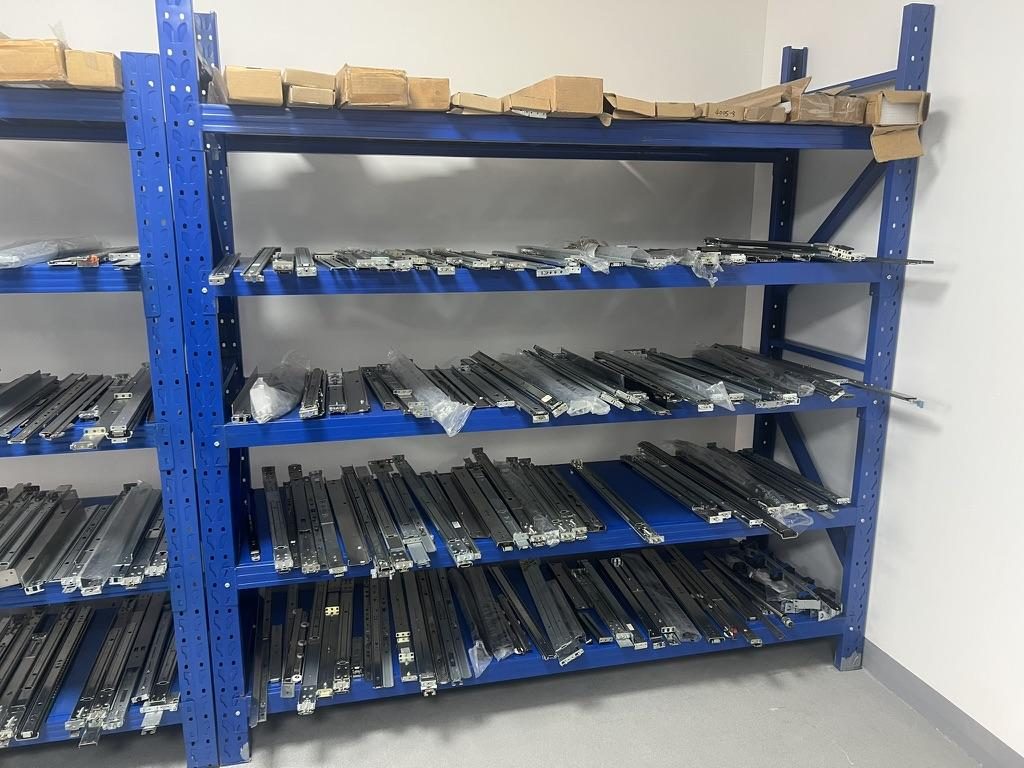
 Server rail sample display rack at the MetrixSlide factory showroom
Checklist to include with an RFQ
- Rack photos (front posts with a scale), hole type, measured post spacing (min/max), and any busbar or keep‑out zones.
- Chassis drawing or STEP (preferred), including pin/head dimensions if using T‑pins or PEM studs.
- Required service behavior (stab‑in vs drop‑in, full vs reduced pull‑out, lock‑out) and expected service cadence.
- Required load (fully populated chassis) and whether you need a static per‑pair rating at full extension or a dynamic/operational test.
Installation and mounting guides
Installation documentation should let a field technician complete mounting without guesswork. Provide step‑by‑step text and clearly marked hole centerlines in millimeters that identify datum points.
Typical step sequence (sliding rails vs fixed rails)
- Fixed rails: mount rack‑side bracket(s) to the posts, verify vertical alignment, place chassis on supports, secure front fasteners. Verify load path and clearance before powering.
- Sliding rails (two‑ or three‑section): mount outer members to rack posts, attach inner members to chassis or chassis brackets, perform travel check, then insert chassis and verify locking at the service extension. Confirm lock‑out function if required.
Tool‑less vs screw‑fit kits
- Tool‑less kits use spring clips, snap‑in brackets, or stab‑in features; they reduce install time but need precise hole/slot geometry and defined retention behavior.
- Screw kits are more tolerant of hole variations but require correct thread type and fastener length.
Mounting-hole guidance
- Mounting‑hole layouts must show the datum (front face of rack post), each hole center (mm), and hole type (round, square, threaded). For T‑pin/J‑slot interfaces, the layout should include slot geometry derived from the pin head and shaft dimensions rather than a generic keyhole.
- Provide a recommended fastener list (length and thread spec) if the rack lacks captive threads.
Tools, PPE and safety checks
- Tools: torque‑limiting screwdriver, alignment pins, calipers, level, tape measure, and a drill/step bits only when field hole work is authorised.
- PPE: gloves, eye protection, and grounding strap when working on powered racks.
- Safety checklist: verify rack stability, ensure cables are secured, confirm rail extension does not enter cold‑aisle containment or strike obstructions, test two full insert/remove cycles and the rail lock function.
Common installation pitfalls
- Using a hole layout that references closed length instead of post spacing — results in misaligned holes.
- Ignoring cable egress and airflow; rails installed too far forward can trap cables and degrade cooling.
- Skipping front‑mount datum verification — small offsets (a couple of millimetres) in captive screw centre positions can shift the chassis U‑position and prevent cabinet doors or blanking panels from closing properly. In one intake case the customer’s screw centre difference was 23 mm vs 21 mm; this kind of delta must be caught in CAD.
To define mounting holes: include your chassis drawing and post spacing photo; a mounting‑area STEP or a few key hole coordinates (in mm) lets you verify hole positions.
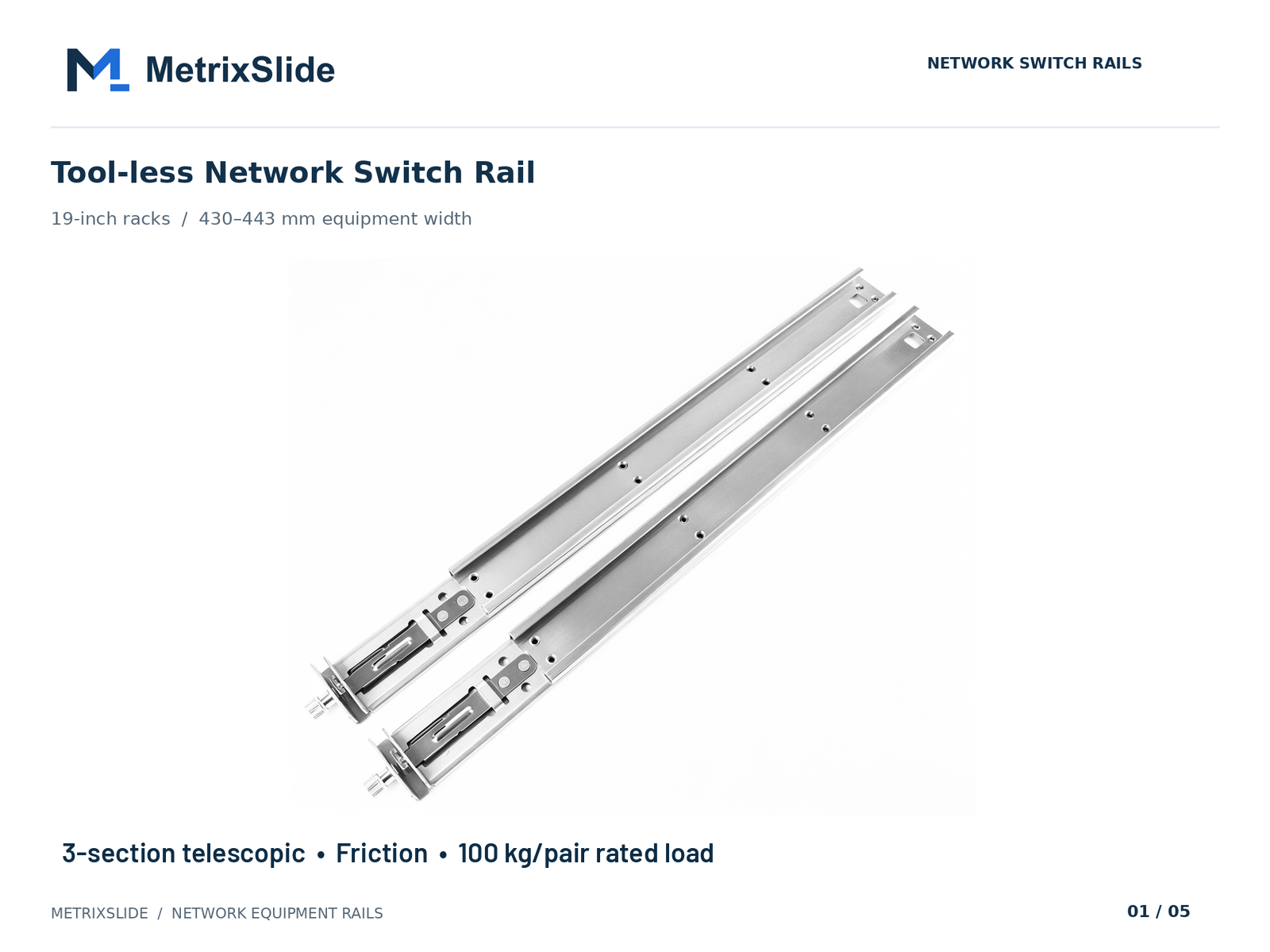 MS-FMR-SW-100 Tool-less Network Switch Rail — view product
Load capacity, engineering specs, and failure prevention
A rail’s rating must be read in context: per‑pair vs per‑rail, static vs dynamic, and the extension state used for the test. Always ask for the test fixture and acceptance criteria that produced the rating.
Per‑pair static rating (clarity)
- MetrixSlide publishes ratings on a per‑pair basis. Confirm whether the published value is for static load at full extension, closed state, or another test condition before you size rails.
How to calculate required rail capacity
- Sum the server chassis maximum operational weight (including drives, trays, and cable harnesses).
- Add any service‑time fixtures or components that will load the chassis while extended (KVM, monitoring gear, temporary tooling).
- Apply an appropriate safety factor — commonly in practice engineers use a range around 1.5× to 2× for static loads to accommodate insertion dynamics and off‑axis loading; choose a value that matches your risk tolerance and service profile.
- Select a slide whose published rating explicitly states "per pair" and the extension state used (closed, full extension).
Concrete example from product data
- MetrixSlide’s heavy‑duty GPU family includes models such as MS-BBR-180 which has a nominal capacity of up to 180 kg per pair; a formal test report at that load is not yet available. Use the nominal figure as the starting point for matching heavy loads.
Common failure modes and factory prevention practice
- Sag/deflection at full extension: an anti‑sag slide structure and a static validation are common mitigations. In MetrixSlide’s factory static‑load test a rail pair is held under load at full extension for 24 hours, and the MS‑FMR‑2U‑100 held 100 kg in that test.
- Wear and loosening: specify appropriate locking hardware or thread‑locking where repeated service cycles are expected; schedule periodic torque checks.
- Jamming or ball loss on ball‑bearing slides: ensure stamping precision and hole alignment are verified during sample validation; tighter stamping and hole-position control reduce misalignment risk.
- Off‑axis or asymmetric loading: ensure correct mounting orientation and use multiple rail pairs for very long or very heavy enclosures rather than attempting to overload a single pair.
Materials and finishes
- Material grade, section thickness and a corrosion‑resistant finish materially affect stiffness and service life. Specify the finish suitable for your environment and ask the supplier to confirm the applied coating during RFQ/CAD review.
Maintenance and inspection schedule (recommended practice)
- Quarterly: visual check for loose fasteners, unusual wear, and extension smoothness.
- Annually: torque check of front mounts, bearing lubrication if specified, and a functional extension/load check.
- Immediately: any evidence of permanent deformation, audible grinding or ball loss warrants removal and inspection.
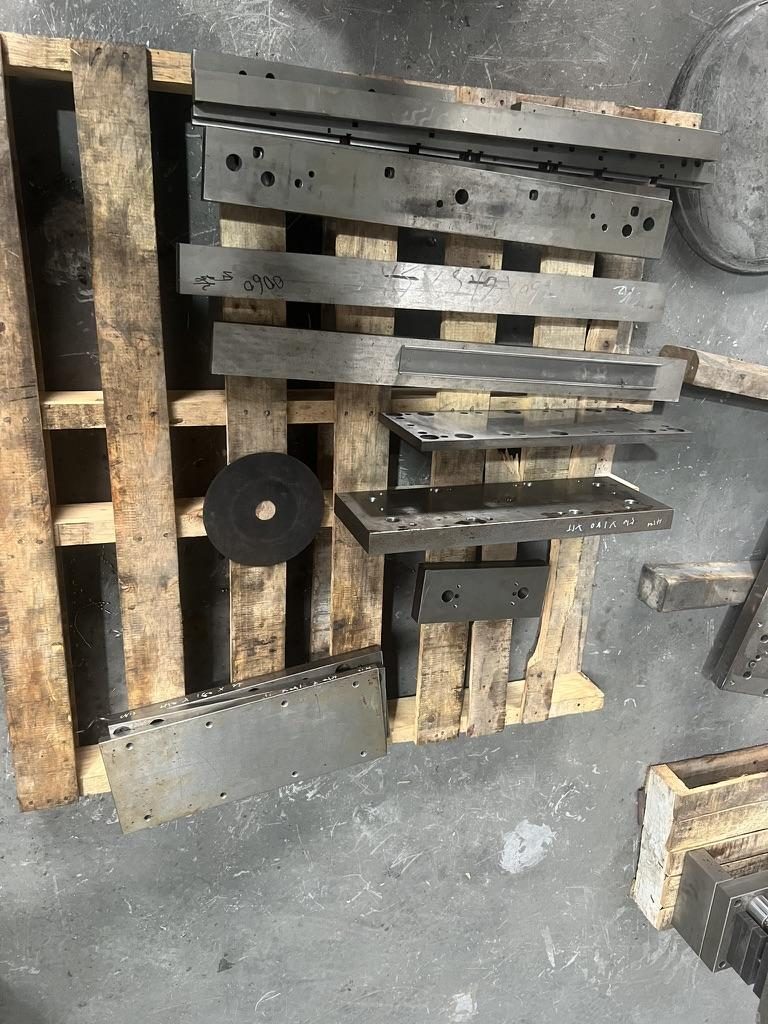
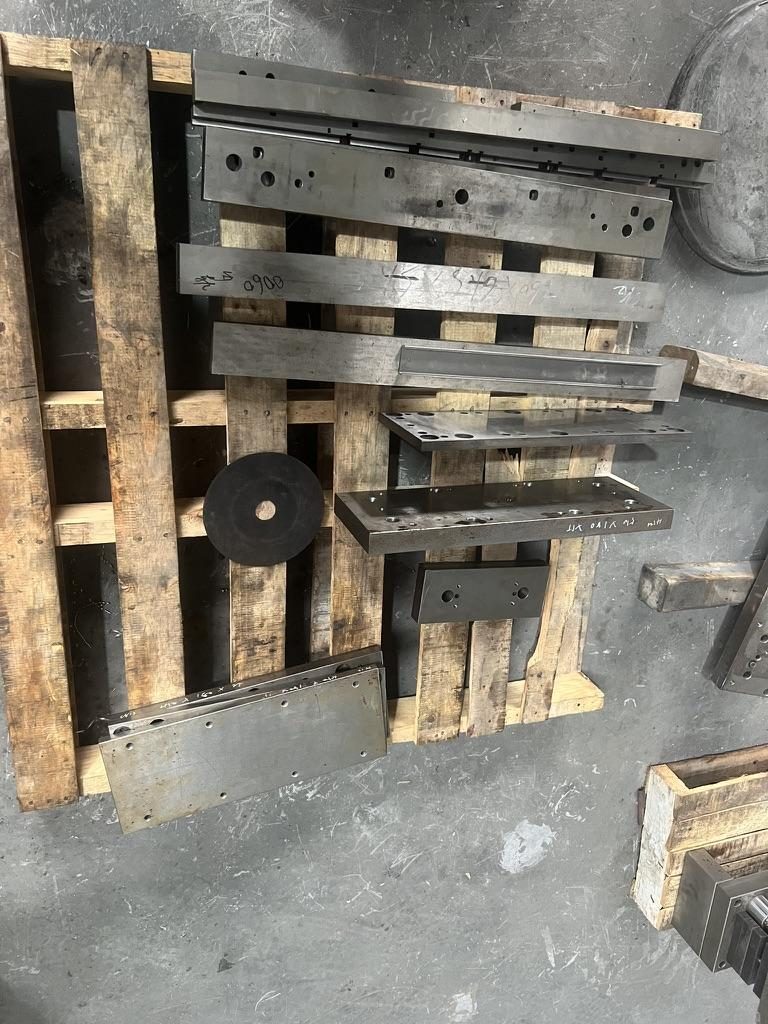
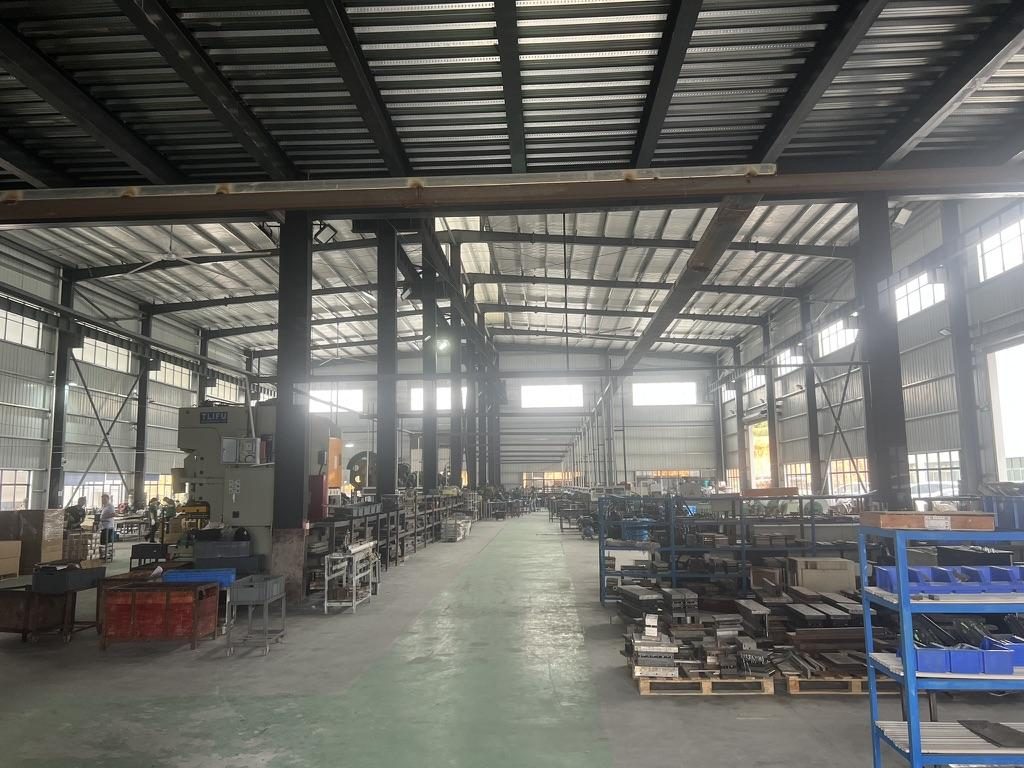 Overview of the server rail production workshop
Custom orders, pricing, lead times, CAD specs and real install case studies
What you can change without tooling / NRE (MetrixSlide flexible‑customization boundary)
- Bracket position and hole pattern (within the existing rail stamping and bracket family)
- Rail length (within existing section stroke / fit‑range limits)
- Minor rail thickness adjustments where the existing platform permits
These bounded customizations are commonly handled without a tooling charge because they use existing forming dies and bracket families. Final feasibility is engineering‑dependent for each model.
What triggers structural redevelopment and NRE
- Changing section geometry or member count (for example, converting a two‑section envelope to a three‑section family when the dies differ).
- Converting between fundamentally different sliding mechanisms (friction ↔ ball‑bearing) or creating a 1:1 copy of a competitor die.
- Any change that materially alters the load path, stamping dies or member cross‑section.
Typical CAD and ordering workflow (MetrixSlide OEM flow)
- Intake: chassis drawing (preferred STEP), photos of rack posts, hole coordinates or a mounting‑area STEP, and load/extension requirements.
- Feasibility review and candidate selection (compatibility hard gates).
- CAD proposal and mounting‑hole layout (often shared under NDA).
- Sample production and physical validation.
- Design freeze → production.
Sample lead time and validation
- Typical sample lead time observed in prior projects is approximately 15–20 days after order confirmation for sample pairs; production lead times depend on quantity and whether new tooling is required.
Packaging, shipping and on‑site acceptance
- Pack rails as matched pairs with protective packing and a clear packing list. Include a simple unboxing/inspect checklist: verify part numbers, check for damage, confirm hole positions vs template and perform a no‑load travel check.
- For critical or high‑volume orders, request pre‑ship photos of samples and a short inspection report.
Anonymized case examples (what real projects taught us)
- A North American telecom OEM required a 1U friction rail with a reduced pull‑out and positive release; during the review process the requested service pull‑out was reduced from an initial 300 mm design intent to a validated ~150 mm lock‑out (150 ±3 mm in the drawing set for that intake). MetrixSlide supported CAD iterations and sample builds through customer review before production planning.
- An Indian HPC ODM ordered 2U ball‑bearing rails using a mounting‑area STEP; the bracket family covered 650–965 mm and the measured post distance in that run was approximately 812 mm within the family range. Samples for fit verification were produced in roughly 15–20 days prior to bulk production.
- A Korean surveillance‑equipment maker needed an ultra‑slim rail and asked the team to rework bracket positions and a custom M4 hole pattern so the chassis could be mounted without protruding pins; the intake clarified the chassis width envelope (~439 mm candidate maximum) and required CAD validation before samples.
- A SaaS company building its own servers requested a stab‑in → drop‑in conversion. The conversion focused on inner‑rail J‑slot/keyhole redesign driven by the chassis T‑pin dimensions (project‑specific example inputs included PEM T‑pin head 6.502 mm, shaft 4 mm and under‑head clearance 1.585 mm). The conversion preserved overall closed/extended length classes for the family while changing inner‑rail engagement features.
Procurement decision table (quick comparison)
| Requirement | Bounded/customizable without tooling | Triggers NRE/tooling |
|---|---|---|
| Bracket position / hole pattern | Yes, within platform families | No |
| Minor length change within family stroke | Yes | No |
| Minor rail thickness adjustment | Often yes (engineering review) | No |
| Add/remove a rail section (2↔3) | No | Yes — new dies |
| Change bearing type (friction ↔ ball) | No | Yes — structural change |
| Exact 1:1 copy of competitor die form | No | Yes — NRE and approvals |
For CAD review, MetrixSlide accepts STEP files or marked PDFs and returns compatibility findings as part of feasibility review under NDA.
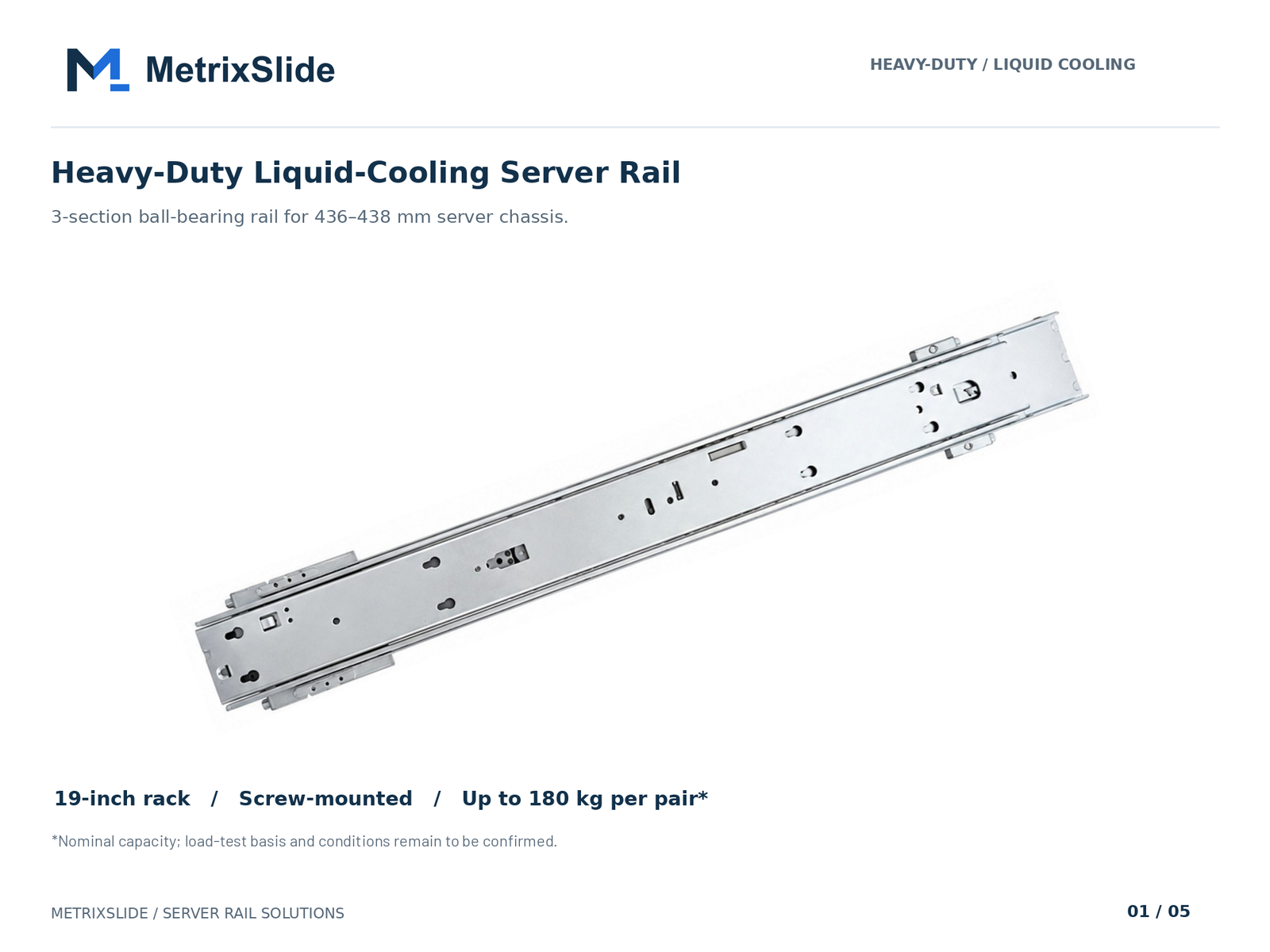 MS-BBR-180 Heavy-Duty Liquid-Cooling Server Rail — view product
If you meant Ruby on Rails server configuration: Puma, Passenger, systemd, and tuning
If your search was ambiguous and you meant "Rails" the web framework, here’s a concise operational checklist for deploying Ruby on Rails applications in cloud or colo environments.
Puma vs Passenger
- Puma: a multi‑threaded app server well suited to containerized or multi‑core instances; good when your app is thread‑safe and you want efficient memory usage. Use clustered workers (processes) plus threads per worker.
- Passenger: simpler process management with automatic spawning and smoother integration with some Nginx/Apache setups; can be easier when per‑process memory isolation is preferred.
systemd service unit basics
- Create a systemd unit that runs the app user, sets environment variables, points to the correct working directory, and relies on Restart=on-failure. Use ExecStartPre for migrations or asset precompiles if needed, and ensure proper dependency ordering (network-online.target).
Performance tuning essentials
- Threads/worker balance: choose workers to match CPU cores and set threads to fit expected concurrency and database connection pool size.
- preload_app! and copy‑on‑write friendly memory allocation for Puma when using clustered workers.
- Database pool sizing: set pool >= threads per worker; ensure your DB provision can support total pooled connections.
- Logging and health checks: separate app logs from access logs, expose a lightweight /healthz endpoint, and configure a readiness probe for load balancers.
Capacity estimate approach
- Establish request latency baseline under realistic load, then size workers/threads to meet p95 latency SLAs while keeping DB pool and external services within limits. Add headroom for garbage‑collection pauses and background jobs.
Use a simple deployment checklist: verify the systemd unit runs as the app user, confirm environment variables and dependency ordering, and size workers/threads to CPU cores, DB pool, and p95 latency targets.
Conversion / CTA
Ready to evaluate a custom rail? Choose one:
- Request a custom quote (attach chassis drawing or STEP, measured post spacing, required load, expected quantity).
We will review model‑level compatibility and respond with an initial delivery estimate within 48 hours. Note: bracket relocation, hole‑pattern changes, minor length and thickness adjustments are typically done without tooling fees; structural changes or full reprofile require NRE. US domestic warehousing and expedited sample options are available for large projects.
Links: https://www.metrixslide.com/contact-us/ and https://www.metrixslide.com/page/create-a-quote/
FAQ
Q: How do I match server rails to specific server models and rack types (2‑post vs 4‑post)? A: Start with three hard measurements: the measured post‑to‑post distance, the chassis mounting envelope (where the rail must attach), and the rack post hole type. Provide the exact server model, photos of the rack posts and a chassis drawing; we review compatibility against our rail families and advise whether adapters or custom hole patterns are needed.
Q: What measurements do I need to drill new mounting holes for custom rails? A: Supply a front‑view drawing showing the rack post datum, hole centerlines in millimeters, hole diameter/type and the distance from the rack face to each hole center. A mounting‑area STEP or a marked PDF lets us verify the correct keyhole/J‑slot geometry derived from your pin dimensions.
Q: How do I calculate safe load capacity for rails, and what safety factor should I use? A: Add the fully loaded chassis weight plus any temporary service loads, then select a rail rated per pair for static load at full extension. Apply a safety factor of roughly 1.5–2× the expected static load to account for insertion forces and off‑axis loading; very heavy or long enclosures often require additional rail pairs.
Q: Should I choose sliding or fixed rails for heavy rack‑mount servers and why? A: For regular service access, three‑section sliding rails (ball‑bearing) give full extension and better support during maintenance. Fixed rails are simpler and lower cost but require chassis removal for service. For heavy loads, prefer ball‑bearing slides with an anti‑sag structure and validated static testing at full extension.
Q: What are typical lead times and price ranges for custom server rails ordered in the United States? A: Sample lead time for RFQ projects we've delivered was around 15–20 days after confirmation; production lead times vary by quantity and whether new tooling is needed. Price ranges depend on family (budget friction vs professional ball‑bearing vs heavy‑duty GPU rails) — provide drawings and quantities and we’ll return a transparent quote with options and any tooling/NRE requirements.
Talk to a MetrixSlide engineer
Ready to move from research to a real quote? Send us a chassis drawing or model (STEP or DWG), the rack post-to-post distance and hole type, the expected load and your planned quantities. Within 24 hours you get a rail matching proposal from an engineer, followed by 2D/3D drawings for review and sample pairs (typically 15–20 days after drawing approval) for physical validation before the full order.
Bracket position, hole pattern, rail length and thickness adjustments on our existing platforms usually carry no tooling fee; structural redesigns are quoted separately with dies made in-house.