Short summary: "19‑inch" (482.6 mm) is a dimensional family, not a guarantee that a particular rail kit will drop in — measure posts, hole types, mounting depth and chassis interface before you buy.
EIA-310 and 19-inch Rack Essentials: Hole Spacing, Dimensions, and Tolerances
The “19‑inch” label refers to the 482.6 mm equipment-family defined by standards such as IEC 60297‑3‑100 and related guidance (often referenced alongside EIA‑310 practice). It is a dimensional framework — useful, but incomplete for rail selection. Before you order rails, record these rack facts.
- Rack family / nominal widths: 482.6 mm (19 in) front‑panel family; 1U (1 RU) = 44.45 mm (1.75 in).
- Vertical hole pitch inside a RU: industry practice commonly uses the 1/2" – 5/8" – 5/8" pattern (12.7 mm – 15.875 mm – 15.875 mm) which sums to 44.45 mm; standards specify the nominal centers, not every hole form used in the field.
- Common hole forms: square punched slots (for cage nuts), round holes and pre‑threaded posts. Example sizes that appear in installation drawings include square punches around 9.5 × 9.5 mm and round holes near Ø7.1 mm — treat these as examples and verify the actual cabinet drawing or photo.
- What the 19‑inch label does NOT guarantee: post shape and thickness, hole form or thread, front‑to‑rear usable mounting depth, or the chassis‑side interface (T‑pins, keyholes, captive screws). These variables control whether a rail “drops in”.
Practical tolerance notes and factory practice
- Standards govern nominal centers and panel widths; manufacturers and installers still choose hole form and post construction. Always measure the post‑to‑post distance (mounting depth) that matters to the rail bracket, not the cabinet’s external depth.
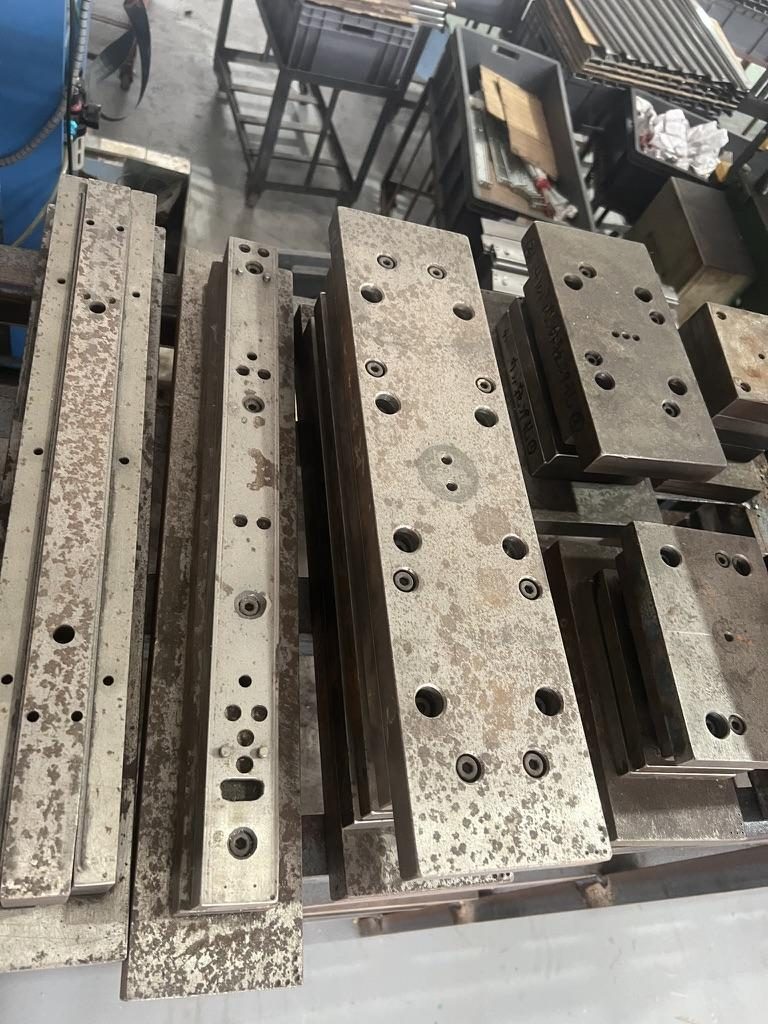
- MetrixSlide engineering practice: treat supplier stamping‑precision claims (for example, internal reports of ~0.08 mm absolute error on hole positions) as an assertion to be validated — request measurement or sample evidence when fit is tight.
- Common fit strategies when post holes or threads differ: use adjustable/universal brackets with a wide fit range, fit cage nuts or inserts, or select rails with multiple front‑bracket hole patterns and tool‑less options.
Where to verify dimensions
- Use IEC 60297‑3‑100 / IEC 60297‑3‑105 as the standards foundation for the 19‑inch family and request rail data sheets and 2D/3D mounting‑area drawings from your supplier before purchase. CAD verification is the engineering gate before samples.
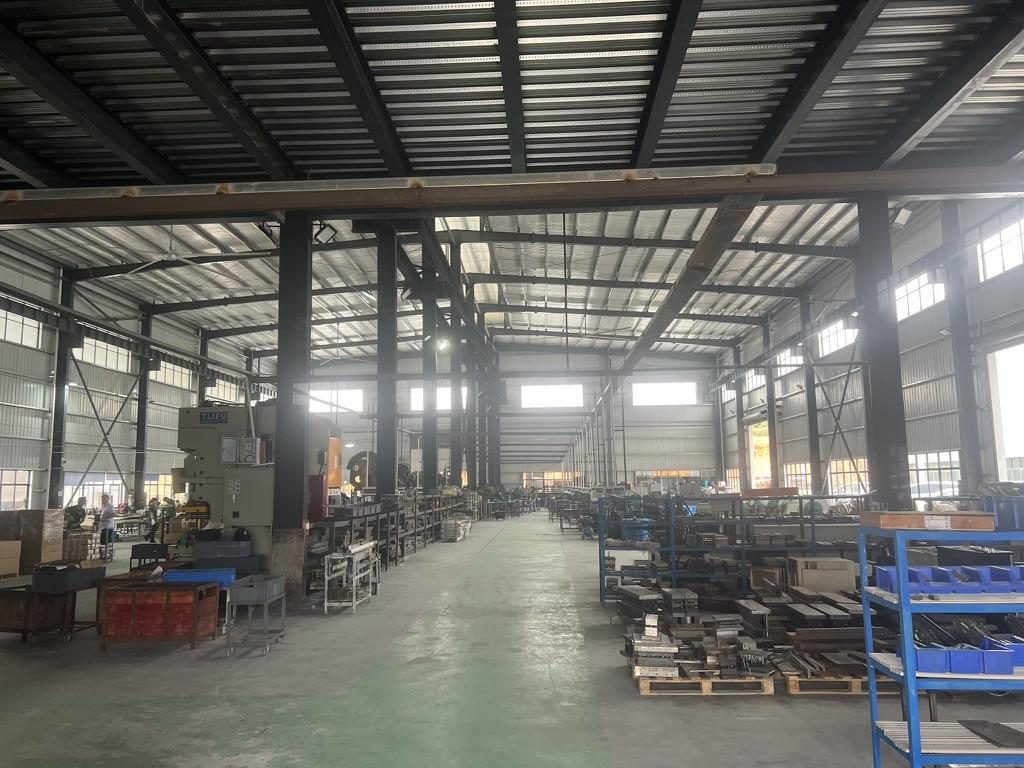
 Server rail sample display rack at the MetrixSlide factory showroom
(See the “Compatibility Matrix” section later for exact measurement steps and what to record before you send an RFQ.)
Server Rail Types and How to Choose: Fixed, Sliding, and Telescoping Rails
Rail architecture (fixed vs sliding) and sliding mechanism (ball‑bearing vs friction) are independent choices. Pick both to match serviceability, load, and actual cabinet depth.
Rail architectures
- Fixed rails: L‑brackets or welded supports with no service travel. Pros: low cost, high stiffness. Use when the unit is removed for service or is light and front access in‑rack is not required.
- Two‑section sliding rails: allow partial service access while the unit remains supported; common for mid‑depth systems.
- Three‑section / telescoping rails: provide full or near‑full extension for deep chassis and service‑heavy deployments. Three‑section ball‑bearing slides are preferred where full‑extension support and repeatable motion are important.
Sliding mechanisms
- Ball‑bearing: smoother, lower friction, better for heavier loads and frequent service. MetrixSlide’s product families include three‑section ball‑bearing options for heavier duty use.
- Friction slides: thinner, lower cost, suitable for lighter appliances or constrained depth; expect more wear under frequent cycling.
- Tool‑less variants: speed up installation into square or slotted holes; verify retention and vibration resistance if the environment is sensitive.
How to choose by scenario
- Heavily serviced datacenter equipment: three‑section ball‑bearing with positive lock‑out detents and specified full‑extension support.
- Edge or short‑depth racks: ultra‑slim friction or two‑section sliding rails sized to the shorter mounting depth; verify closed and extended lengths precisely.
- Deep chassis or GPU/storage shelves: heavy‑duty ball‑bearing rails with an appropriate static/dynamic rating and rear support where required.
Performance and durability
- Look for how a vendor defines load ratings: per‑pair vs per‑rail, static vs dynamic, and the extension state used in the test. MetrixSlide gives an example: MS-BBR-180 = nominal capacity of up to 180 kg per pair; a formal test report at that load is not yet available. Treat this as an example and always request definitions and test data for your application.
- MetrixSlide is ISO 9001:2015 certified and holds a patented anti‑sag slide structure; for lifecycle claims ask for cycle counts, static‑hold durations and acceptance criteria.
Quick comparison (high‑level)
| Rail type | Typical stroke | Best for |
|---|---|---|
| Fixed rail | N/A | Simple supports, low cost |
| Two‑section sliding | Partial extension | Compact service access |
| Three‑section telescoping | Full / near‑full extension | Deep chassis, heavy loads |
Product examples (MetrixSlide families): MS‑FMR (friction / ultra‑slim), MS‑BSR (three‑section ball‑bearing), MS-BBR-180 (heavy‑duty GPU/heavy load family).
Compatibility Matrix: Matching Rails to Server Chassis and Rack Depths
Compatibility is a matching exercise between chassis engagement geometry, rack mounting conditions and the rail’s bracket range. MetrixSlide follows a methodical mapping and hard‑gate process.
MetrixSlide decision rule (hard gates before preferences)
- Requirement → CAD → physical fit → performance. Pass each gate before advancing.
- Hard gates (must pass): (a) rack‑side mounting feature match (hole form/thread), (b) bracket fit range includes measured post spacing, (c) chassis‑side interface (T‑pins/keyholes/captive screws) aligns to inner‑rail features, (d) required static load capacity verified per pair/extension state.
- Only after hard gates are OK apply preferences: ball‑bearing vs friction, tool‑less, section count, cosmetic features.
Minimum measurements to capture (MetrixSlide intake checklist)
- Rack: photo of post, hole form (square/round/threaded), exact front‑to‑rear post distance (or min/max if adjustable), thread spec if pre‑threaded.
- Chassis: external width, datum reference on front panel, chassis depth, mounting‑feature coordinates (T‑pin centres, keyholes, captive‑screw positions), pin/head geometry.
- Service envelope: closed length required, required pull‑out (service travel), and whether lock‑out at full extension is mandatory.
- Load: expected SRME or payload to be carried by a pair of rails and whether multiple rail sets will share load.
Definitions (MetrixSlide engineering practice)
- Closed length: the rail assembly length between front bracket and rear bracket when rails are fully retracted (rails in‑rack).
- Extended length: the assembly length when the rail is fully extended.
- Bracket (fit) range: the adjustable distance the rail’s outer brackets can span between front and rear posts (this is the number you compare to the measured post spacing). Note: closed length ≠ bracket range ≠ chassis depth. Always ask for all three values on the rail drawing.
Match to rail family: examples from MetrixSlide casework
- A universal bracket family with a bracket range of 650–965 mm can cover many standard rack post distances; in one anonymised customer case the actual measured post spacing was ≈812 mm and fell within a 650–965 mm bracket range (CAD review passed; physical sample still required).
- A telecom‑OEM 1U example required a fit range of 674 ±3 → 919 ±3 mm with an inner‑rail removable design and a reduced pull‑out from an initial 300 mm down to 150 ±3 mm to meet lock‑out and SRME requirements — this was accepted at the design‑review phase and then sample‑validated.
- For chassis using PEM/T‑pins, provide head Ø, shaft Ø and under‑head clearance (example PEM spec used in a SaaS company case: head Ø 6.502 mm, shaft Ø 4 mm, under‑head clearance 1.585 mm) so the inner‑rail J‑slot or keyhole is derived from the pin geometry rather than guessed.
Practical mapping tips
- Do not assume “universal” means automatic drop‑in. Even “universal” rails require CAD fit if the chassis pins, bracket holes or post spacing differ.
- If posts are threaded (10‑32, 12‑24, M6), confirm thread type and depth. If mixed, use cage nuts or conversion hardware; otherwise provide the correct fasteners.
- For non‑standard depths MetrixSlide often supplies bounded customizations (bracket position, hole pattern, rail length or thickness) without full structural rework; structural redesigns require engineering and tooling.
Load Ratings, Fastener Standards, and Structural Best Practices
Interpreting a load rating requires that the vendor explain how the rating was measured.
How ratings should be reported
- Require a rating statement that includes: per‑pair vs per‑rail, static vs dynamic, extension state (closed/partial/full), test fixture and duration. MetrixSlide’s example MS-BBR-180 = nominal capacity of up to 180 kg per pair (a formal test report at that load is not yet available) is useful as a reference for RFQs but must be verified for your exact configuration.
- For multiple rails supporting a single heavy assembly, do not simply multiply a single‑rail rating. Ask for multi‑rail test data or an engineering analysis showing how load distributes across parallel rails.
Fastener and hole guidance
- Typical threads encountered in 19‑inch ecosystems: UNC‑10‑32 and UNC‑12‑24 in some US equipment, M6 commonly in international racks and some OEM posts. Square punched holes (9.5 × 9.5 mm in many drawings) accept cage nuts which enable thread conversion.
- If the cabinet uses a different thread, mitigation options include cage nuts, threaded inserts, conversion sleeves or captive nut plates.
Torque, inspection and maintenance
- Torque values depend on fastener size, thread engagement and materials — if the vendor does not provide specific torque values, request a recommended range or perform a qualification on a sample set.
- Inspection sequence for a new install: verify torque on front and rear mountings after first installation; re‑check torque after a short operational period in vibration‑sensitive environments; maintain spare inner‑rail pins and detent springs.
- Lubricate sliding interfaces per vendor recommendations. For ball‑bearing slides use a light, long‑lasting lubricant; avoid heavy greases that attract dust in datacenters.
Reinforcement and anti‑sag
- For long‑term heavy loads or vibration if sag becomes measurable, consider additional structural support (extra rail pairs, rear mounting brackets) and require an acceptable sag/deflection limit in the supplier test plan.
- MetrixSlide holds a patented anti‑sag slide structure, and in its factory static‑load test a rail pair is held under load at full extension for 24 hours (the MS‑FMR‑2U‑100 held 100 kg in that test); request the specific protocol and acceptance criteria relevant to your load case.
Installation Workflow: Step-by-Step Server Rail Installation, Cable Management and Cooling Considerations
A reliable installation process reduces surprises and downtime.
Pre‑installation checklist (minimum)
- Confirm rail model and that the rail’s bracket range covers the measured post spacing.
- Confirm hole form and ensure you have the correct cage nuts or fasteners (10‑32, 12‑24, M6 or square hole + cage nut).
- Provide the server datum and chassis mounting coordinates (T‑pin/keyhole centres) or a chassis drawing (STEP/PDF).
Step‑by‑step install (MetrixSlide practice)
- Install cage nuts or thread inserts into the rack posts you will use; position outer rail brackets in the chosen U positions and hand‑tighten.
- Use a level to ensure rails are parallel; confirm front and rear U heights match.
- Tighten front brackets to recommended torque.
- Extend rails as required and attach rear brackets or ear plates; tighten rear fasteners.
- Slide the chassis onto inner rails and engage the retention method (T‑pins, J‑slots, captive screws). Verify lock‑out detents and service stops.
- Do functional checks: slide in/out several cycles, confirm smooth travel and that any locks engage; verify chassis U alignment in the rack.
Tools and consumables
- Tools: torque wrench, appropriate drivers (Philips/Torx/hex), level, calipers or tape.
- Consumables: correct cage nuts/fasteners, anti‑corrosion washers if required, anti‑vibration pads for noisy/vibration environments.
Cable management and airflow
- Route heavy power and data cables so they do not pull the server during servicing; use cable management arms sized for the rack depth and required service travel.
- PDU placement and cable crowding at the rear can limit rear‑bracket options and interfere with airflow. Fit the PDU and cable runs before finalizing rail installation.
Common install errors and remedies
- Mis‑measured post distance → rails too short/long. Remedy: re‑measure and use adjustable brackets or a different rail family.
- Wrong hole type → use cage nuts or universal brackets.
- Jamming on extension → check inner‑rail alignment, detent pins, stamping accuracy and hole position tolerance; inspect for bent members or foreign objects.
- Document every install: label the rail model and rack location and save measurements for repeat deployments.
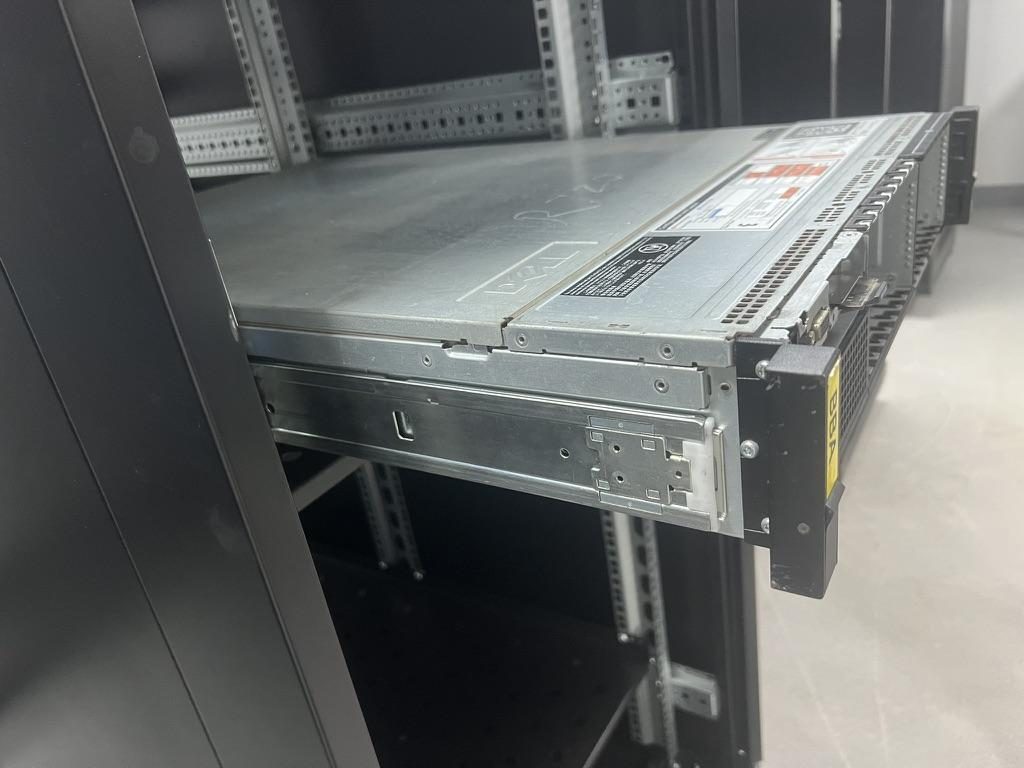
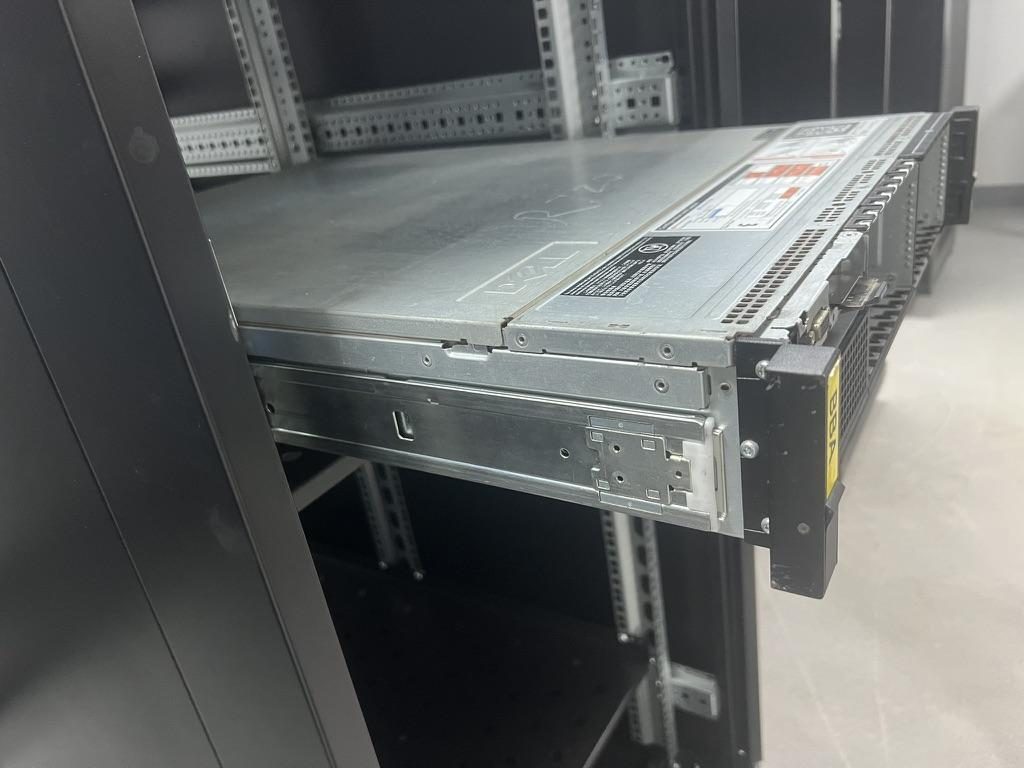 Compatible sliding rail kit for a Dell PowerEdge R720 chassis
 MS-TLS-120 Tool-less Ball Bearing Server Rail Kit — view product
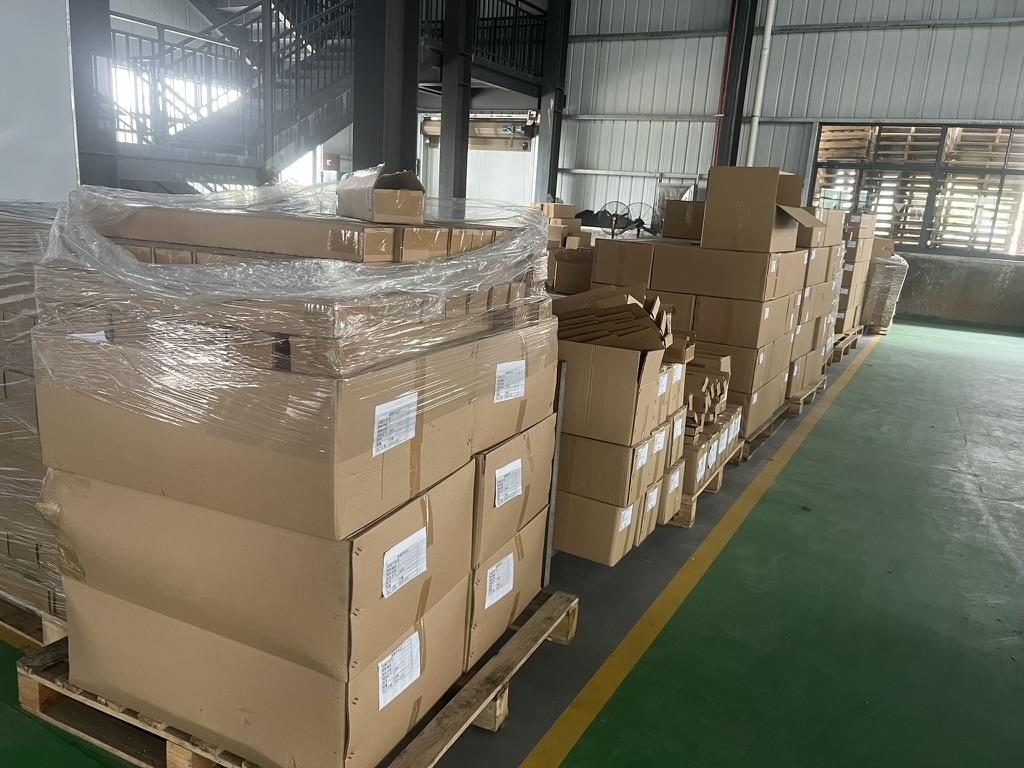 Export cartons of server rail kits ready to ship
Conversion / CTA
Measurement fields to capture and next steps
- Before ordering, capture these fields: rack hole type, front‑to‑rear post distance (or adjustable range), chassis datum coordinates, T‑pin dimensions (head Ø, shaft Ø, under‑head clearance) and expected load per rail pair.
- Use a compatibility matrix that maps your measured rack/chassis fields to rail closed/extended length and bracket fit range on the rail drawing. Example bracket ranges seen in projects include 650–965 mm (which covered an ~812 mm post spacing in one case).
- For samples or production, send engineering your chassis drawing (STEP or PDF), a photo of the rack posts plus measured post spacing, required load and planned quantity. MetrixSlide typically ships small sample runs in approximately 15–20 days after drawing approval in our experience, but production lead times vary by model and order size.
(Word count: ~200)
FAQ
Q: What are the exact EIA‑310 hole spacing dimensions for 19‑inch racks and what manufacturing tolerances are acceptable? A: The 19‑inch family uses 1 RU = 44.45 mm. The common vertical hole center pattern within a RU is 1/2" – 5/8" – 5/8" (12.7 mm – 15.875 mm – 15.875 mm). Standards provide the nominal centers; acceptable manufacturing tolerances vary by supplier — ask for CAD hole centers and confirm sample hole positions. MetrixSlide reports internal stamping precision capability around 0.08 mm; request measurement evidence if fit is critical.
Q: How do fixed, sliding, and telescoping rails differ in stroke, locking, and use cases, and which type is best for deep versus short racks? A: Fixed rails are simple supports with no service travel. Two‑section sliding rails give partial extension for in‑rack service. Three‑section telescoping rails provide full extension and are preferred for deep chassis and heavier payloads. Select by required service access, chassis depth and payload: deep + heavy → three‑section ball‑bearing; short depth or infrequent service → fixed or ultra‑slim friction rails.
Q: How can I determine whether a specific server chassis model is compatible with a given rail kit and rack depth? A: Capture three measurements: rack post hole type and front‑to‑rear post distance; chassis mounting feature positions (T‑pin/keyhole coordinates) relative to a front datum; and required service travel. Map those to the rail’s closed/extended lengths and bracket fit range on the rail data drawing — if they overlap and the chassis pins match the inner‑rail geometry, request a CAD fit and a physical sample.
Q: Which fastener thread types (10‑32, 12‑24, M6) are used where, and what are mitigation options for mixed threads? A: UNC 10‑32 and 12‑24 are common in some US racks; M6 is common internationally. If thread types differ, use cage nuts, threaded inserts or conversion sleeves to adapt the post to your server fasteners. Avoid forcing incompatible fasteners; request conversion hardware or a rail kit with appropriate fasteners.
Q: How do I interpret rail and rack load ratings, apply appropriate safety factors, and verify structural capacity for multiple servers? A: Verify whether the rating is per‑pair or per‑rail, static or dynamic, and at which extension state it was tested. For multi‑rail systems or multiple units in one rack, ask for structural analysis or multi‑rail test data and apply a safety factor based on your environment (vibration, tip‑load). Do not assume linear multiplication of single‑rail ratings without explicit vendor validation.
Talk to a MetrixSlide engineer
Not sure how this applies to your servers? Send us a chassis drawing or model (STEP or DWG), the rack post-to-post distance and hole type, the expected load and your planned quantities. Within 24 hours you get a rail matching proposal from an engineer, followed by 2D/3D drawings for review and sample pairs (typically 15–20 days after drawing approval) for physical validation before the full order.
Bracket position, hole pattern, rail length and thickness adjustments on our existing platforms usually carry no tooling fee; structural redesigns are quoted separately with dies made in-house.