
Most rail compatibility mistakes are reading mistakes: the right model is somewhere on the page, but the wrong revision, entry, or footnote is used to answer the question.
Confirm You Are Reading the Right Matrix Version
Before matching any server model, check two things about the document itself: its revision date and the product lines it covers. A matrix is a snapshot of what the publisher had documented at that revision. A server announced later, or a rail kit revised later, may simply not appear in it, and absence in an older revision is not a compatibility verdict either way.
Once the revision looks right, read in a fixed order: header and column definitions, the server model entry, the rail kit entry, any symbol or footnote attached to that cell, then the document's own notes. Record the result as a citation line: document title, revision or date, page, model string, kit identifier, and footnote text, so a colleague can re-check the same evidence instead of a paraphrase of it.
The checklist below is an illustrative reading aid, not a reproduction of any OEM matrix.
| Field | What it establishes | What it does not establish |
|---|---|---|
| Revision or issue date | Which snapshot of documentation you are reading | That newer servers or kit revisions are covered |
| Product line or generation scope | Which server families the document intends to serve | That a similar-looking model from another generation is included |
| Server model entry | The exact model string the publisher listed | That a suffix, option, or chassis variant shares the same rail interface |
| Rail kit identifier | The kit name or number as published | That two identifiers describe interchangeable hardware |
| Rack adjustment or depth range | A range expressed in the rail maker's own datum | Fit with your rack unless you measure to that same datum |
| Hole pattern or thread note | The mounting style the kit is documented for | That adapters exist or another hole type will work |
| Footnotes and markers | Exceptions, options, or exclusions the publisher noted | Anything not printed there |
Footnotes often change the answer. A listed kit with an exclusion note is a conditional answer, not a green light, and a blank cell is a documentation gap rather than a stated incompatibility. If the matrix does not address the physical question, such as post type, hole type, or depth, do not stretch a model entry to cover it. Those details belong in the rail kit's installation manual and the rack's own documentation.
Read Rail Kit Identifiers as Descriptions, Not Codes
A rail identifier tells you what the publisher calls a kit. It does not decode into a mechanical specification you can reason from, and similar prefixes across generations are not evidence of shared hardware.
Three descriptions appear repeatedly, and each answers a different question. Static or fixed support describes the support type; it does not by itself state load capacity. Sliding or extension describes travel; it does not turn a kit into a load rating or prove clearance for a cabled chassis. Tool-less describes one attachment interface only, commonly the rack side, and says nothing about the chassis side. A kit described as tool-less may still require a specific bracket, peg, or fastener on the server.
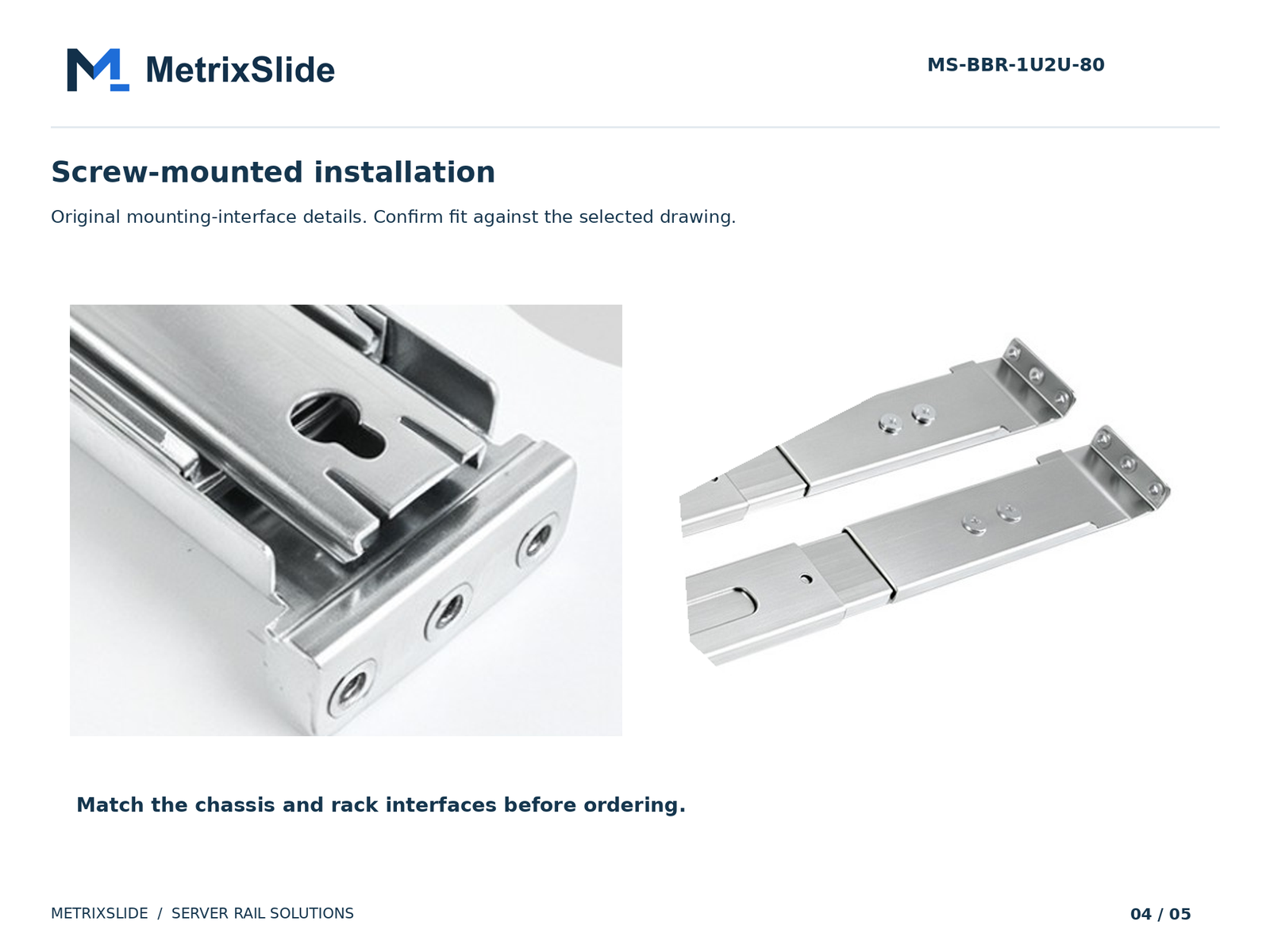
If a document uses a new or unfamiliar kit name, treat it as a lead to verify in the current revision, not as proof of mechanism. When two identifiers look alike, record both: the identifier, the document listing each, the models each is listed against, and the installation conditions still unknown. Do not conclude interchangeability from a shared prefix, a similar product photo, or the fact that both are described as fitting a 19-inch nominal panel width.
Put Model, Generation, and Kit in One Evidence Chain
Working in a fixed sequence reduces reading mismatches. First lock the product line and chassis generation. Then find the exact model string as printed, including any suffix or option text, and do not assume variants share an entry. Then read the kit entry and its footnote. Only after that do you compare the kit against the physical environment.
Three illustrative reading examples show how the record is kept. These are reading examples, not product guidance:
- Two model strings differ by a suffix. One has a listed kit; the other has no entry at all. Result: an open question about the second chassis, not a compatibility conclusion in either direction.
- A model has a listed kit, but the footnote excludes a chassis option. Result: the entry is conditional, and the condition must be carried into the review rather than dropped.
- A newer generation lists a different kit identifier and a different rack range. Result: a cross-generation question list, not a substitution.
In every case, what moves forward is a documented input plus a named open item. Writing 'probably fits' into a procurement note converts a reading gap into a physical risk.
Validate the Rack Separately: Posts, Holes, Depth, Clearance
Matrix entries describe server-to-kit pairings. The rack is a separate set of facts and deserves its own check.
Support type. 4-post and 2-post mounting are different problems and should be assessed separately. A kit documented for one configuration is not evidence for the other.
Hole type. Square holes, round unthreaded holes, and threaded holes are three distinct interfaces. Threaded holes already contain their thread; do not treat them as square holes that need cage nuts. Square holes need the hardware or peg arrangement the actual kit specifies, and they do not always need cage nuts. Thread labels are not interchangeable either: M6 has a coarse pitch of 1.0 mm, #10-32 has 32 threads per inch, and #12-24 has 24 TPI. #6-32 is not M6.
Width and height as context. 19 inches (482.6 mm) is a nominal panel-width classification, not a chassis-body width and not a compatibility proof. 1U is 44.45 mm, and mounting-hole columns are commonly about 465.1 mm apart, subject to the applicable standard and tolerances. Within one U's vertical span, hole positions repeat in a 5/8 in, 5/8 in, 1/2 in pattern; that is hole position, not hole diameter.
Depth. Rack cabinet depth, mounting-post distance, closed rail envelope, and chassis depth are four different measurements. Compare the rail's documented adjustment range with your rack's post-to-post distance measured to the same datum the rail maker uses; inside-face distance is not a universal datum. Without that shared reference, a depth number cannot produce a fit answer.
Accessories and clearance. Cable management arms, trays, and strain relief add their own mounting points and clearance needs. Check the accessory documentation for clearance and attachment rather than assuming a universal attach point or a universal available depth.
Load figures belong to the stated model and configuration, per rail or per pair, with extension and static or dynamic conditions named. Do not add pair ratings together to justify a combined assembly, divide a rack load by rail count, or assume each side carries exactly half. Structural modification, such as drilling, welding, lengthening, bypassing a latch, or mixing members that look alike, is not a reading technique. Ask the equipment manufacturer instead.
Handle Missing Rows, Mismatches, and Brand Boundaries
When the matrix does not resolve the question, classify the gap before acting: a missing record, where the combination is not documented; a field conflict, where two documents disagree; or an unknown installation condition, where the interface is documented but your environment is not. Each needs different follow-up, and none is evidence for or against fit.
For any brand-specific procedure, including latch release, fastener selection, torque, lubrication, handling, isolation, and preparation, use the exact installation manual for that server and rail kit. A general article cannot substitute for it.
MetrixSlide reviews rack-side and chassis-side interfaces and can develop custom rail length, bracket, mounting, and travel configurations where a standard range does not serve. That work can include project CAD, installation guidance, and sample development, staged as requirements, CAD, sample, physical fit, and performance validation; passing one stage does not establish another. It does not include promises of universal OEM interchangeability, brand authorization, loose inner-rail inventory for every kit, or general onsite repair.
For background on how these interface questions are usually framed, see the existing overview of server rail compatibility across Dell and HPE platforms, and treat Dell's published rail sizing and rack compatibility matrix as the primary document to verify rather than any secondary summary.
Review Your Rail Interface Before You Specify
Send the basic, non-confidential information first: server model, rack type and post configuration, hole type, available depth, the rail identifier you are holding, and the question still open. That is enough for an initial application review and keeps the discussion on interfaces instead of assumptions. Authorized proprietary drawings can follow under an appropriate confidentiality agreement. Start with a quote request or read about engineering confidentiality.
FAQ
How do I confirm that a Dell rail compatibility matrix is current and covers my server?
Check the revision or issue date and the product-line scope printed in the document, then confirm your exact model string appears. If the model is absent, treat it as a documentation gap and request the current published document rather than concluding either way.
Which fields should I copy from the matrix into an interface review checklist?
Record the document title and revision, page, exact model string, rail kit identifier, adjustment range, hole or thread note, and any footnote attached to that cell. Add the questions the matrix does not answer, so they stay visible during review.
What do static, sliding, and tool-less rail descriptions actually tell me?
Static or fixed describes support type; sliding or extension describes travel; tool-less describes one attachment interface, often only the rack side. None by itself states a load rating, and tool-less rack attachment does not prove tool-less chassis attachment.
How should I assess a third-party rack with round holes against a Dell rail kit?
First confirm whether the kit's documentation covers round unthreaded holes and which hardware it specifies for them. If that is not documented, ask the rack and rail manufacturers; do not substitute a different hole interface or assume an adapter exists.
What should I do when my chassis generation or rail identifier is missing from the matrix?
Classify it as a missing record rather than an incompatibility, and assemble the evidence you do have: model, generation, current kit identifier, rack details, and the specific open question. Absence from one revision does not prove the combination cannot work.
How can I check cable management arm and tray clearance without assuming a universal rack depth?
Use the accessory documentation for its mounting points and clearance needs, and the rail documentation for its closed envelope. Then measure your rack's post-to-post distance to the same datum the rail maker uses before deciding whether the combination has room.
What non-confidential information should I prepare for a rail interface review?
Prepare the server model, rack type and post configuration, hole type, available depth, the rail identifier you have, and a short statement of the open question. Keep proprietary drawings and commercial details out of the first exchange; those can follow under an agreement if needed.
Sources
- Dell Technologies, Enterprise Systems Rail Sizing and Rack Compatibility Matrix (verify the current revision before use).
- MetrixSlide, Server rail compatibility: Dell and HPE platforms.